Book a demo
  1. Home
  2. Hospitality & venues
  3. Seasons & promotions
Seasons & promotions

Plan the summer now, go live on time

Build Christmas lunch, summer sessions and New Year's Eve weeks ahead. Each set of changes goes live on the minute you choose, and comes off again when the offer ends.
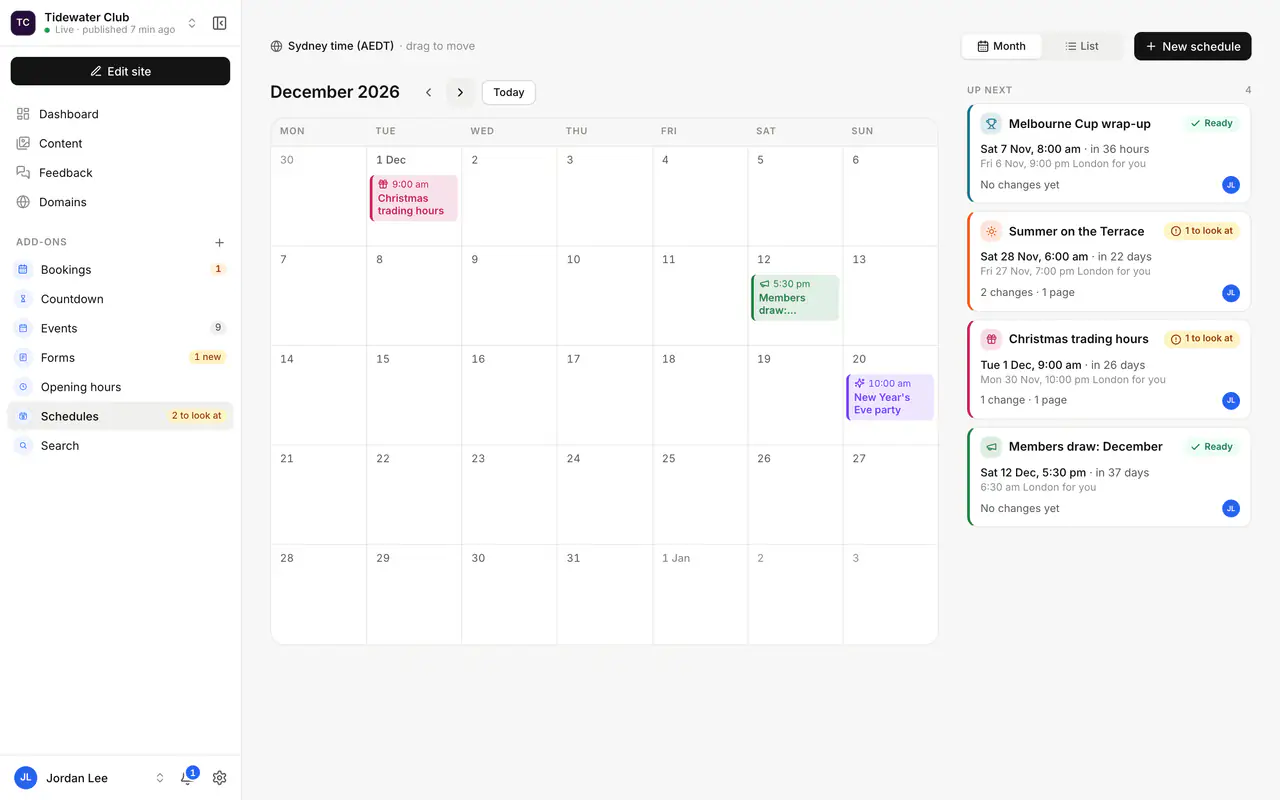
Lined up to go live
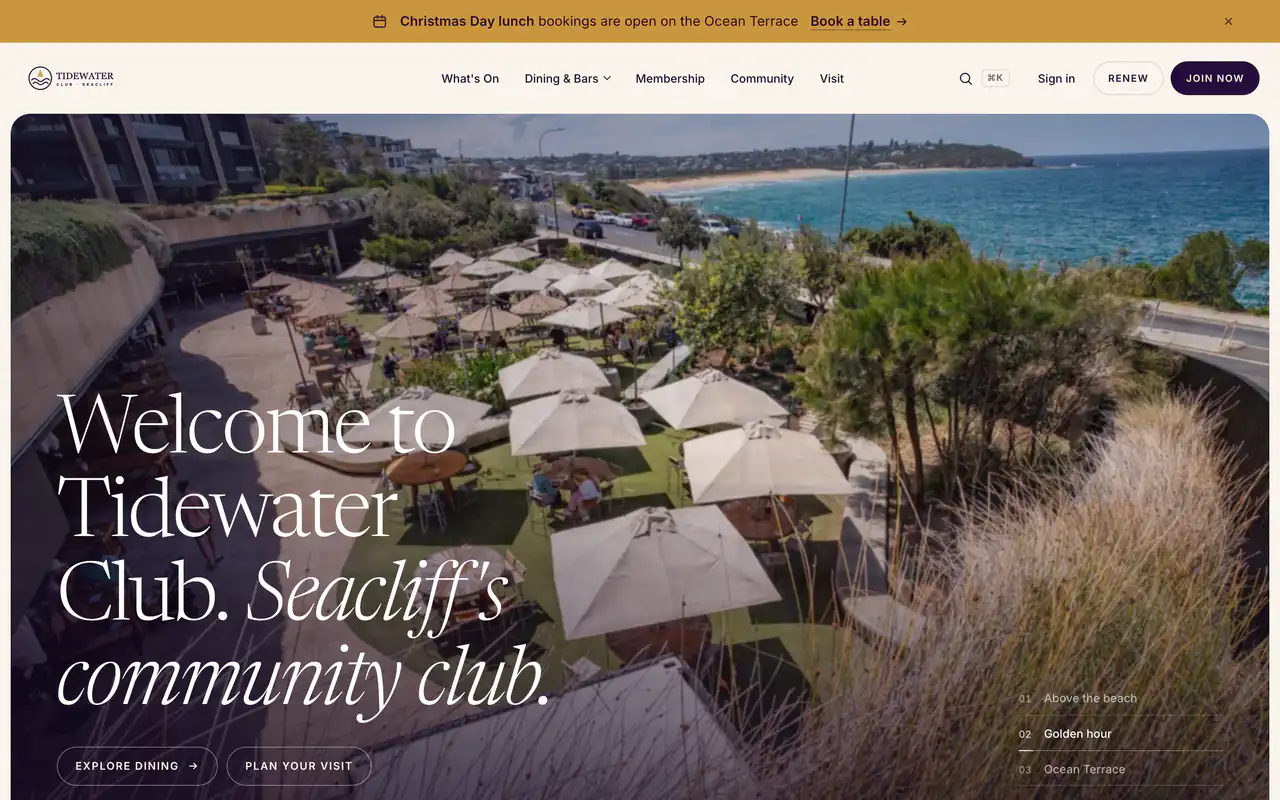
An announcement bar
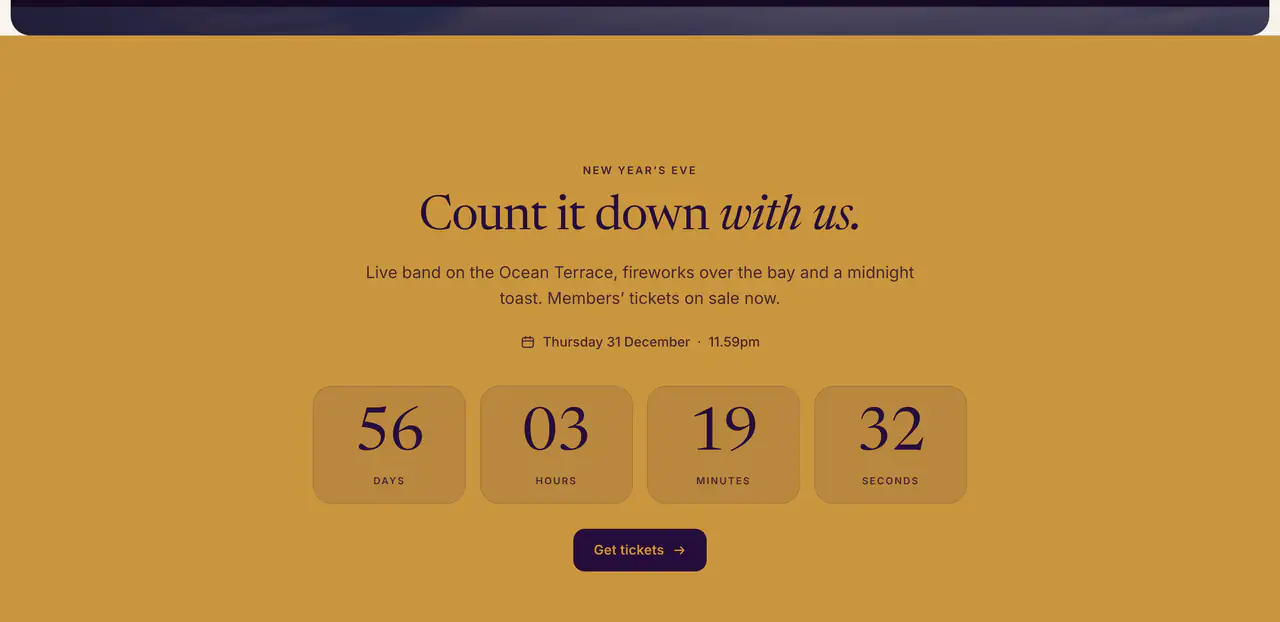
Counting down
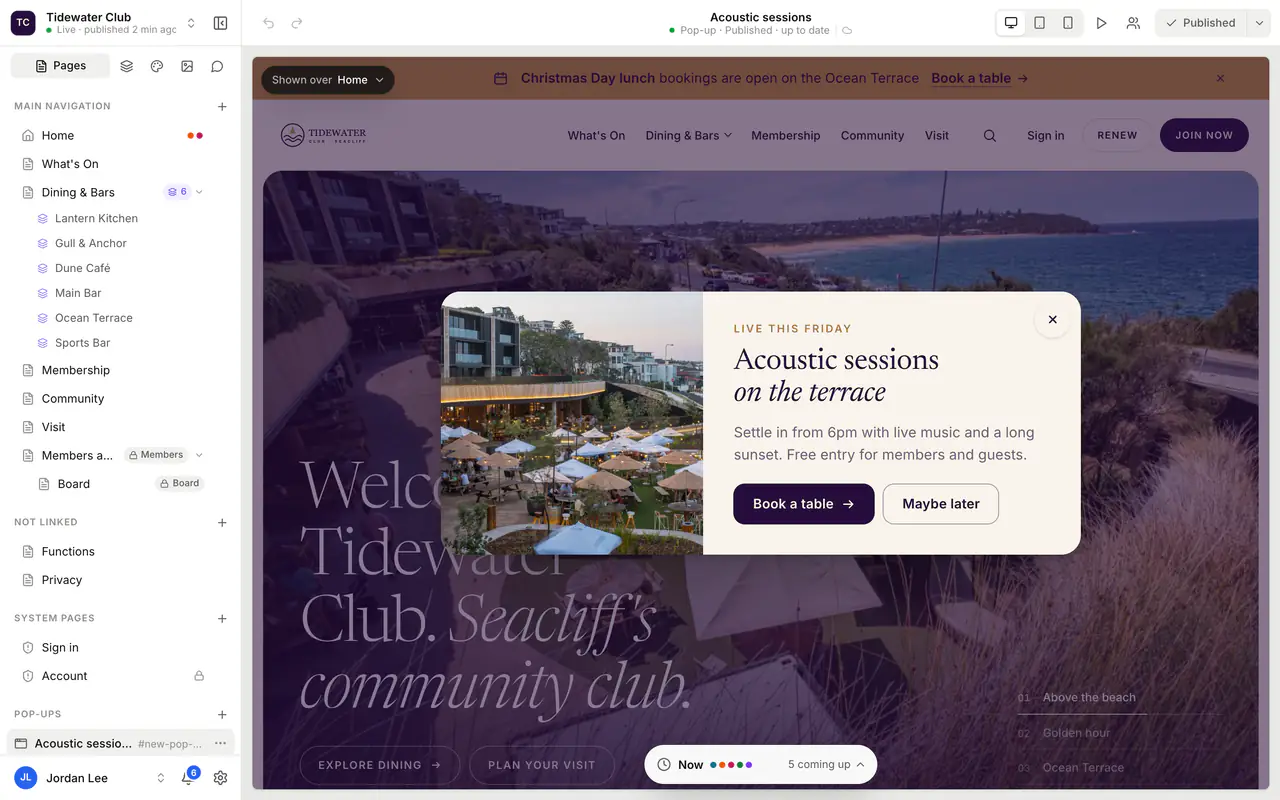
Design the pop-up on the page
01Schedules

A season's changes in one schedule

Group the Christmas menu, the new homepage banner and the booking pop-up into one schedule. Everything goes live together, and everyday edits keep flowing in the meantime.

  • Pages, events, menus and pop-ups together
  • Goes live on the minute in your time zone
  • Optional time to put things back
  • Clashes shown field by field
builder.webdirector.net/tidewater-club/schedules
A schedule's changes and go-live time.
02Pop-ups

Pop-ups at the right moment

Choose a layout, fill in the words and photo, then decide when it opens: after a few seconds, on scroll, when someone is about to leave, or from a button.

  • Seven layouts in your site's style
  • Once per visit, or until it changes
  • Phones only, or every device
  • Start and end dates
builder.webdirector.net/tidewater-club/edit
Designing a pop-up on the page.
03Countdowns

Announcement bars and countdowns

Put Christmas Day bookings in the announcement bar and count down to New Year's Eve. When the time arrives, the countdown swaps to a message.

  • Dismissible bar with a link
  • Countdown in the venue's time zone
  • Swaps to a message at zero
  • Plan them inside a schedule
tidewater-club.webdirector.space
An announcement bar and countdown on the Tidewater Club site.
“We built the whole summer program in October. On the first of December it went live at midnight while we were asleep.”
Marketing coordinator, Tidewater Club

See WebDirector run your websites

Book a walkthrough with the Corporate Interactive team. We will show you the editor, the features your business needs and how your sites would move across.