Book a demo
  1. Home
  2. Features
  3. Forms
Built-in forms

Forms that reach the right person, every time

Forms come with every WebDirector site. Start from a template, add steps and conditions, take payments, and see every submission in one place, with spam kept to one side.
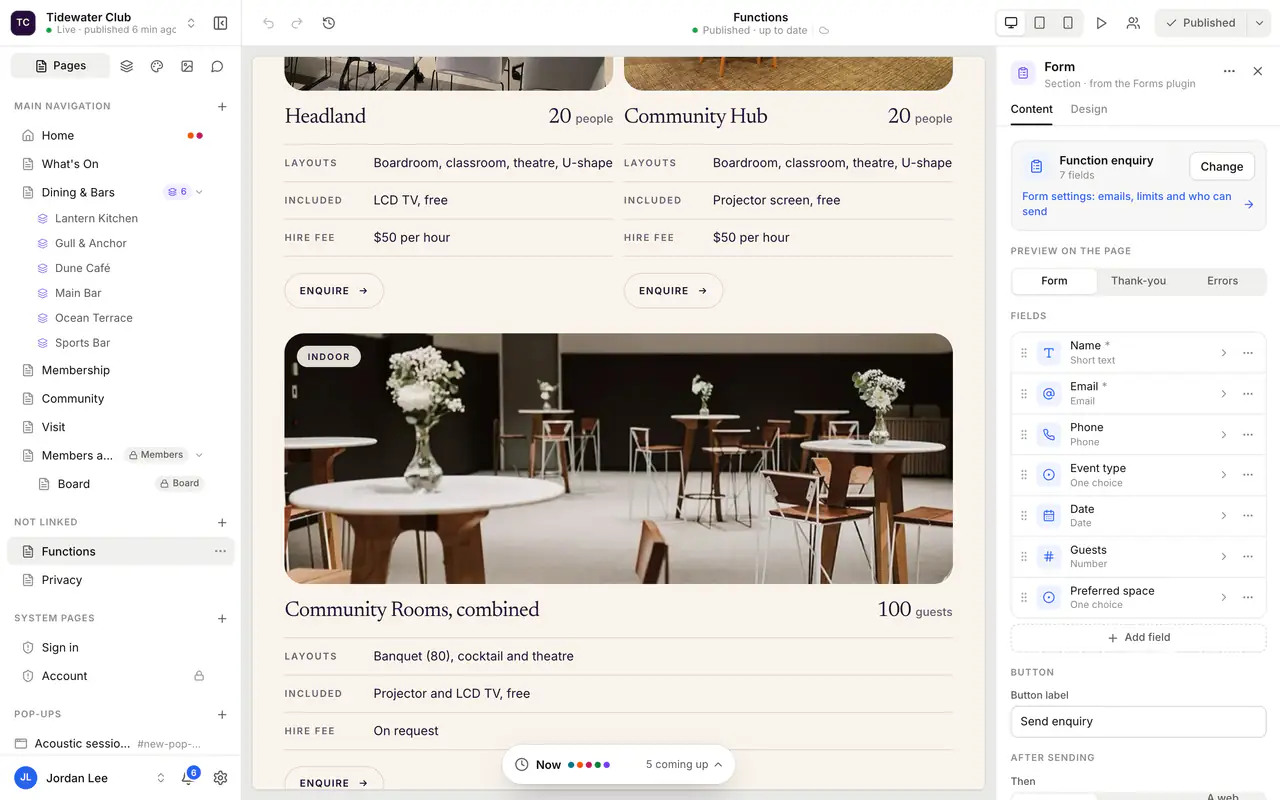
Add fields, steps and emails
Visitors enquire on your page
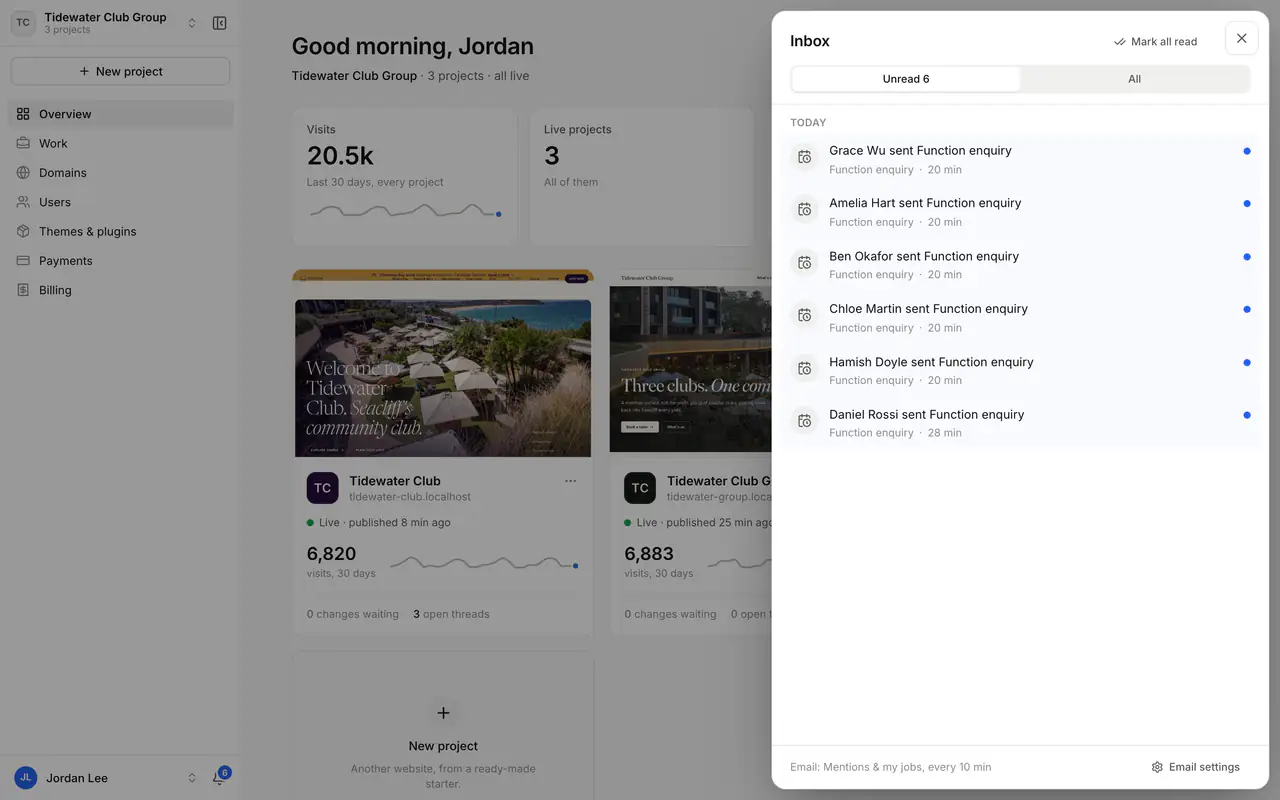
New enquiries arrive here
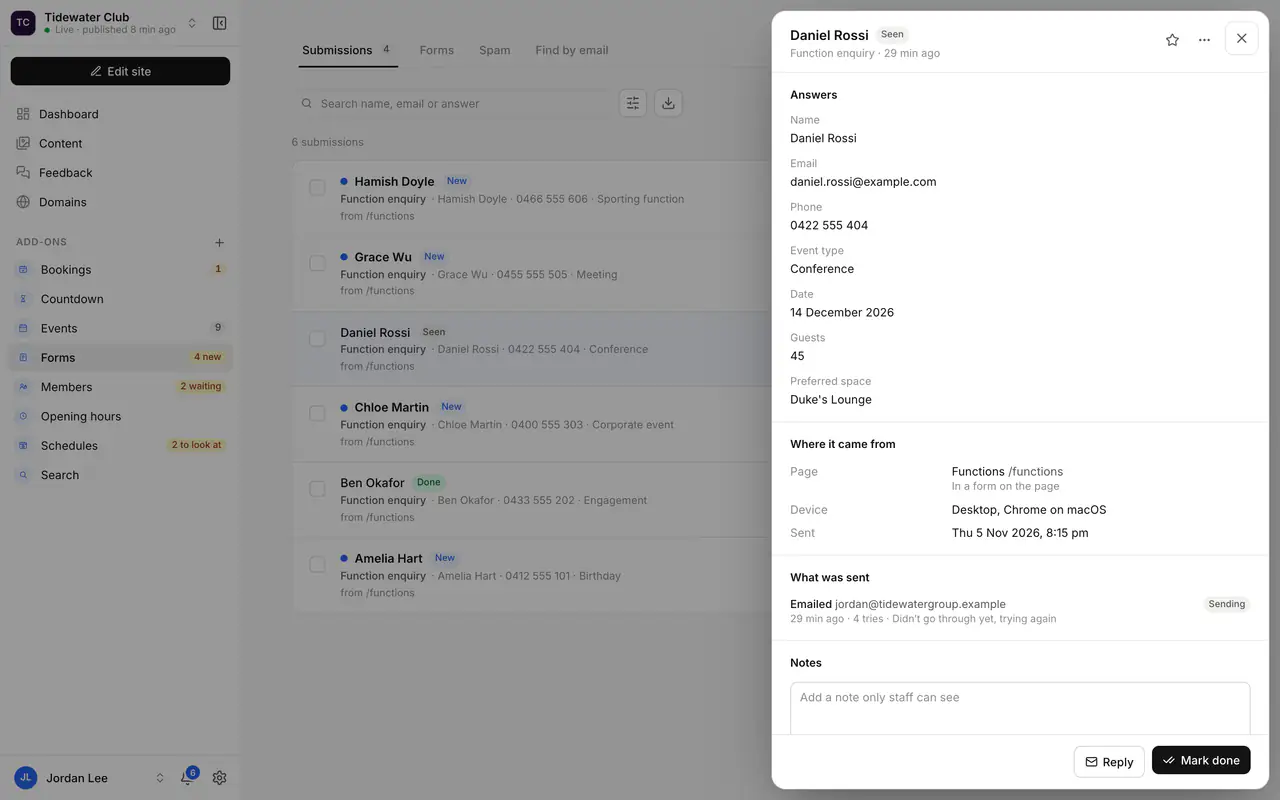
Every answer in one place

Real WebDirector screens. Click a step, or Replay.

10 templatesContact, quote, job application and more
No JavaScriptNeeded to send a form
11 retriesWebhook attempts over 3 days
01Build it in minutes

Start from a template, shape it

Pick Contact, Enquiry, Quote request, Event RSVP, Function enquiry, Job application, Volunteer sign-up, Newsletter, Feedback or Booking request. Then add fields, show a field only when an answer calls for it, and split long forms into steps.

  • Ten ready-made templates, or start blank
  • Show fields only when they apply
  • Steps with progress for longer forms
  • File uploads and signatures
builder.webdirector.net/org/tidewater-club-group
The inbox: new function enquiries as they arrive.
02Works for every visitor

One form, used anywhere on the site

Place a form on any page, in a pop-up, in a sheet opened by a button, or on its own page. It sends even with JavaScript turned off, and only loads its code on pages that have a form.

  • Reuse one form in many places
  • Inline errors and a thank-you in place
  • Closed, full and places-left messages
  • Members-only forms when Members is on
builder.webdirector.net/tidewater-club/forms
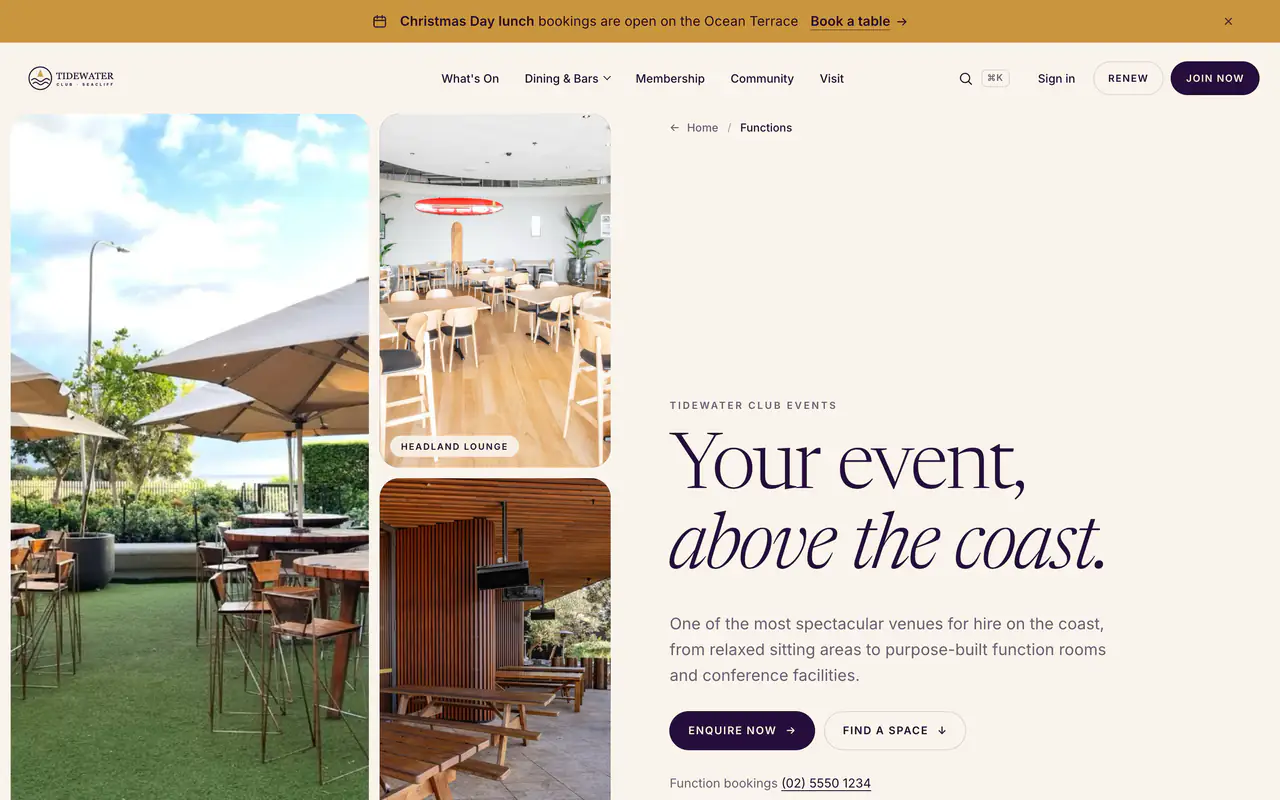
The Ocean Terrace function enquiry form on the Tidewater Club website.
03The right inbox, the right system

Emails, autoresponders and webhooks

Each submission is emailed to the people you choose, with routing rules by answer, and an optional reply to the visitor. Webhooks send each submission to your other systems, signed and retried if they are down.

  • Route by answer, for example by location or service
  • Branded autoresponder to the visitor
  • Signed webhooks with a delivery log
  • Resend or send a test from the admin
builder.webdirector.net/tidewater-club/forms
Submissions to Tidewater Club forms, with filters and a Spam tab.
04Take payment on the form

Collect payment as they submit

Add a Payment field for a fixed price, a choice of prices, quantities or a donation amount. Payments use your organisation's Stripe account, and you can refund in full or in part from the submission.

  • Stripe Payment Element, loaded only when needed
  • Receipts emailed to the payer
  • Full or part refunds from the admin
  • Test mode before you go live
builder.webdirector.net/org/tidewater-club-group
Payment accounts set up for the Tidewater Club Group organisation.
05Spam out of the way

Spam is filed, never lost

Layered checks, from a hidden honeypot to rate limits and content rules, move suspicious posts to a Spam tab instead of refusing them. Spam sends no emails and is deleted after 30 days.

  • Spam tab with the reasons shown
  • Mark as not spam to send it on
  • Optional challenge for busy forms
  • Retention settings and CSV export
builder.webdirector.net/tidewater-club/settings
Site settings: business details, availability, favicon, language and time zone.
In the demo

The Tidewater Club demo shows one example, a function enquiry form on the Ocean Terrace page, with sample submissions in Add-ons › Forms, including the Spam tab.

Tidewater Club Group is a made-up organisation. Its sites use designs from Corporate Interactive’s club concepts.
Ask for a live demo
Works with QuoteCloud

Send the paperwork automatically

Connect your WebDirector forms and bookings to QuoteCloud, Corporate Interactive’s quoting, proposal and e-signing platform. A natively connected website, or Zapier, Make or the QuoteCloud API, creates the document from your template the moment someone submits, filled with their details and the lines they chose.

  1. 1

    Someone submits a form, booking or order on your website

  2. 2

    QuoteCloud creates the quote, proposal or contract from your template

  3. 3

    They accept, e-sign and pay online

Questions

Forms, answered

Do I need a separate forms tool?

No. Forms are built into every WebDirector organisation. Each site turns them on and they are ready to use.

Will my form still work if a visitor has JavaScript turned off?

Yes. Every form posts as a normal web form, shows errors on the page and shows the thank-you message. Paying with a card is the one part that needs JavaScript.

Can a form send to our CRM or booking system?

Yes, through webhooks. Each submission is sent as a signed message to the address you choose, retried for about three days if it fails, and logged so you can resend it.

How do you deal with spam?

Several checks run on every post. Anything that looks like spam is filed under Spam with its reasons, sends no emails, and is deleted after 30 days unless you mark it as not spam.

Can we take payments on a form?

Yes. Add a Payment field and connect your organisation's Stripe account. You can test with a test account first and refund from the submission.

How long are submissions kept?

You choose per form: 3, 6, 12 or 24 months, or until you delete them. Uploaded files can be removed sooner than the submission.

See WebDirector run your websites

Book a walkthrough with the Corporate Interactive team. We will show you the editor, the features your business needs and how your sites would move across.