Book a demo
  1. Home
  2. Features
  3. Work requests
Work with our team

Ask for help and see exactly where it's up to

Request new pages, design changes or fixes from your dashboard. Every job has its own feed and plan, and bigger pieces of work are grouped into projects with dated milestones.
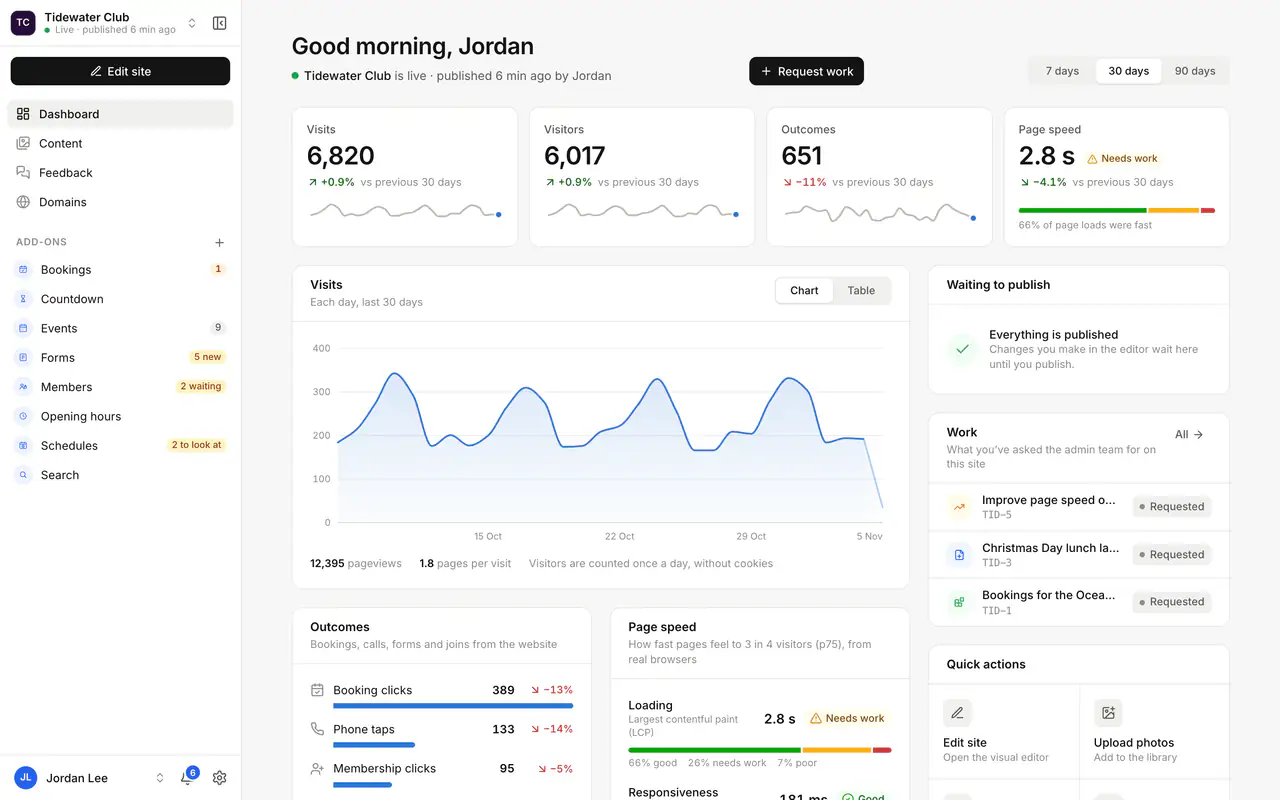
Request work from the dashboard
Or turn feedback into a job
Every job in one list
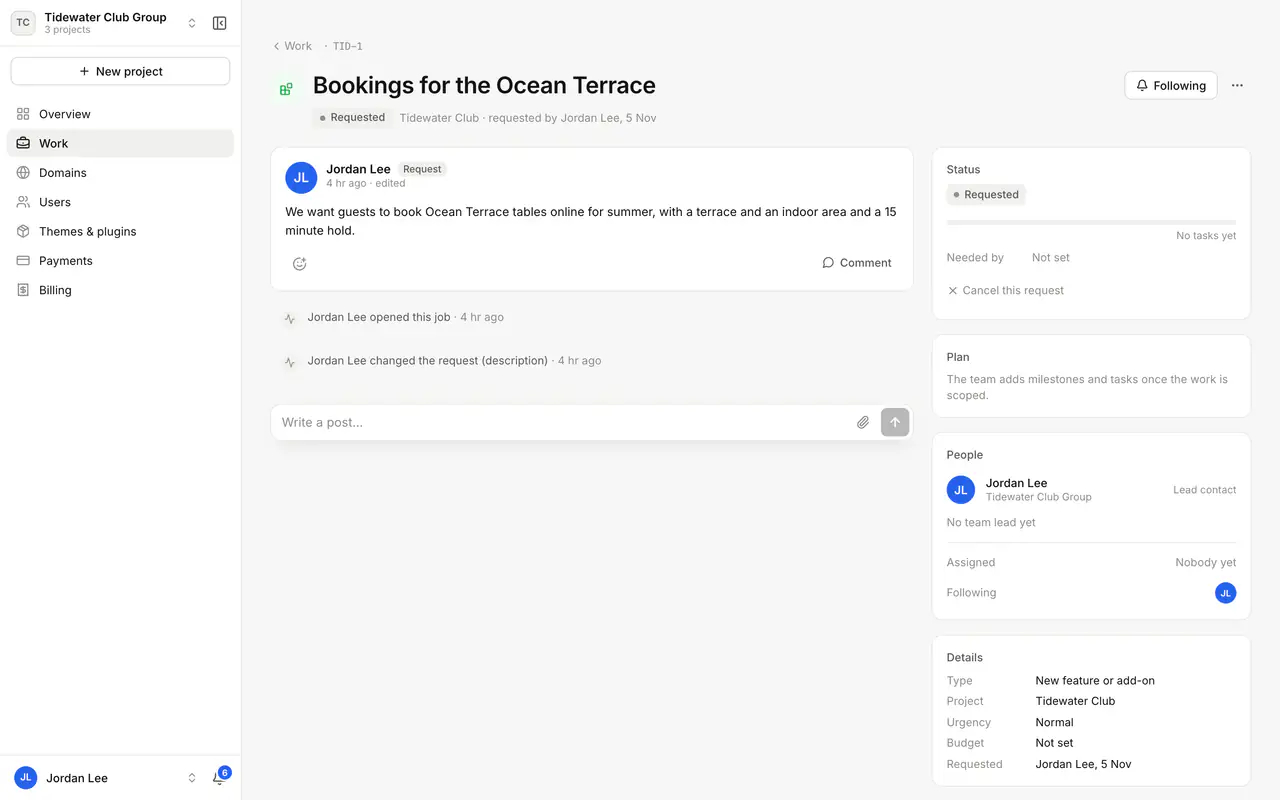
Brief, feed and status

Real WebDirector screens. Click a step, or Replay.

8 job typesfrom new page to new website
4 cardstap one to filter the list
14 daysbefore a milestone shows Due soon
01Request

Ask from wherever you are

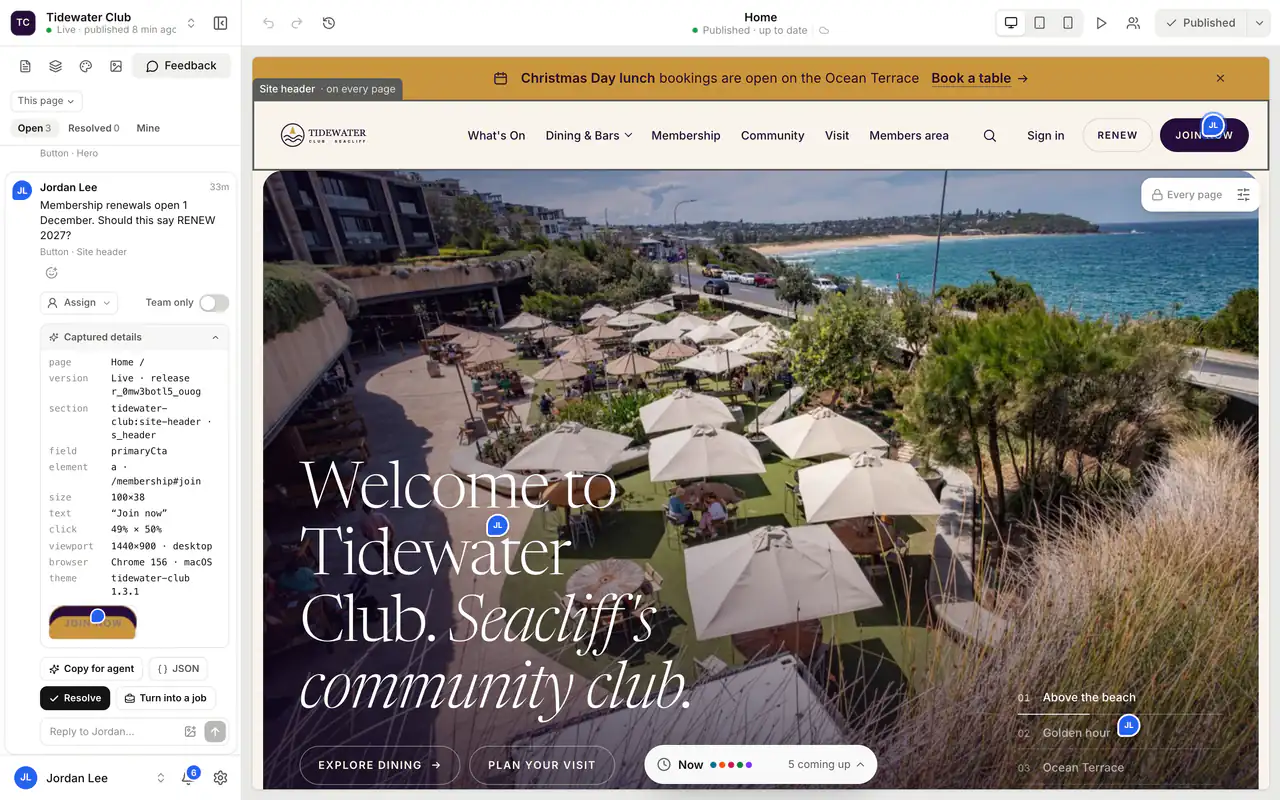
Press Request work from the overview, a site's dashboard or the account menu. From the editor, the request already knows the page and section you were looking at, and any feedback thread can be turned into a job.

  • Title, description, files and example links
  • Needed-by date, urgency and a budget range
  • Choose a lead contact, even someone without a login
builder.webdirector.net/org/tidewater-club-group
The inbox: new function enquiries as they arrive.
02Follow

Every job, one clear list

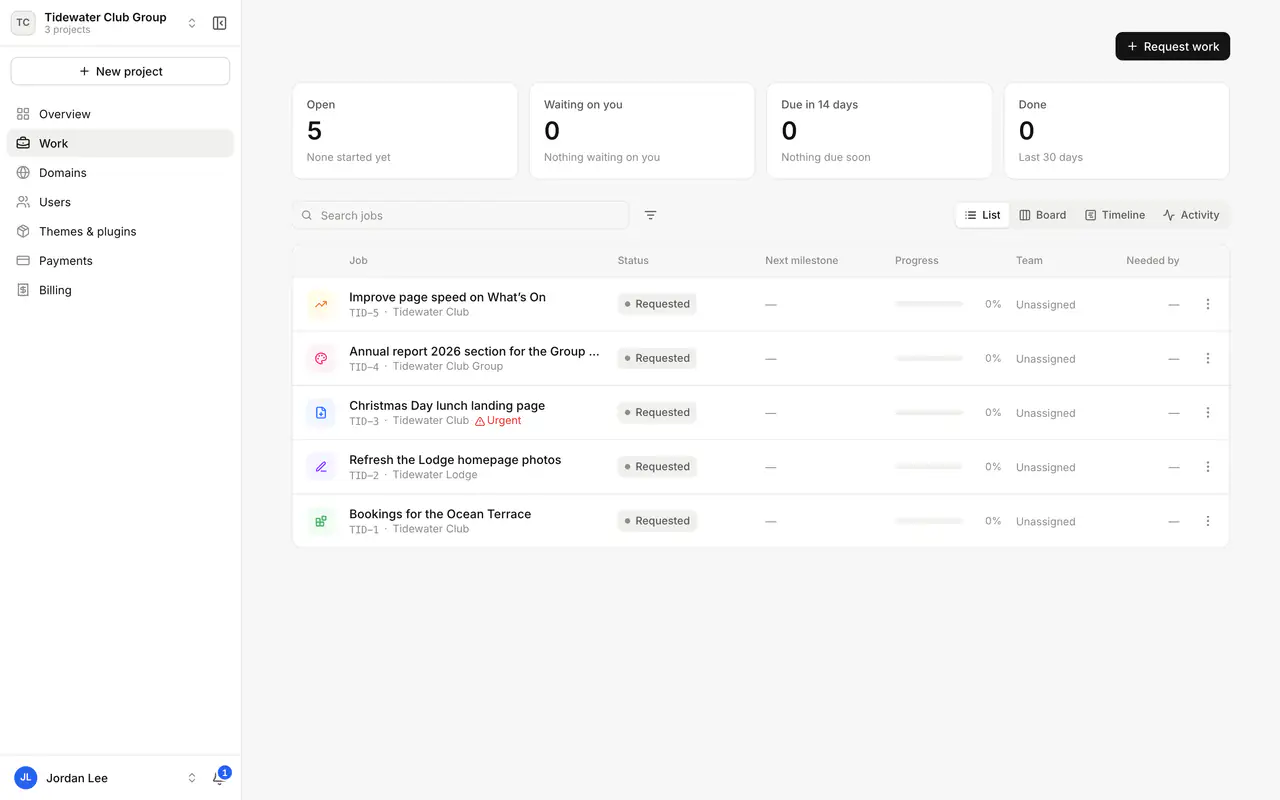
Four cards show what is open, what is waiting on you, what is due in the next 14 days and what was finished lately. Tap a card to show just those jobs, and tap it again to show them all. A Client column shows who each job is for.

  • Sort any column, or add a filter by status, site, type, urgency or client
  • Hover a client for their card: who they are and when they were last in
  • List, board by status, timeline and activity views
builder.webdirector.net/org/tidewater-club-group/work
Jobs across the Tidewater Club Group sites, with the client card for a Dune Café job.
03Projects

Projects with dated milestones

Bigger pieces of work, such as a season of new pages, are grouped into a project. Our team sets dated milestones and files each job under one, so you can see how far along the whole project is and what is due next.

  • Progress counts the jobs that are done
  • Milestones show Upcoming, Due soon, Overdue or Reached
  • Follow a project to hear when a milestone is reached or moves
builder.webdirector.net/org/tidewater-club-group/work
The Tidewater Club Group's Summer season project, with three milestones and their jobs.
04Talk

Answer the team in one place

Each job has a feed of posts and comments. When the team asks you something, the job says Waiting on you. Reply with a tick on Send it back to the team, and the job goes back to them with your answer.

  • @mentions show as names you can tap for that person's card
  • Pictures and videos open in a gallery with zoom, download and share
  • Every status change and estimate shows in the feed
builder.webdirector.net/org/tidewater-club-group/work
A Tidewater Club job waiting on Sam O'Connor: tap the @mention for their card, and tick Send it back to answer.
05Approve

Approve estimates and sign off

For bigger jobs the team sends an estimate with hours or a price, a target date and a note. You approve it or decline it with a reason. When the work is ready for review, you sign it off or ask for changes.

  • A Waiting on you badge when a decision is yours
  • Only people with the approve permission can approve
  • Every change is kept in the job's history
builder.webdirector.net/org/tidewater-club-group
A Tidewater Club job waiting on the client to approve an estimate.
In the demo

In the Tidewater Club demo, one example organisation, Jordan Lee follows eight jobs across three sites and two projects, Summer season 2026–27 and the Group site annual report.

Tidewater Club Group is a made-up organisation. Its sites use designs from Corporate Interactive’s club concepts.
Ask for a live demo
Questions

Work requests, answered

What kind of work can I ask for?

New pages, content updates, design changes, fixes, new features or add-ons, a whole new website, SEO, or anything else. The type sets the job's icon and can be used as a filter.

Who in my team can request or approve work?

Requesting is a permission held by the Admin, Manager and Editor roles. Approving estimates and signing jobs off is held by Admin and Manager. You can give either to anyone.

Can someone outside our team be the contact?

Yes. Choose Someone else and add their name, email and phone. They get emails about the job without needing a login.

Does an estimate become an invoice?

No. An approved estimate is a record of what was agreed. Quoting and invoicing happen outside WebDirector.

Can I change a request after I send it?

Yes, until the work is in progress. Every edit shows in the job's feed.

Who creates projects and milestones?

Our team does. They group your jobs into a project, set its milestones and dates, and file each job. You see every project that isn't marked internal, with its progress, milestones and your jobs.

What if I answered the team by phone?

Press Send it back on the job. It tells the team the question is answered and turns Waiting on you off, without writing a post.

See WebDirector run your websites

Book a walkthrough with the Corporate Interactive team. We will show you the editor, the features your business needs and how your sites would move across.