Book a demo
  1. Home
  2. Features
  3. Pop-ups & promotions
Promote what's on

Put this week's offer in front of visitors

Pop-ups, an announcement bar, a countdown and opening hours help visitors notice what matters right now. Each one is set up in the editor and drawn in your site's colours and fonts.
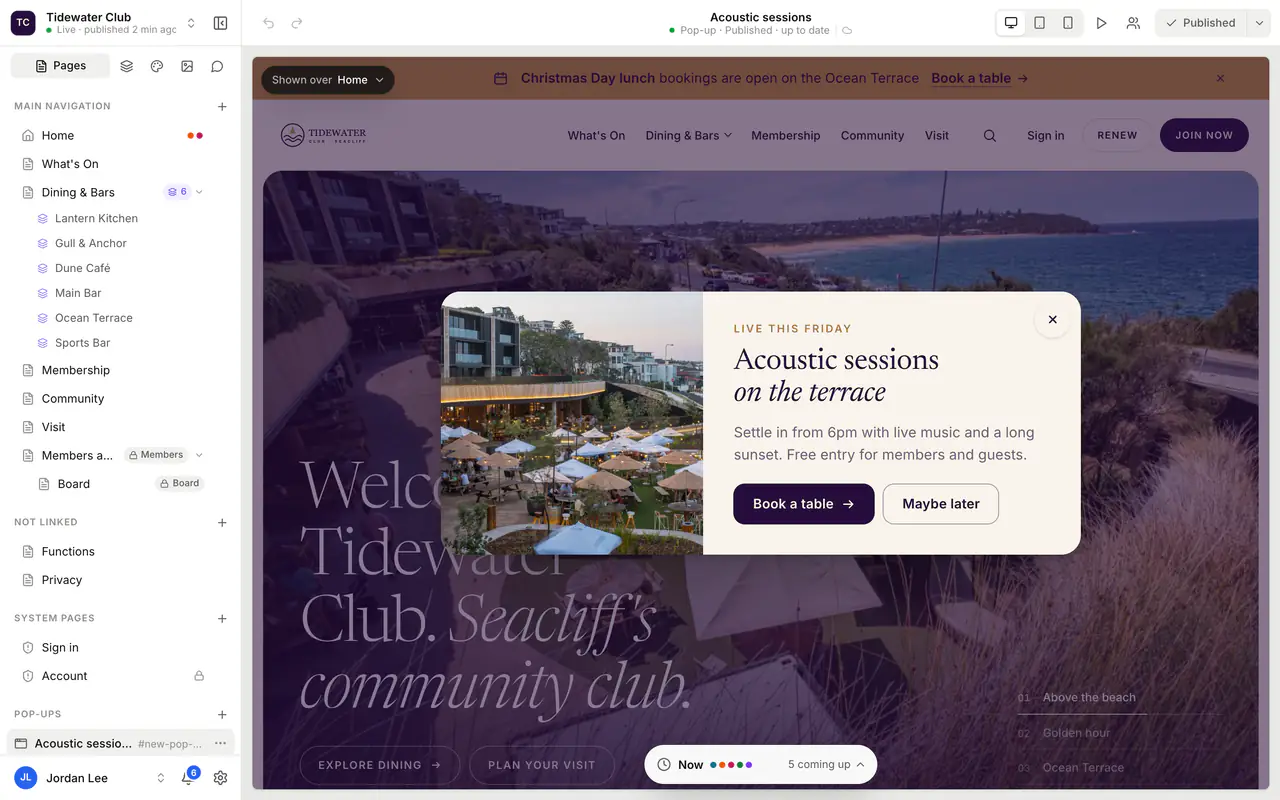
Design the pop-up on the page
A slim announcement bar
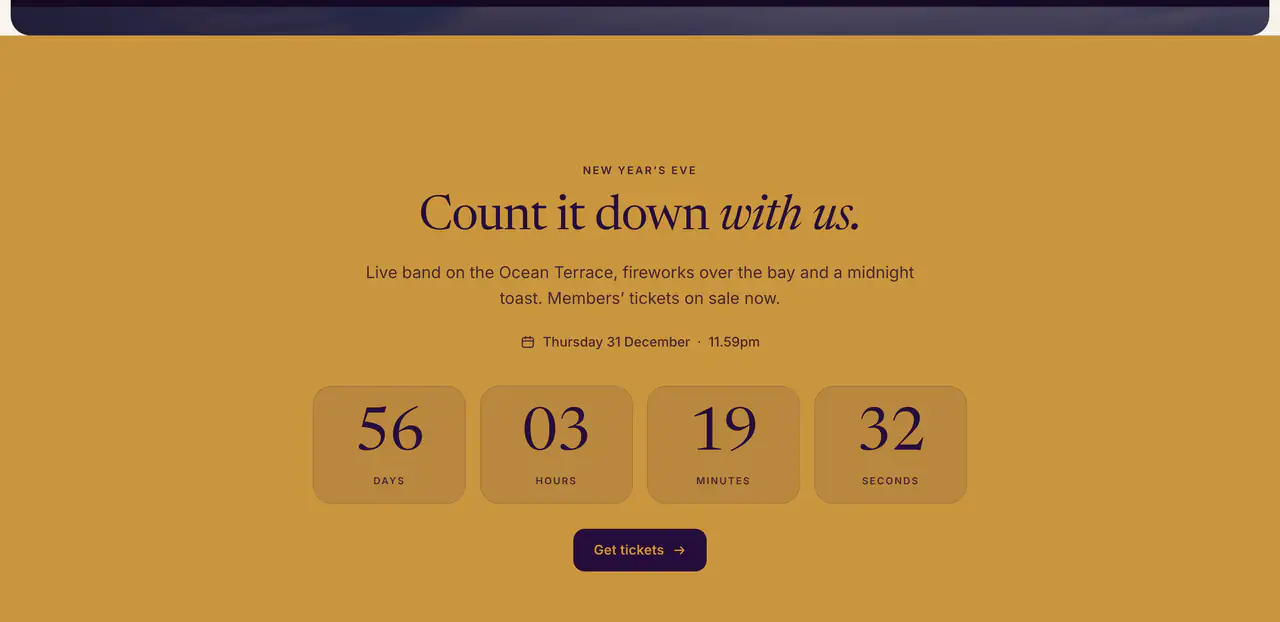
A countdown to the big night
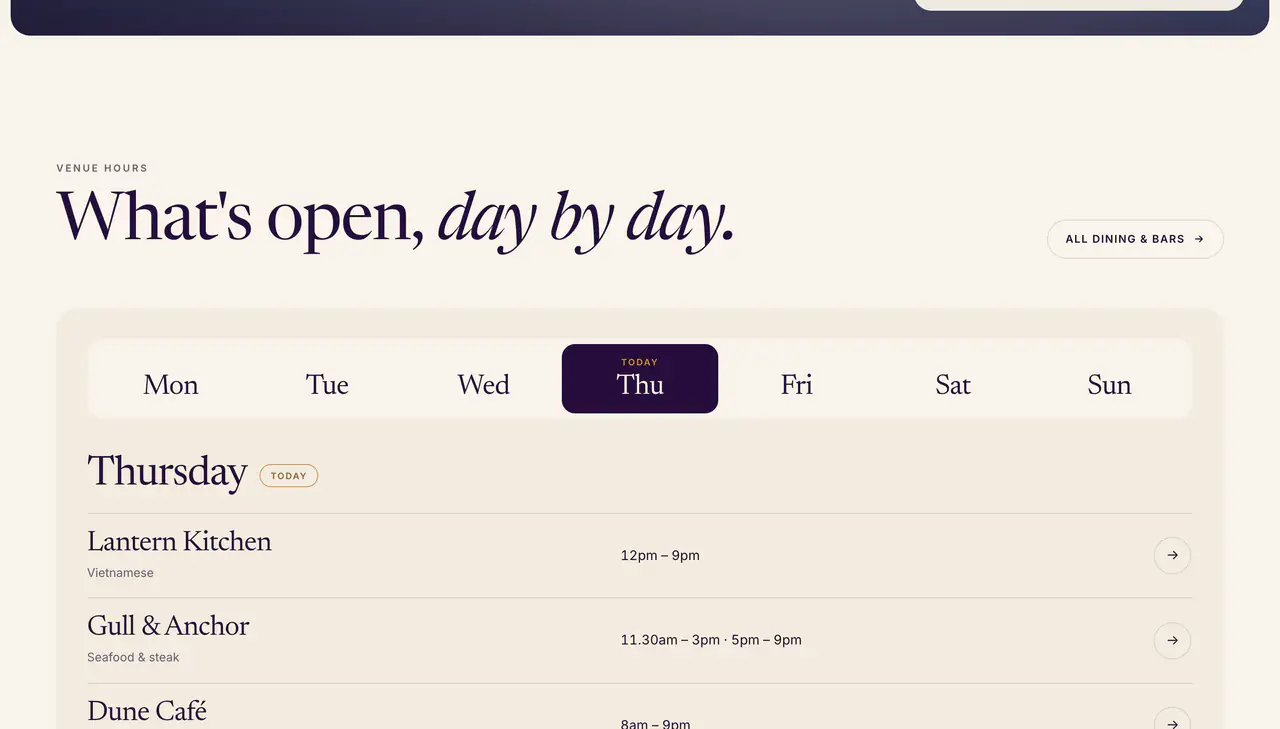
Today's hours, venue by venue

Real WebDirector screens. Click a step, or Replay.

7 layoutsFrom picture left to text only
5 triggersPlus any link or button
1 per pageOpens by itself, at most
01Pop-ups that look designed

Pick a layout, fill the slots

Choose Picture left, Picture right, Picture top, Picture bottom, Picture only, Text only or Two columns. Add an eyebrow, a heading, text, up to two buttons and a picture, and switching layout never loses content.

  • Size, colour, position and entrance options
  • Bottom sheet or centred card on phones
  • Closes with Esc and returns focus
  • Can hold a sign-up or enquiry form
tidewater-club.webdirector.space
A New Year’s Eve countdown section on the homepage.
02The right moment

Open at the right moment

Open a pop-up after a few seconds, after scrolling, when a section comes into view, when someone is about to leave, or after they have seen a few pages. Any link or button can open one too.

  • Every time, once per visit, or until it changes
  • All devices, not on phones, or phones only
  • Optional start and end dates
  • One pop-up on every page if you like
builder.webdirector.net/tidewater-club/edit
The Add section library: the site’s own sections first, drawn in its fonts and colours.
03Banners and countdowns

Announcements and countdowns at a glance

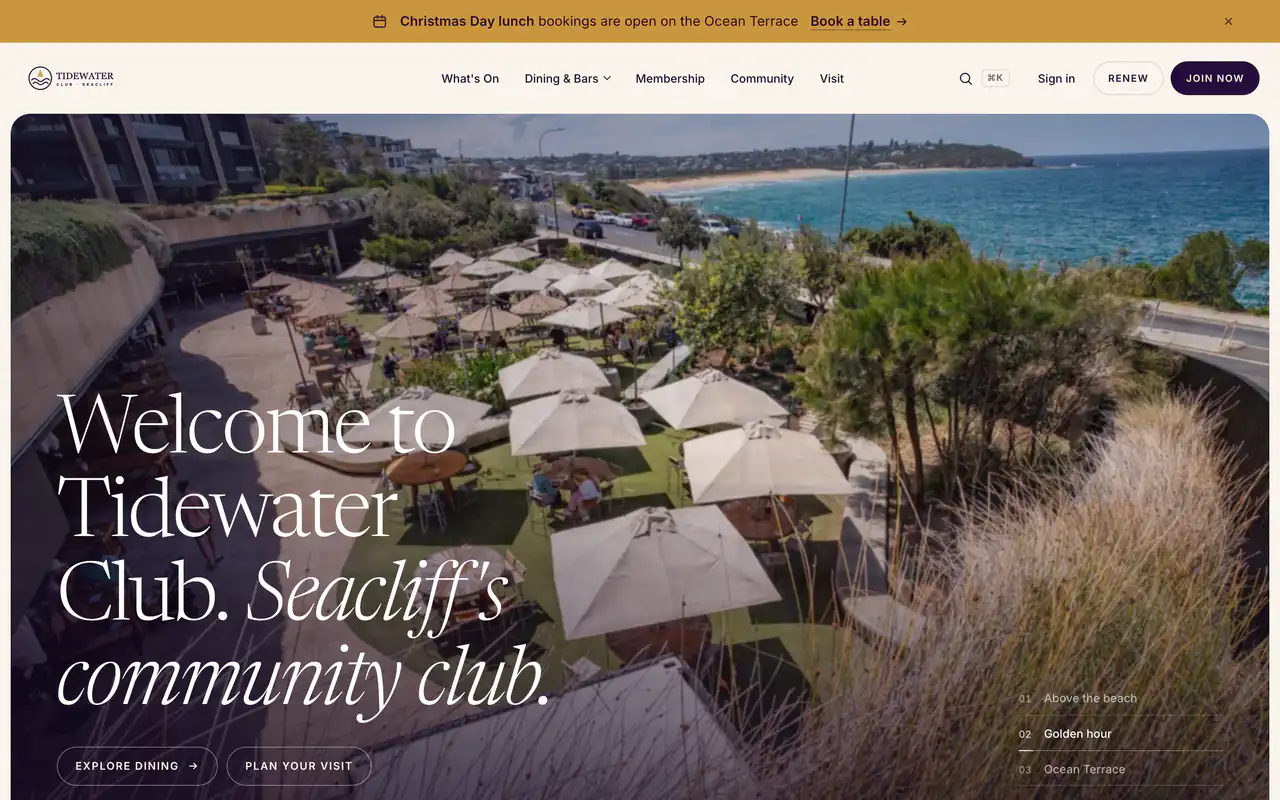
An announcement bar runs a slim message across the top of the page, and stays closed once a visitor closes it until the message changes. A countdown builds up to a big day, then switches to your "it's here" message by itself.

  • Dismissible bar with an optional link
  • Names its time zone next to the end time
  • Swaps to a message when the time arrives
tidewater-club.webdirector.space
The Tidewater Club announcement bar and New Year's Eve countdown.
04Opening hours

Opening hours with Open now

Type hours the way you would say them, such as "11am – 10pm" or "Closed". The Open now badge is worked out in your site's time zone, wherever the visitor is.

  • Weekly hours table per location
  • Live Open now badge
  • Split shifts like lunch and dinner
tidewater-club.webdirector.space
Dune Café opening hours with a live Open now badge.
In the demo

The Tidewater Club demo is one example, with a pop-up for Friday live music, an announcement bar, a New Year's Eve countdown and Dune Café's opening hours.

Tidewater Club Group is a made-up organisation. Its sites use designs from Corporate Interactive’s club concepts.
Ask for a live demo
Questions

Pop-ups & promotions, answered

Will pop-ups annoy visitors or hurt our search ranking?

A page opens at most one pop-up by itself, and on phones there is always a delay of at least three seconds. Visitors who prefer reduced motion get a simple fade.

Do pop-ups need a cookie notice?

Only for options that remember a visitor, such as once per visit or after a few pages. WebDirector adds a simple notice in that case and only remembers people who accept.

Can a button open a pop-up?

Yes. Choose Pop-up in any link and the button opens it. Each pop-up also has its own link you can share.

Can I put a form in a pop-up?

Yes. A pop-up can hold a form, such as a newsletter sign-up, a quote request or a members sign-in.

What happens if I turn pop-ups off?

They stop opening and links to them become plain text. Nothing is deleted, so turning them back on restores everything.

See WebDirector run your websites

Book a walkthrough with the Corporate Interactive team. We will show you the editor, the features your business needs and how your sites would move across.