Book a demo
  1. Home
  2. Features
  3. Pages & navigation
Pages & navigation

Your menu builds itself from your pages

Name a new page right where it goes in the menu, start it blank or from a pictured layout, and add menu links that go anywhere. When a page moves, WebDirector offers to send old links to the new address.
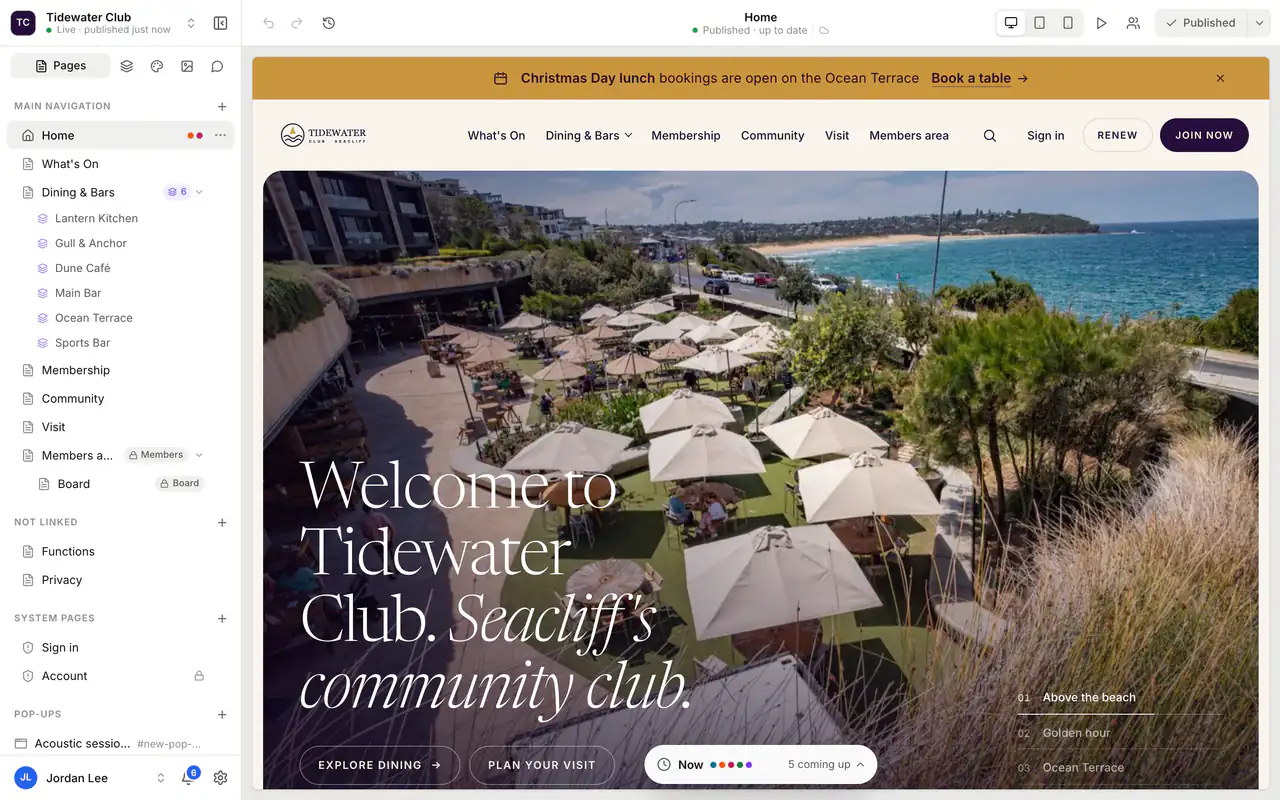
Every page in one tree
The menu builds from the tree
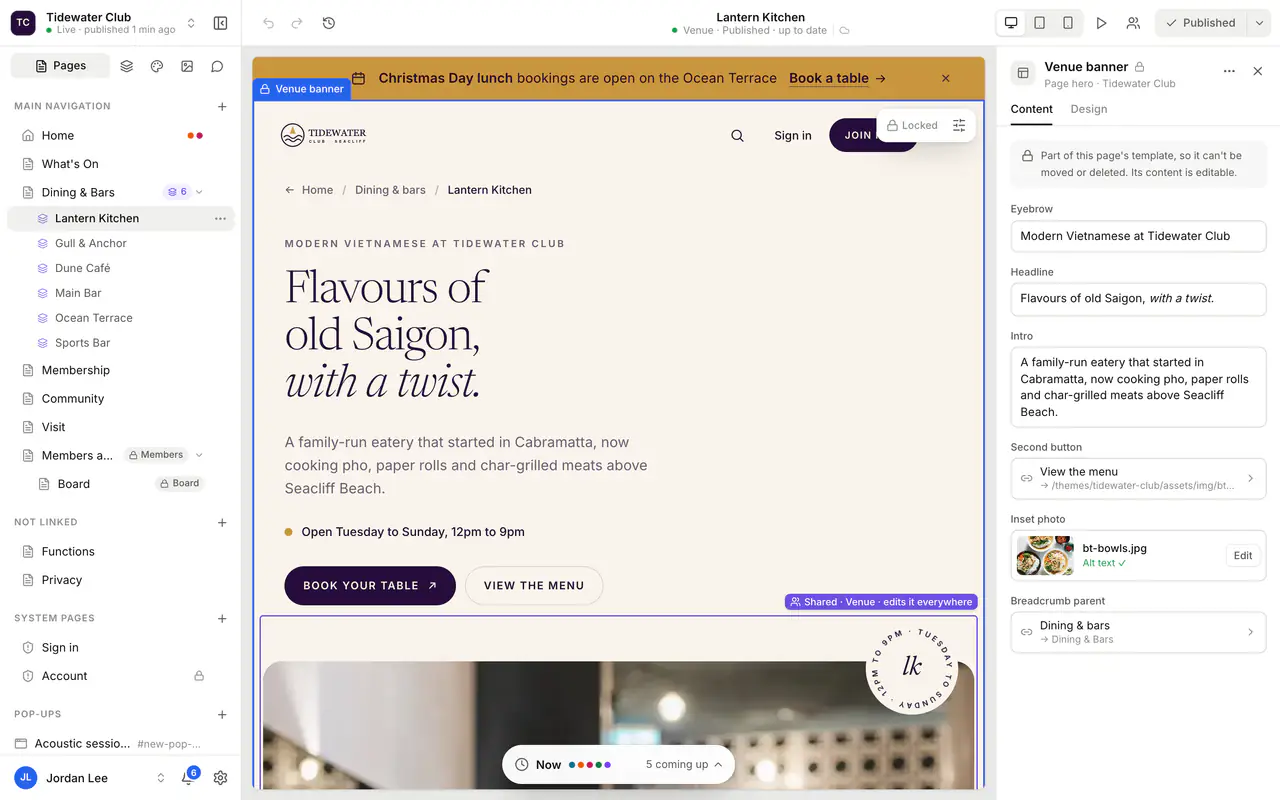
Venues listed under their page
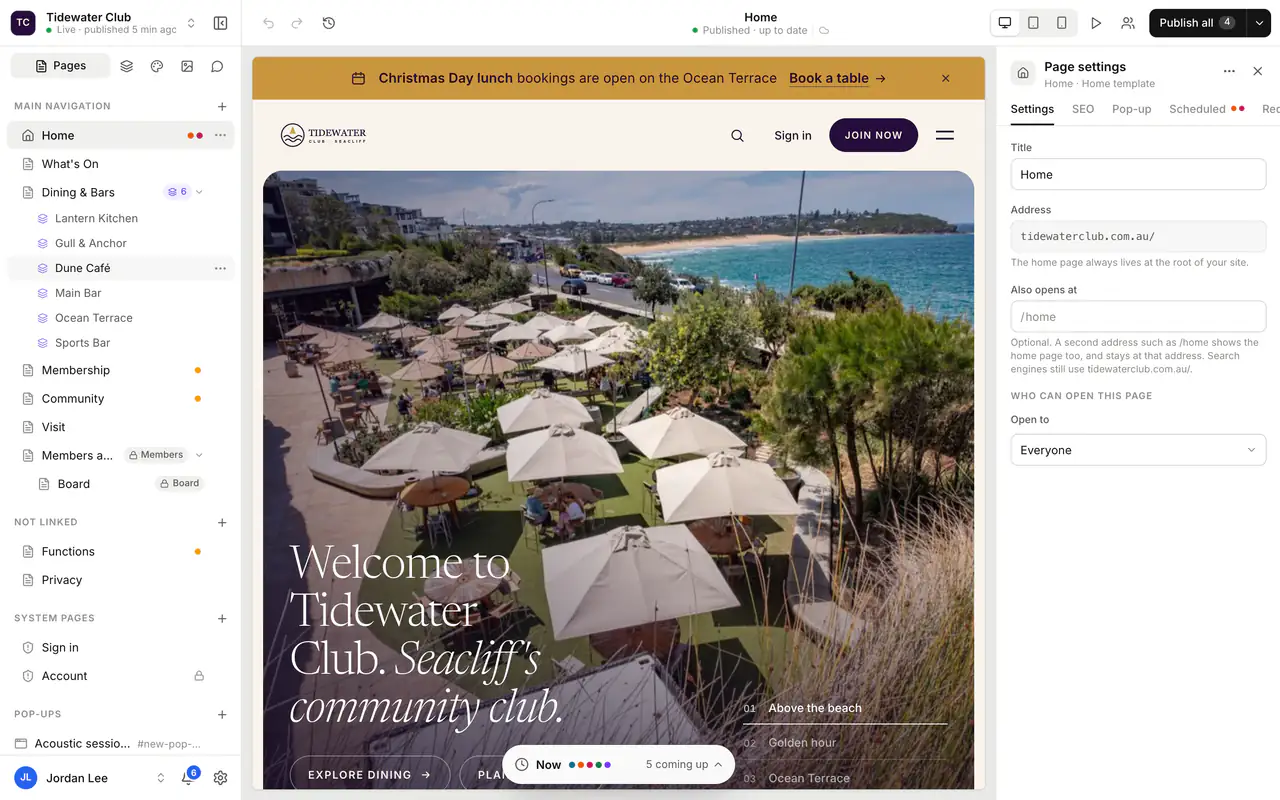
Address and menu settings
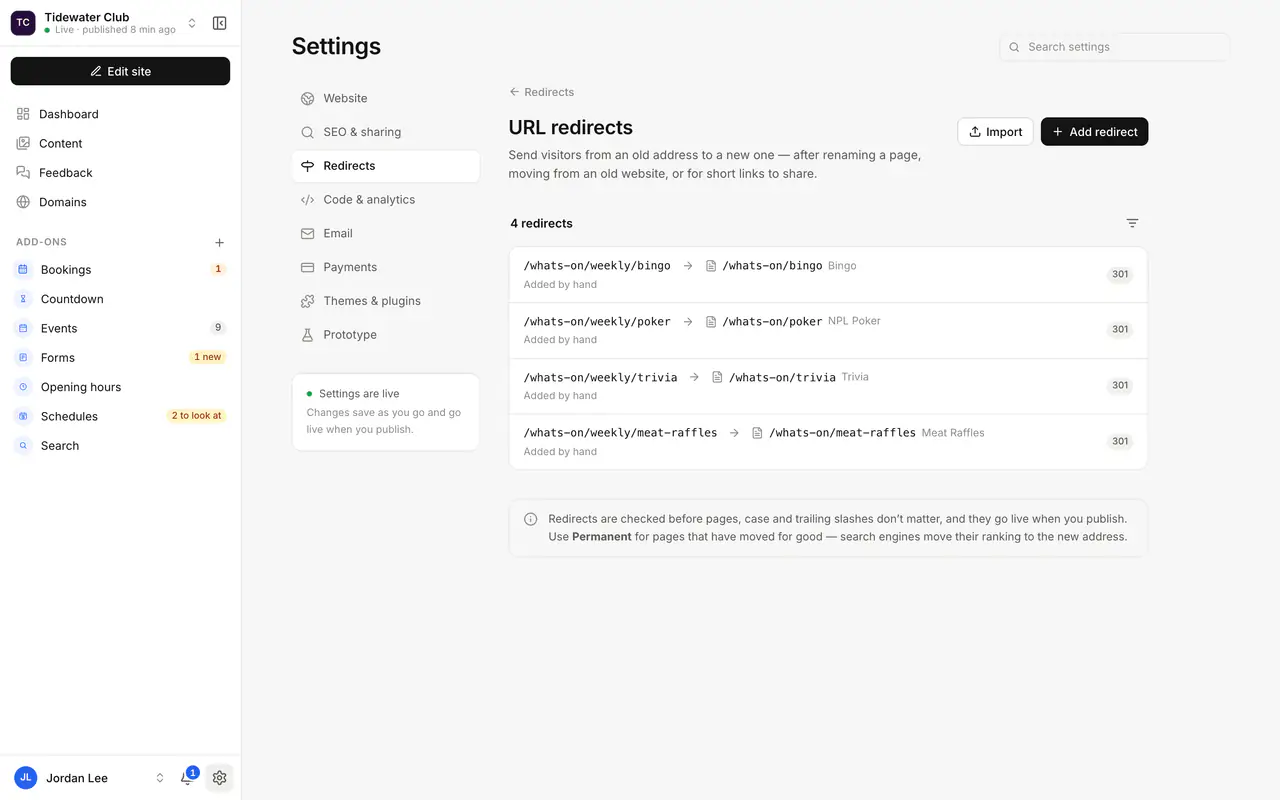
Old links sent to the new page

Real WebDirector screens. Click a step, or Replay.

3 choicesBlank page, layout or link
90 charactersfor a menu link's short description
On by defaultRedirect when an address changes
01Start a page in place

Name a new page in the menu

Press + beside Main navigation and type the page's name where it will sit. Enter makes a blank page and opens it, or choose Layout or link for more.

  • The page lands where you typed it
  • Escape or an empty name puts it away
  • On phones and tablets, + opens the New page dialog
builder.webdirector.net/tidewater-club/edit
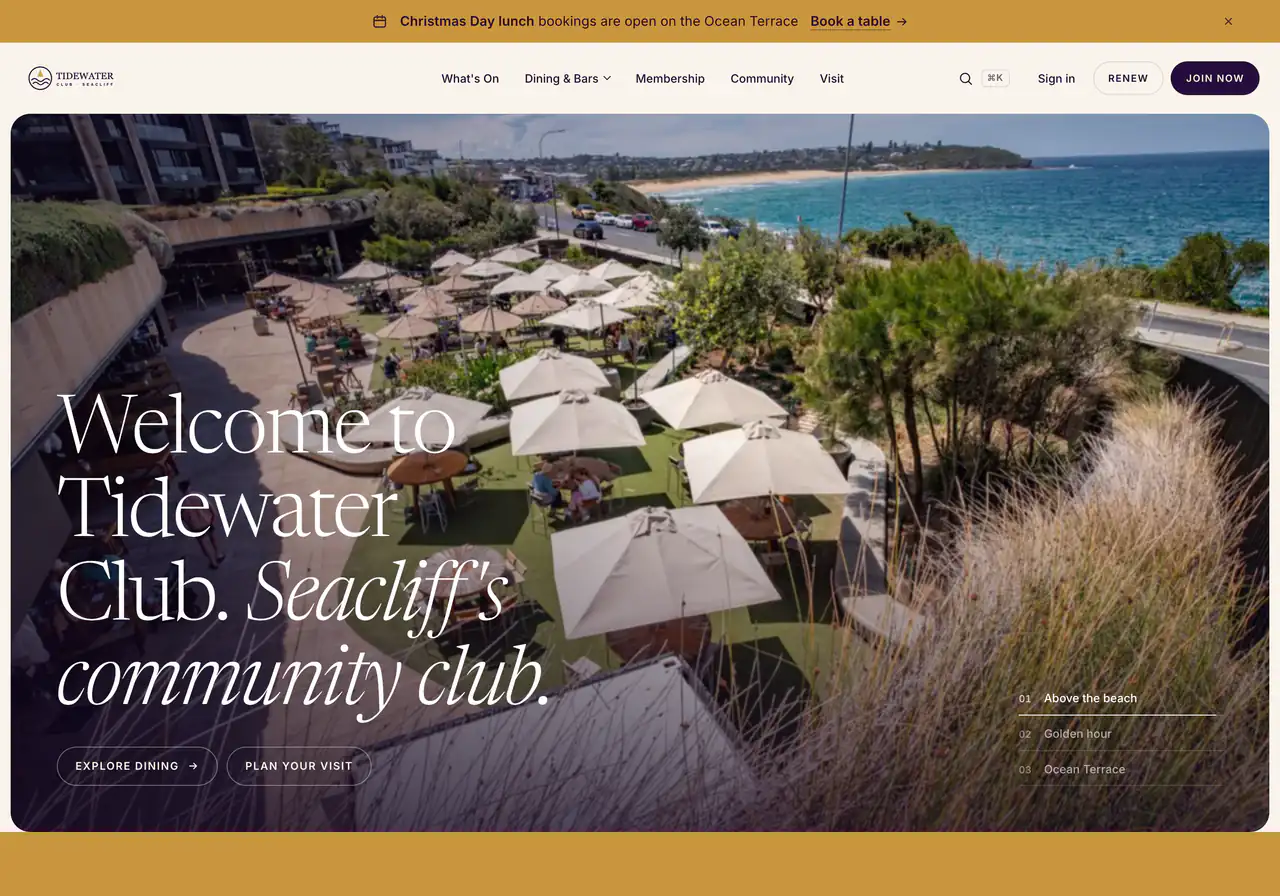
Naming "Summer at the club" in the Tidewater Club main navigation.
02Pictured layouts

Blank page, a layout, or a link

The New page dialog asks one thing after the title. Layouts are pictured from their real sections, so you can see what you are starting with, and an empty page offers the same layouts on its canvas.

  • Only layouts people start ordinary pages from
  • One undo takes a chosen layout back off
  • Pages start as drafts until you publish
builder.webdirector.net/tidewater-club/edit
Page settings for the homepage: title, address and who can open it.
03Menu links

Menu items that go anywhere

A menu link sits in the menu like a page but goes somewhere else: another page or section, a booking, a form, a phone number or another website. It can open in a new tab, and Advanced settings mark it nofollow, sponsored, ugc or noreferrer.

  • Drafted, moved and published like a page
  • No address of its own, so nothing to keep in the sitemap
  • The same Advanced settings on links in sections and mega menus
builder.webdirector.net/tidewater-club/edit
Adding a Tidewater Lodge link to the Tidewater Club menu, marked as sponsored.
04Icons and descriptions

Icons and short notes in menus

Give a page an icon from the theme's set, or an uploaded logo, and a short description of up to 90 characters. Every menu and mega menu panel that links to the page shows them, so you set them once. Mega menu columns can flow their links into 2 or 3 columns.

  • Icon or picture, set in the page's settings
  • Copy the description from the page's SEO description
  • Words only, icons, or icons and notes per panel
builder.webdirector.net/tidewater-club/edit
Choosing a menu icon for the Tidewater Club Membership page.
05Keep visitors when pages move

Redirects offered at the right moment

Change a live page's address and WebDirector offers to send visitors from the old address to the new one. Delete a page or take it down and it asks where its visitors should go.

  • Redirect offered on every address change
  • Pick a destination when a page leaves
  • All redirects listed in Settings, with problems flagged
builder.webdirector.net/tidewater-club/settings
Settings, Redirects for Tidewater Club, listing old addresses and where they now go.
In the demo

In the Tidewater Club demo, one example site, press + beside Main navigation, type a name and press Enter: a blank page opens with four pictured layouts to start from.

Tidewater Club Group is a made-up organisation. Its sites use designs from Corporate Interactive’s club concepts.
Ask for a live demo
Questions

Pages & navigation, answered

Do I have to build the menu by hand?

No. Menus come from your pages: their group, order and parent. Pages can also list a collection, such as every service or location, underneath them.

Can a menu item go to another website?

Yes. Add a link instead of a page. It can go to another page or section, a booking, a form, a phone number, an email or another website, and open in a new tab.

Can menu items have icons?

Yes. Each page can have an icon, or an uploaded picture, and a short description. Menus and mega menu panels that link to it show them.

What happens to old links when I change a page's address?

WebDirector offers a redirect from the old address to the new one, on by default. The page's new address and its redirect go live together when you publish.

What if I delete a page people still visit?

You are asked where its visitors should go, such as its parent page, or you can choose 'Page not found'.

Can I hide a page from Google?

Yes. Each page's SEO settings can leave it out of the sitemap, and system pages are kept out of search engines automatically.

Can a site go into maintenance mode?

Yes. Settings, Availability turns maintenance on and can let selected people in with a password.

See WebDirector run your websites

Book a walkthrough with the Corporate Interactive team. We will show you the editor, the features your business needs and how your sites would move across.