Book a demo
  1. Home
  2. Features
  3. Trade accounts
Trade accounts

Trade buying that works like your trade counter

Business customers get a company account with buyers, spend limits and approvals. Approved companies buy on account with a PO number, pay invoices online, see their own prices and order by SKU.
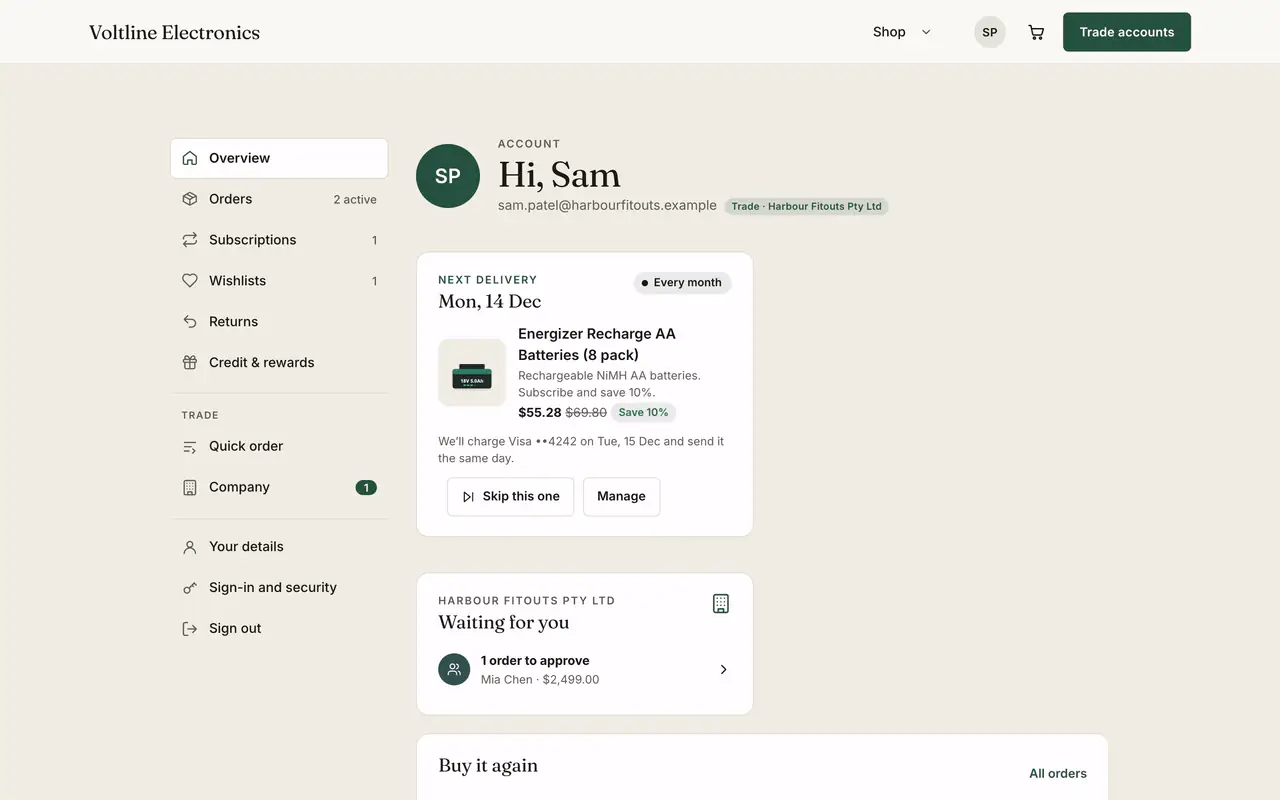
An order waiting for approval
Over the buyer's limit, waiting
Approve or decline the order
Pay invoices online
A pasted list read into lines

Real WebDirector screens. Click a step, or Replay.

2 rolescompany admin and buyer
30 daysterms in the demo account
Paste a listto order by SKU
01Company accounts

One business, several buyers

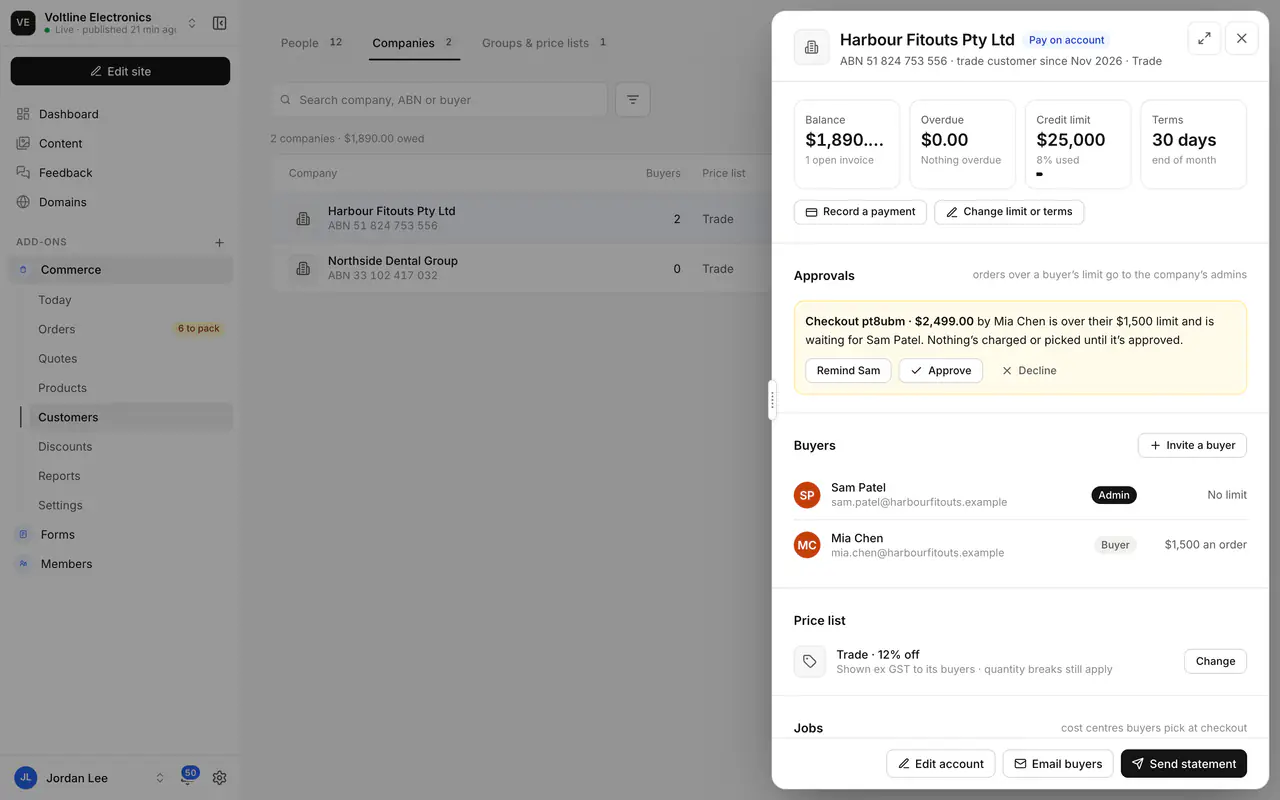
A company account holds the business's ABN, addresses, price list and terms. Staff invite buyers as admins or buyers, give each a spend limit, and set the credit limit and payment terms.

  • Admins and buyers, with spend limits
  • Credit limit, balance and overdue amount
  • Payment terms in days
  • Jobs or cost centres with spend reports
builder.webdirector.net/voltline-electronics/commerce/customers/companies
Harbour Fitouts in Voltline's admin: an order waiting, two buyers and the Trade price list.
02Approvals

Orders over a limit wait for approval

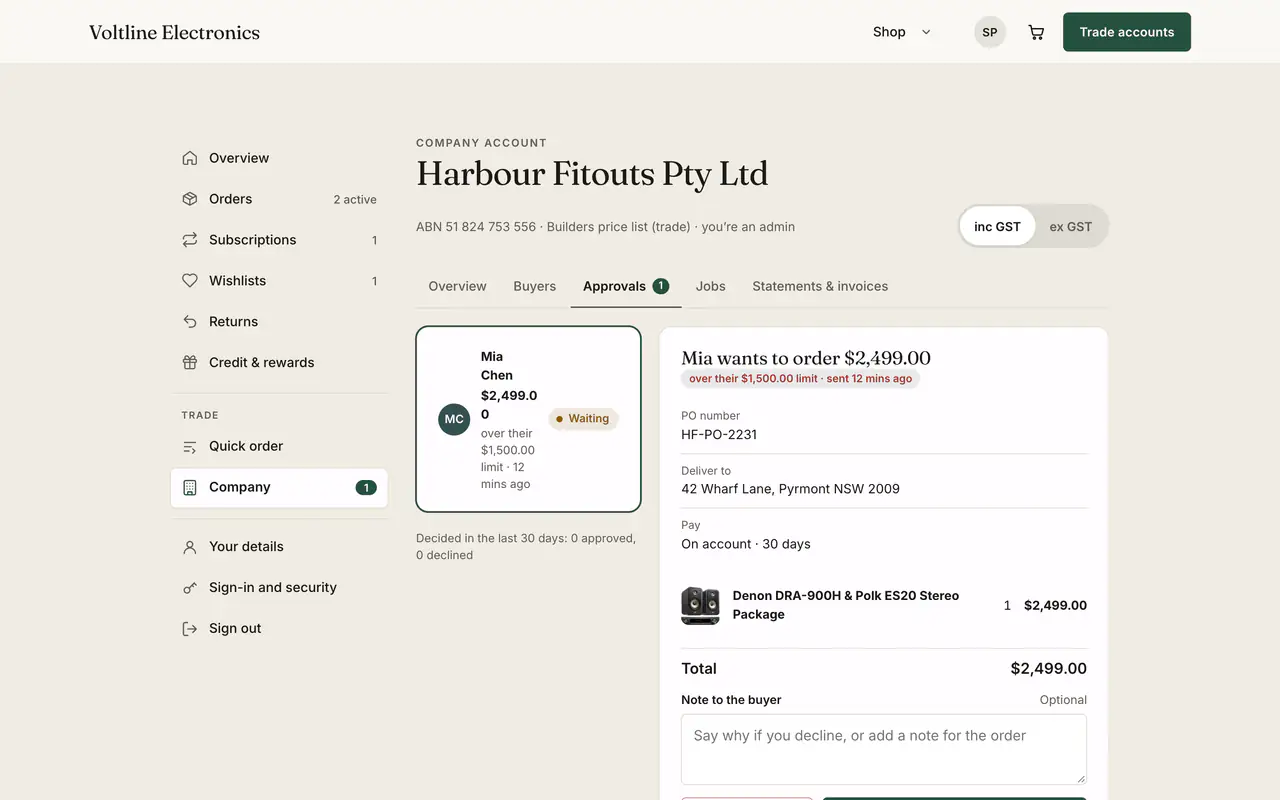
When a buyer's order is over their limit it goes to the company's admins before anything is charged or picked. Admins approve or decline from their account, with a note, and staff can do it from the admin.

  • Nothing charged or picked until approved
  • Approve or decline with a note
  • Reminders to the approver
  • Approval history kept on the account
voltline-electronics.webdirector.space/account?area=company&tab=approvals
Sam Patel reviewing Mia Chen's $2,499 order, over her $1,500 limit.
03Invoices and statements

Buy on account, pay online

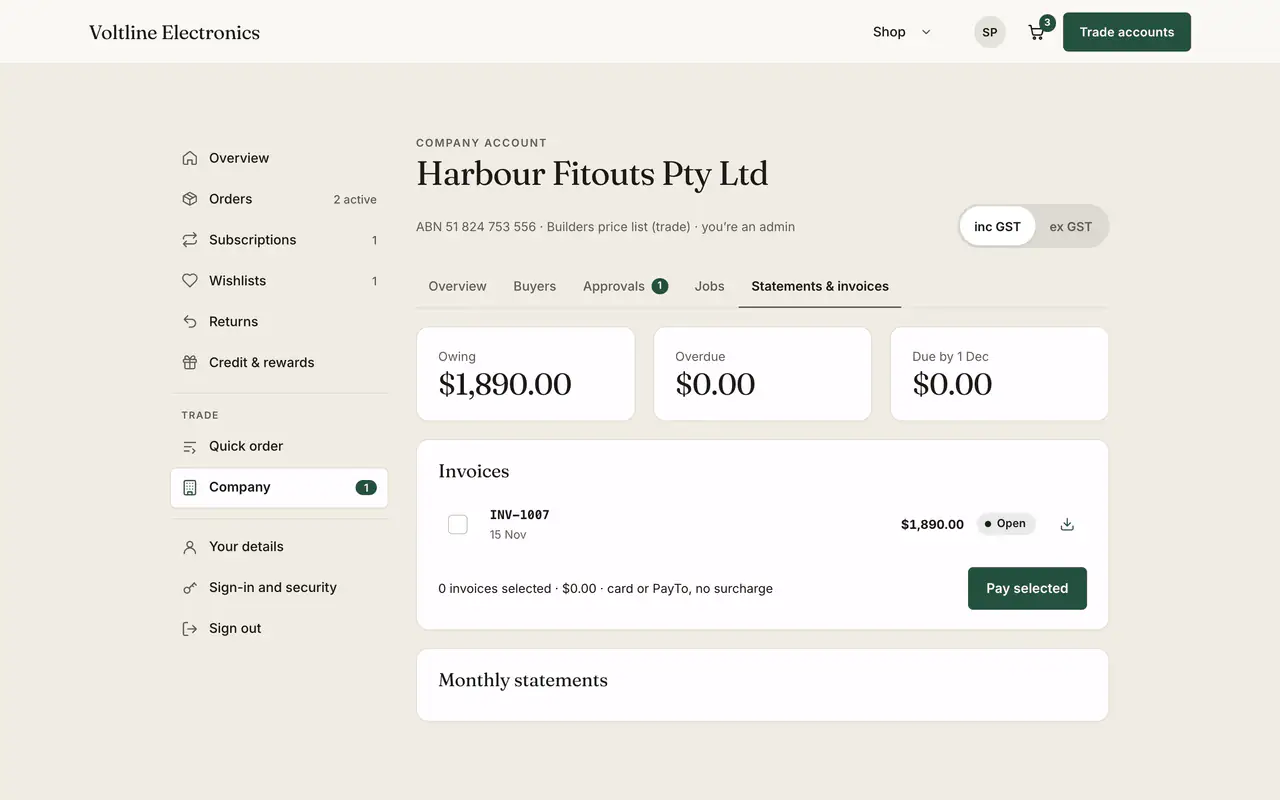
Approved companies check out with Pay on account and a PO number. Each order raises an invoice, monthly statements are sent, and buyers pay one or more invoices online by card or PayTo.

  • Pay on account with PO number and job
  • Invoices to download and pay online
  • Monthly statements
  • Staff record payments made another way
voltline-electronics.webdirector.space/account?area=company&tab=statements
Harbour Fitouts' open invoice INV-1007 in their Voltline account.
04Quick order

Order by SKU, or paste a list

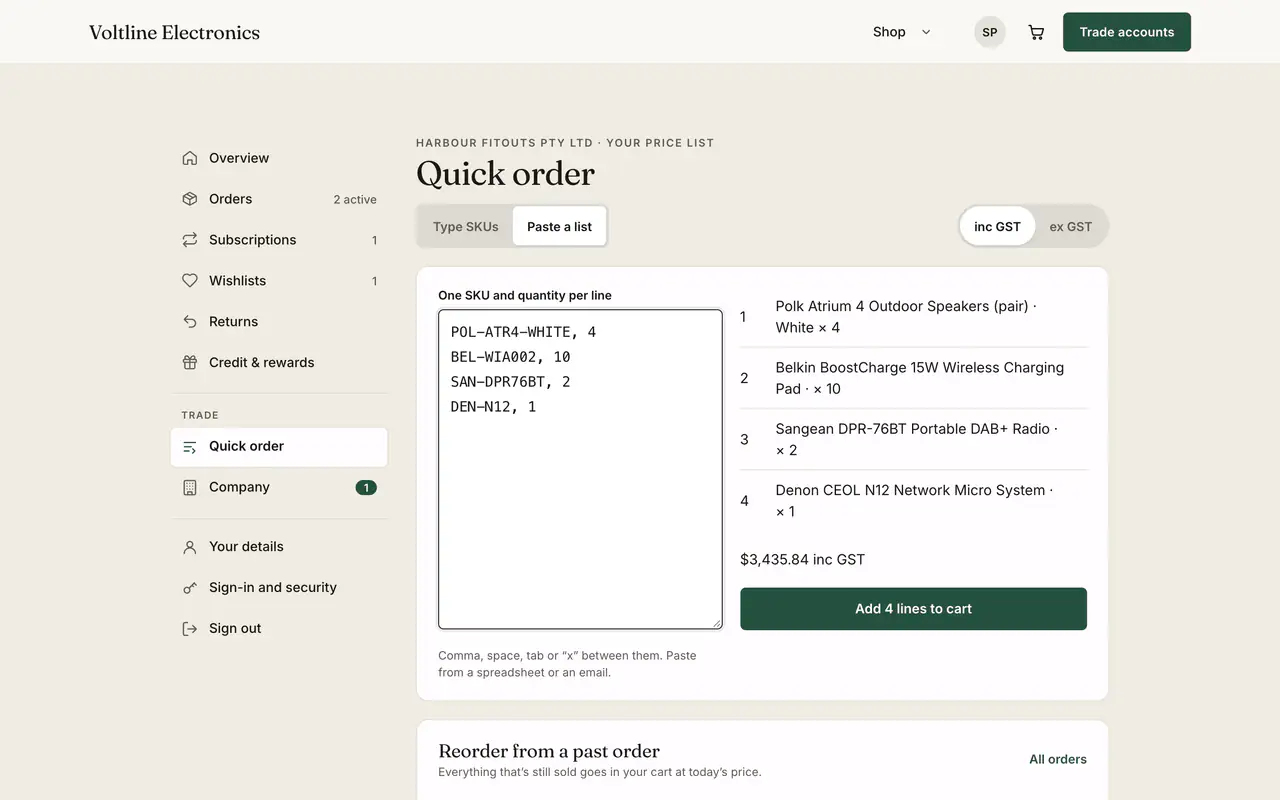
Quick order lets buyers type SKUs or paste a list from a spreadsheet or email. Commerce reads each line, shows the products and total at their price, and adds them all to the cart. Reorder repeats a past order.

  • Type SKUs or paste a list
  • Their own price list applied
  • Inc or ex GST display
  • Reorder from a past order
voltline-electronics.webdirector.space/account?area=quick
Four lines pasted into Voltline's quick order, read into products.
In the demo

Harbour Fitouts Pty Ltd is a made-up trade customer of Voltline: Sam Patel is its admin, Mia Chen is a buyer with a $1,500 limit, and its orders go on account at 30 days.

Voltline Electronics is a made-up retailer. Its store uses Corporate Interactive’s ecommerce concept, which WebDirector Commerce is built from.
Ask for a live demo
Questions

Trade accounts, answered

Do trade buyers need to sign in?

Yes. Buyers sign in with a Members account on the site. Members needs to be on for company accounts.

Can trade customers see different prices?

Yes. Price lists give a group of customers fixed prices or a percentage off, and can show prices ex GST.

What happens when an order is over a buyer's limit?

It waits for a company admin to approve it. Nothing is charged or picked until then.

How do companies pay?

On account with a PO number, then by invoice. Buyers can pay invoices online by card or PayTo, and staff can record other payments.

See WebDirector run your websites

Book a walkthrough with the Corporate Interactive team. We will show you the editor, the features your business needs and how your sites would move across.