Book a demo
  1. Home
  2. Features
  3. AI agents
Agents that work as you

Let AI agents help, with your access and no more

Connect an AI app to WebDirector and it can read and update your sites and jobs as you. You choose how far it can go, and every change it makes is marked with its name.
Each agent and its limit
Exactly what you can do
Everything or Read only
Marked with the agent's name
The receiver's own key
Agent actions marked

Real WebDirector screens. Click a step, or Replay.

Your accessnever more than you have
2 limitsEverything or Read only
90 daysof agent calls on record
01Connect

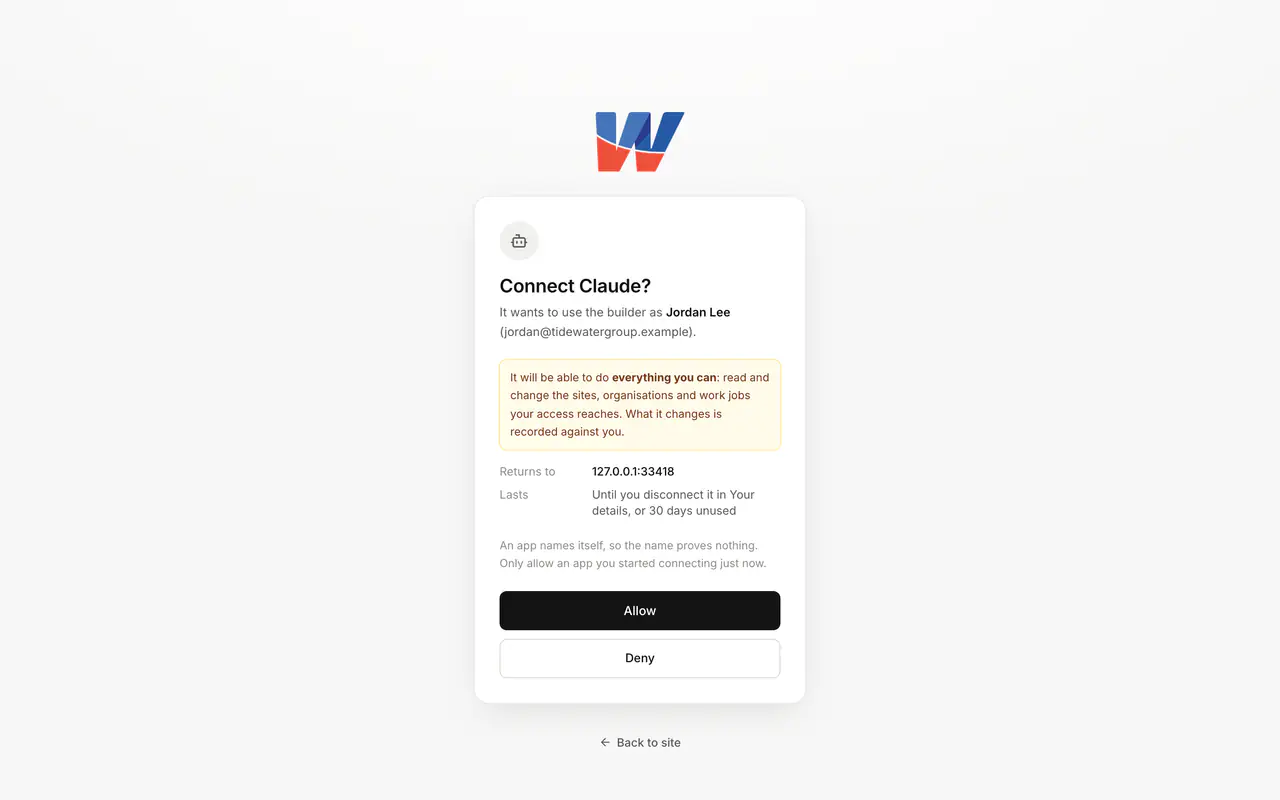
Connect an agent in one approval

WebDirector has an MCP server, the standard way AI apps connect to other tools. Add its address to an MCP client such as Claude, Claude Code or Cursor, and WebDirector asks you to approve it, signed in as yourself.

  • Sign-in uses OAuth, so you never hand over a password
  • The approval page names the app, your account and where it returns
  • Lasts until you disconnect it, or 30 days unused
builder.webdirector.net/system/connect
Jordan Lee approving an AI app for the Tidewater Club Group account.
02Limits

Choose how much each agent can do

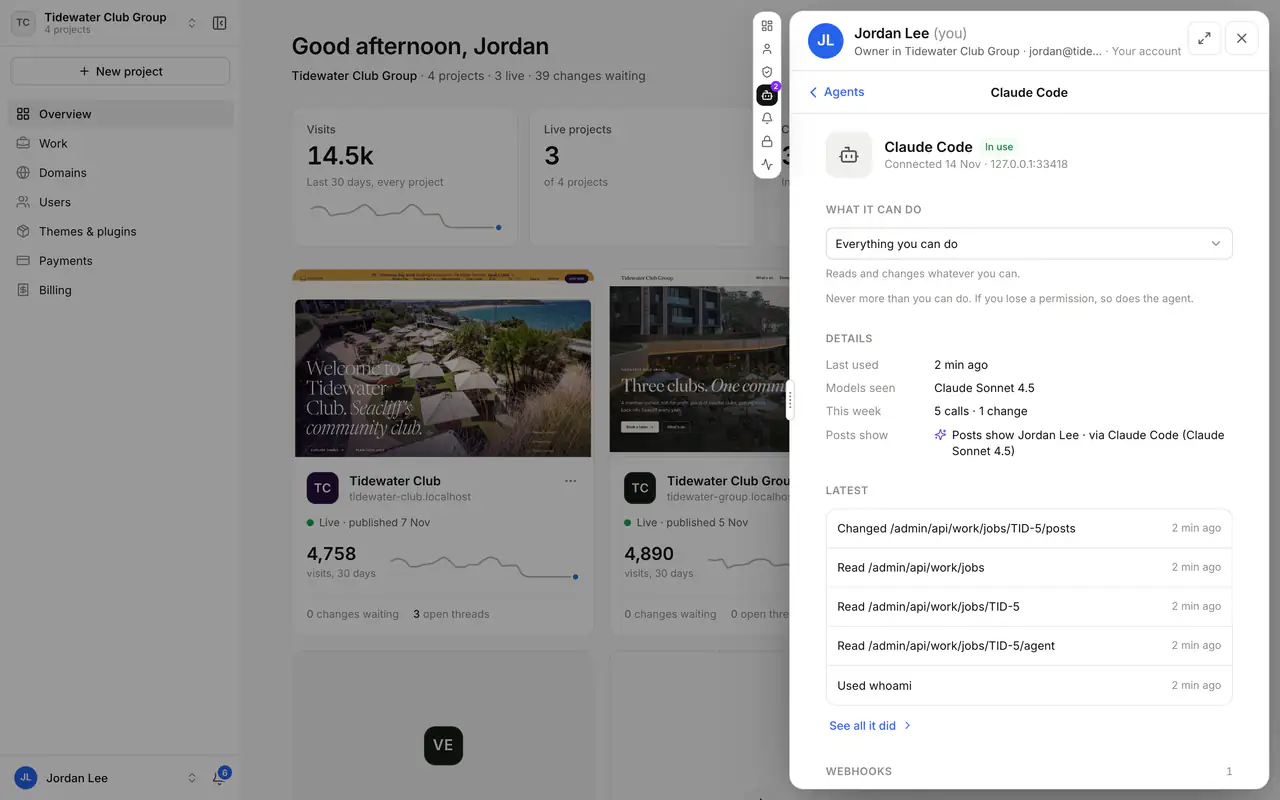
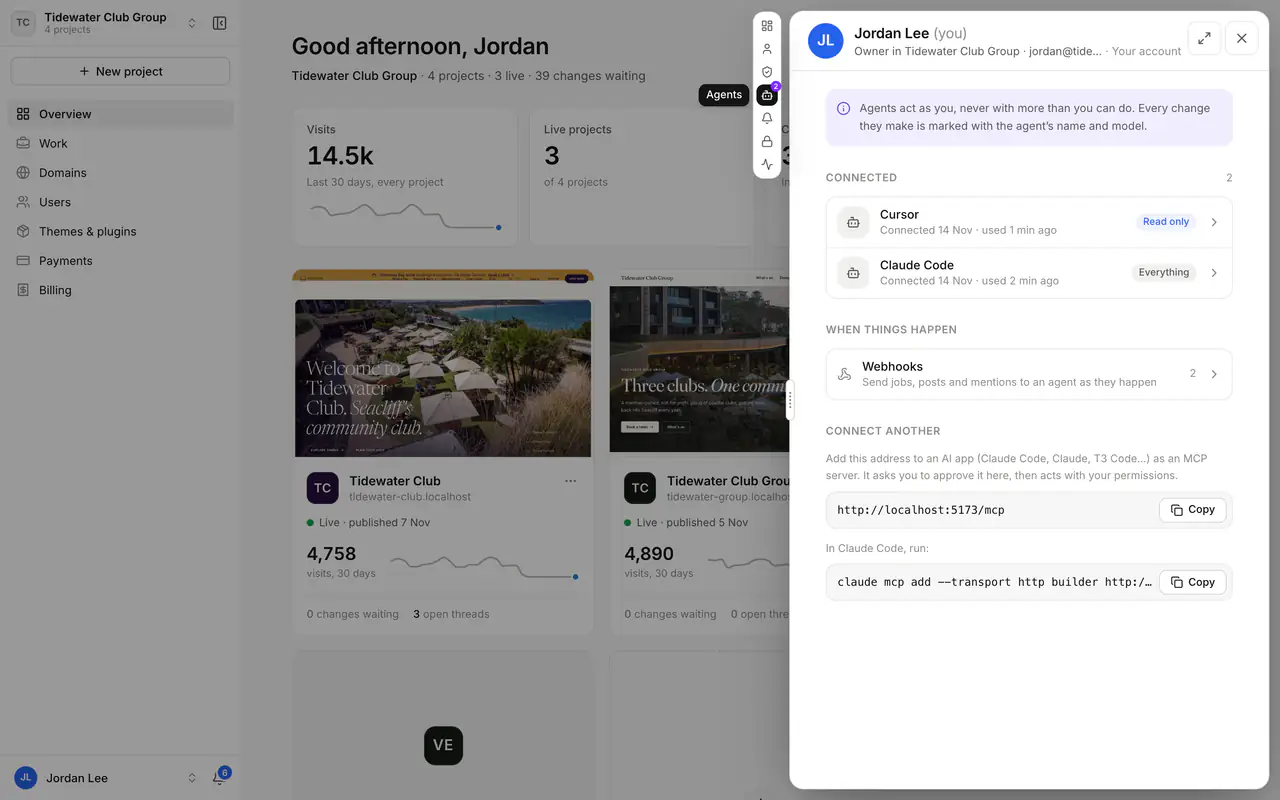
Each connected agent has its own limit. Everything lets it do what you can do. Read only lets it look but never change anything. Lose a permission yourself, and your agents lose it too.

  • Set per agent, and change it at any time
  • Turning someone off or removing them reaches their agents on the next call
  • Disconnect any agent with one tap
builder.webdirector.net/org/tidewater-club-group
Claude Code's page in Jordan's person sheet: its limit, models seen, this week's calls and latest actions.
03Marked as theirs

You can always tell what an agent wrote

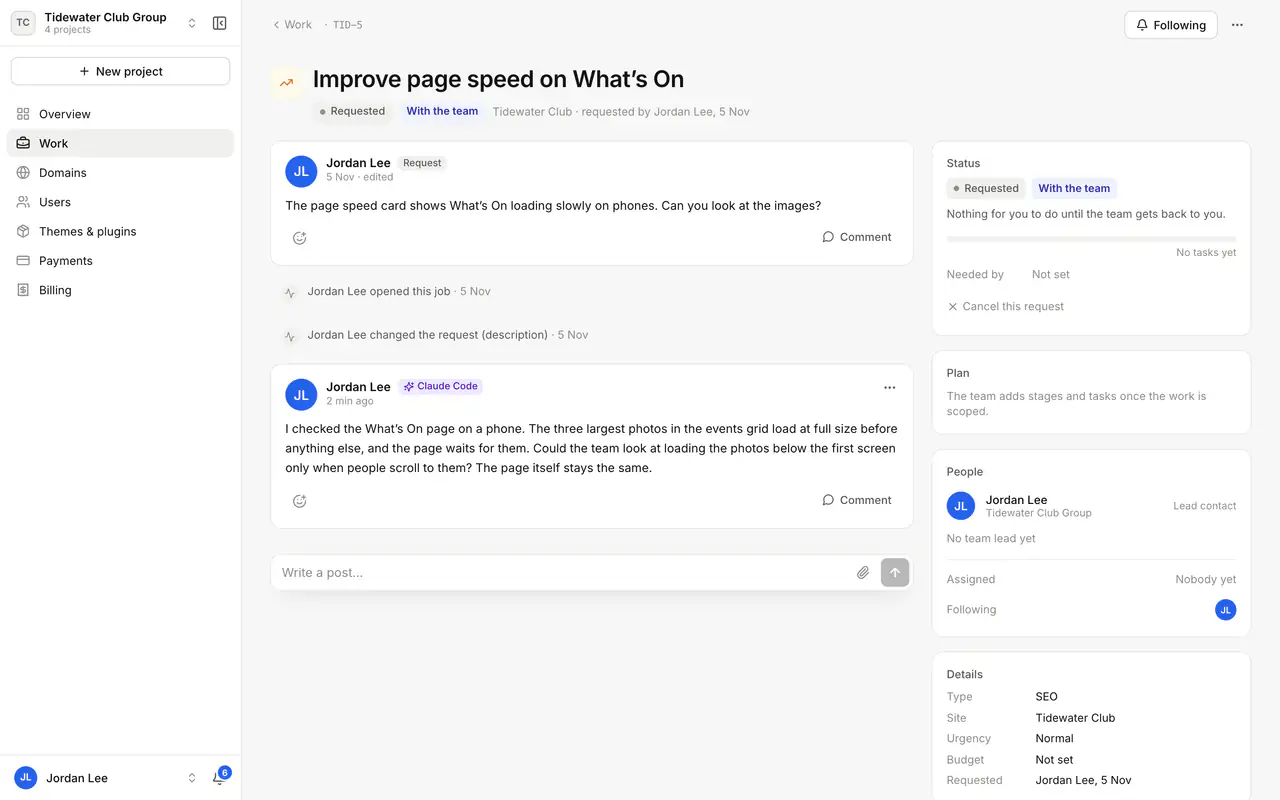
A post an agent writes on a job shows your name with the agent's name beside it. Its page shows how its posts are marked, including the model it used.

  • Posts read "Jordan Lee · via Claude Code"
  • The agent's page lists the models it has used
  • Changes are recorded against the person who connected it
builder.webdirector.net/org/tidewater-club-group/work/TID-5
A Tidewater Club job with a post Claude Code wrote for Jordan Lee, marked with the agent's name.
04Webhooks

Tell your agents when something happens

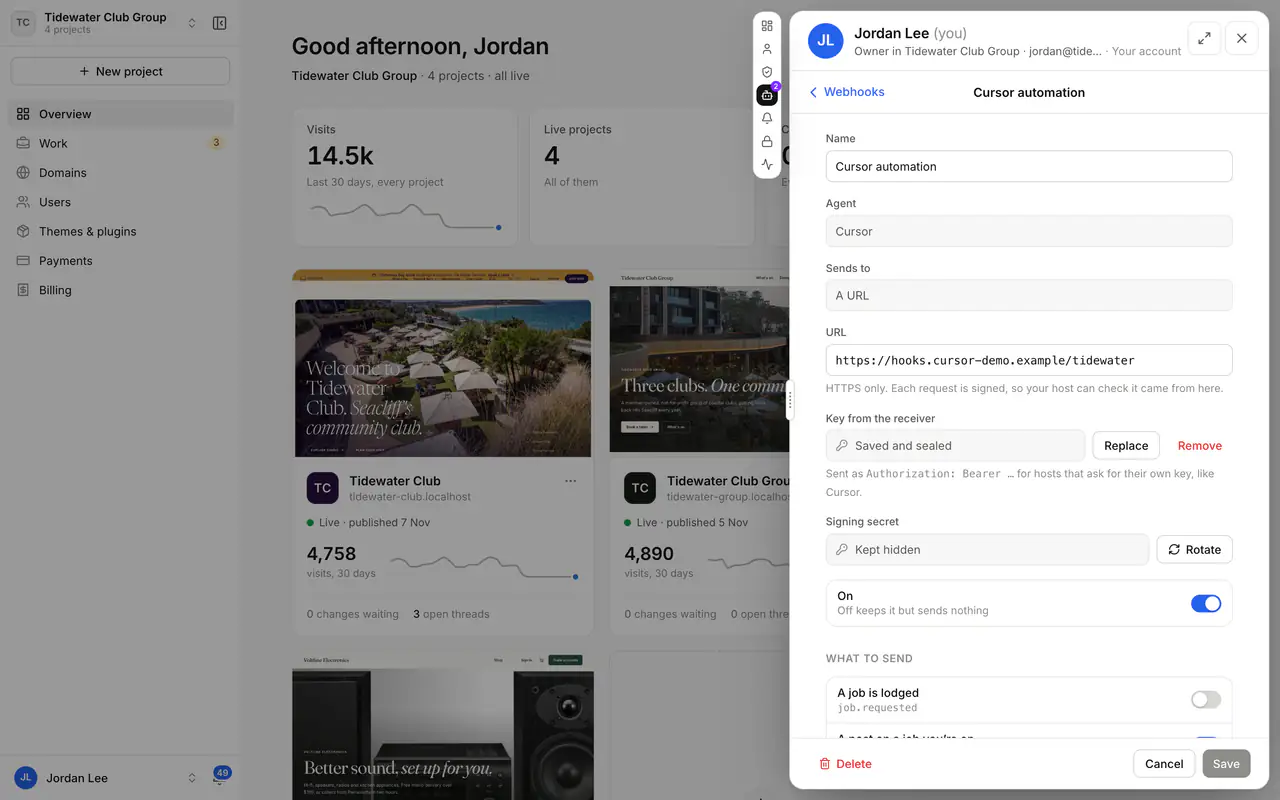
Webhooks send your notifications to an agent as they happen: a new job, a post, an @mention, a task given to you or a new form submission. Each one is signed, so the receiver can check it came from WebDirector.

  • Choose the events for each webhook
  • Add the receiver's own key for hosts like Cursor
  • Send a test, see recent deliveries, cap how many per hour
builder.webdirector.net/org/tidewater-club-group
A webhook sending Tidewater Club job posts, mentions and status changes to Jordan's Cursor agent.
05A full record

Everything your agents did, in one list

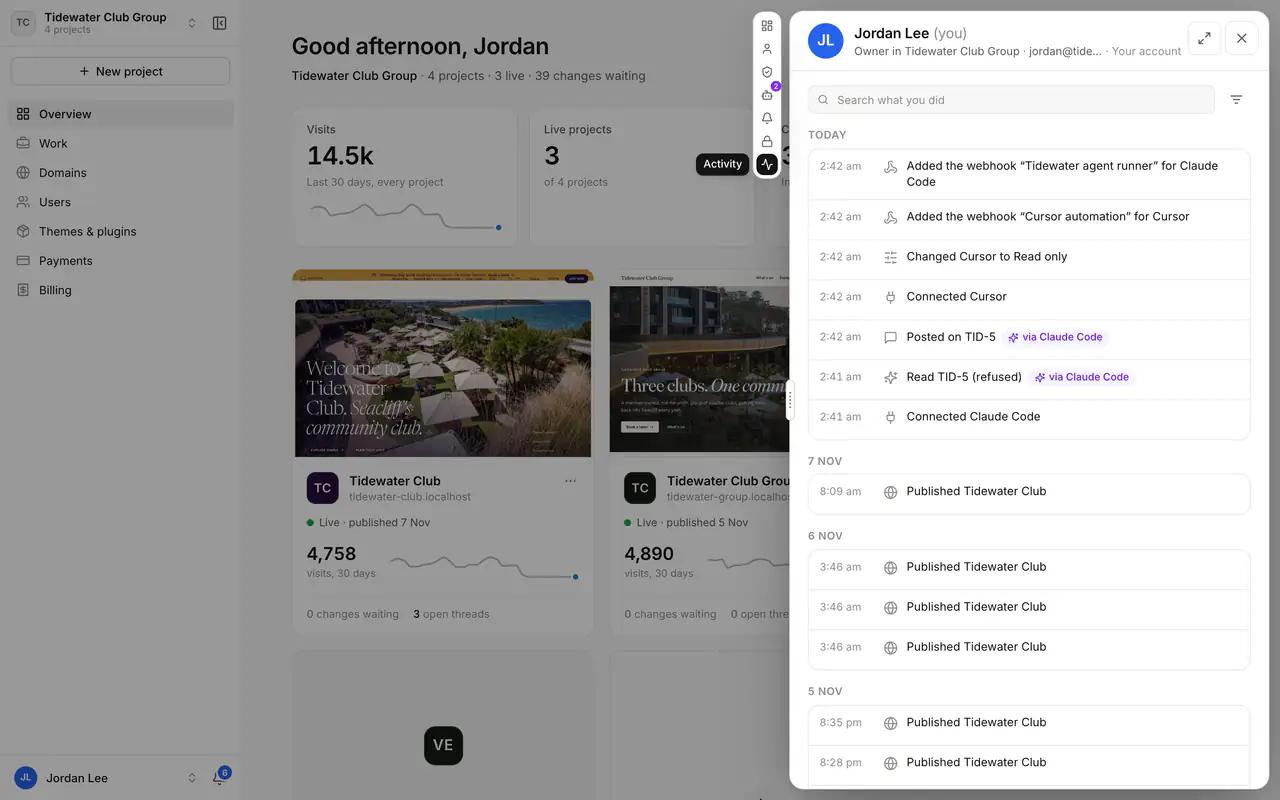
Activity lists what you did and what your agents did as you, with the agent marked on each line. Search it, filter it to one agent, or export it as a spreadsheet.

  • Connections, limits and webhooks recorded too
  • Export CSV with time, who, agent, model and site
  • Agent calls kept for 90 days
builder.webdirector.net/org/tidewater-club-group
Jordan Lee's Activity, with Claude Code's post on a Tidewater Club job marked "via Claude Code".
In the demo

In the Tidewater Club demo, one example organisation, Jordan Lee has connected Claude Code and a read-only Cursor agent, and Claude Code has posted on a Tidewater Club job.

Tidewater Club Group is a made-up organisation. Its sites use designs from Corporate Interactive’s club concepts.
Ask for a live demo
Questions

AI agents, answered

Which AI apps can connect?

Any app that works as an MCP client and supports OAuth sign-in. Claude, Claude Code and Cursor are examples. WebDirector does not supply the agent itself.

Can an agent do more than I can?

No. It acts as you, with your permissions or fewer. If your role changes or you are turned off, the agent follows on its next call.

Can an agent change its own limit or connect other agents?

No. Signing in, invites, your account details and your agents and webhooks are out of an agent's reach.

Can my organisation's Owners see my agents?

Owners and Admins see your Activity in their organisation. Your agents, notifications and security settings belong to your account, so they manage them only when you are in no other organisation.

What does a webhook send?

A short summary of the event with a link to it. Anything a client or visitor wrote is marked as untrusted, and an agent never gets something it couldn't read itself.

What is Copy for agent?

It is how our own team hands one of your jobs to an agent: a brief with the job, its feed and how to keep it up to date. It sits in our team's admin, not in your organisation's Work.

See WebDirector run your websites

Book a walkthrough with the Corporate Interactive team. We will show you the editor, the features your business needs and how your sites would move across.