Book a demo
  1. Home
  2. Features
  3. Visual editor
Visual editor

Edit the real page, not a form about it

Click a heading, type, and watch the page change. The editor shows your site exactly as visitors will see it, and saves as you go.
Pick any page
Click the words and type
Settings beside the page
Check it on a phone

Real WebDirector screens. Click a step, or Replay.

3 devicesDesktop, tablet and phone preview
Every changeSaved automatically as you type
⌘ZUndo and redo any edit
01What you see

You edit the page visitors get

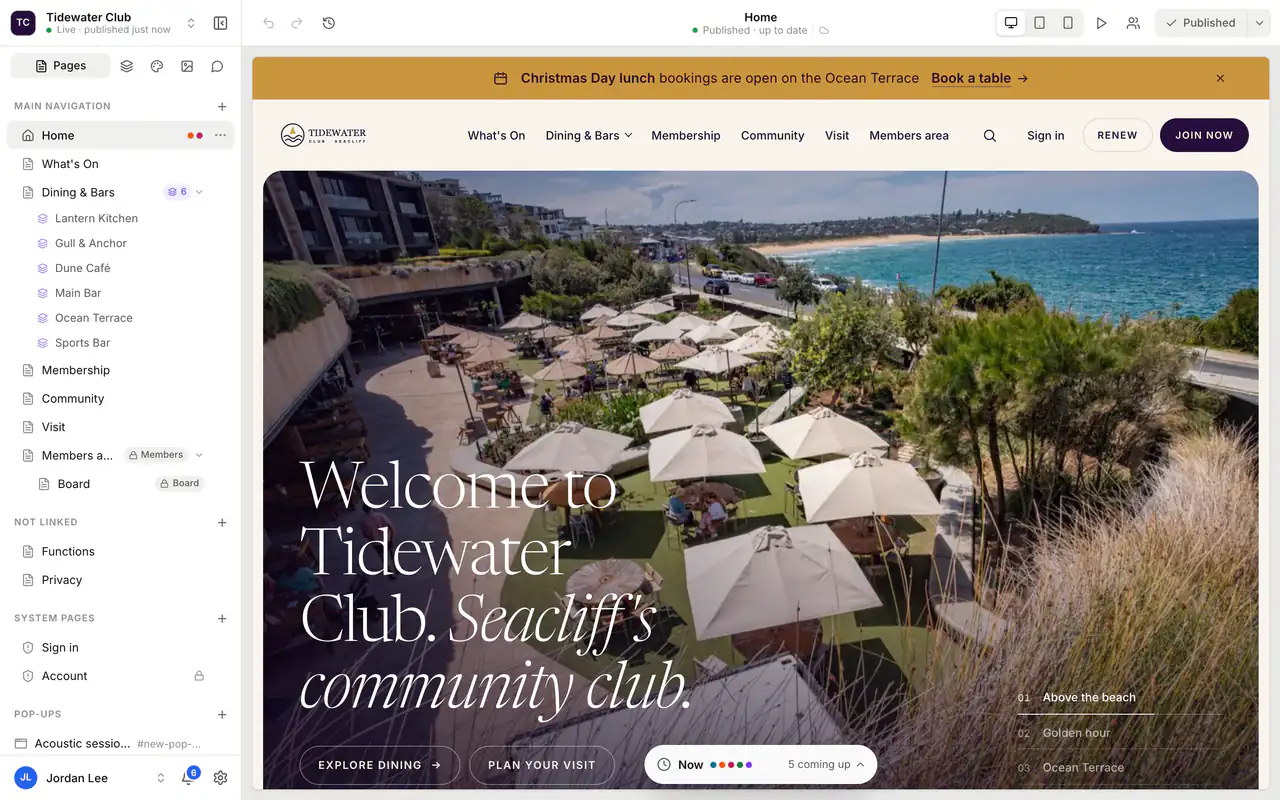
The editor draws your page with the same engine that builds the live website. Fonts, colours, spacing and real content are all there while you work, so there are no surprises after you publish.

  • Your real pages, not a wireframe
  • Pages panel to jump between pages
  • Full-screen preview that follows links like a visitor
builder.webdirector.net/tidewater-club/edit
The Add section library: the site’s own sections first, drawn in its fonts and colours.
02Change words in place

Click, type, done

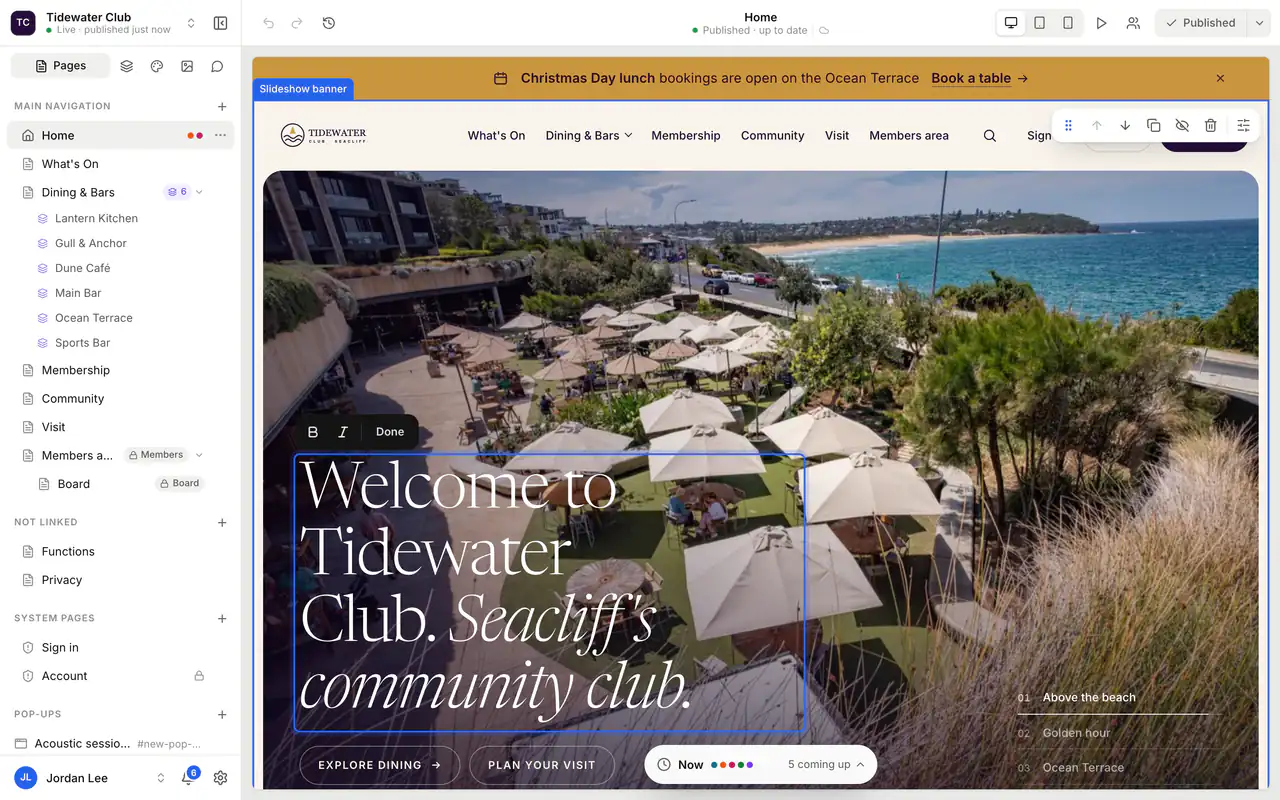
Click a heading or paragraph and start typing. A small format bar offers bold, italic, lists and links, and on a phone it sits just above the keyboard.

  • Bold, italic, bulleted and numbered lists
  • Add links with ⌘K
  • Drag a photo from the library onto the page to swap it
builder.webdirector.net/tidewater-club/edit
Editing a Tidewater Club heading inline, with the format bar above it.
03Fine-tune a section

Settings for each section, side by side

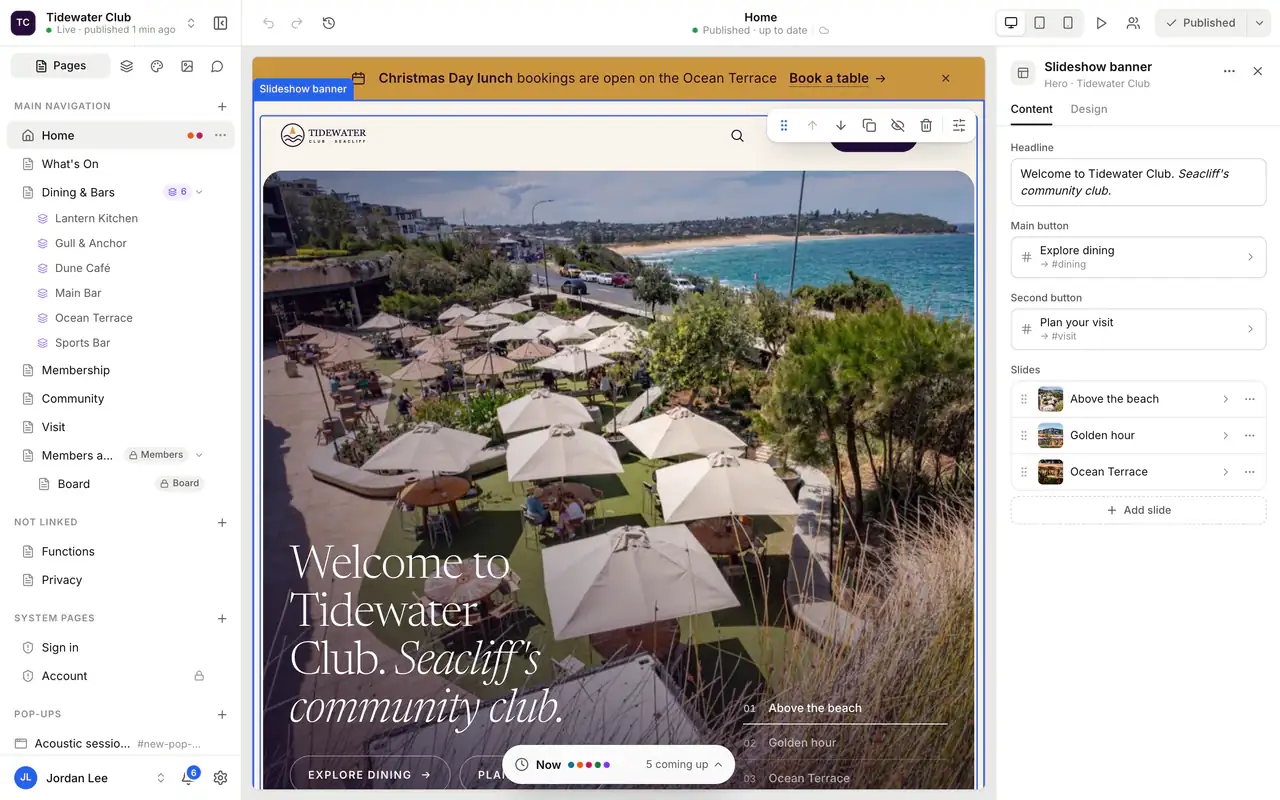
Open a section's settings to change things that aren't plain text, such as which items a list shows or its layout. Settings sit in a panel beside the page on desktop and in a bottom sheet on a phone.

  • Content and Design tabs for every section
  • Move, copy, hide or delete from one bar
  • Changes show on the page as you make them
builder.webdirector.net/tidewater-club/edit
Section settings for a Tidewater Club section, open beside the page.
04Check every screen size

See it on a phone before you publish

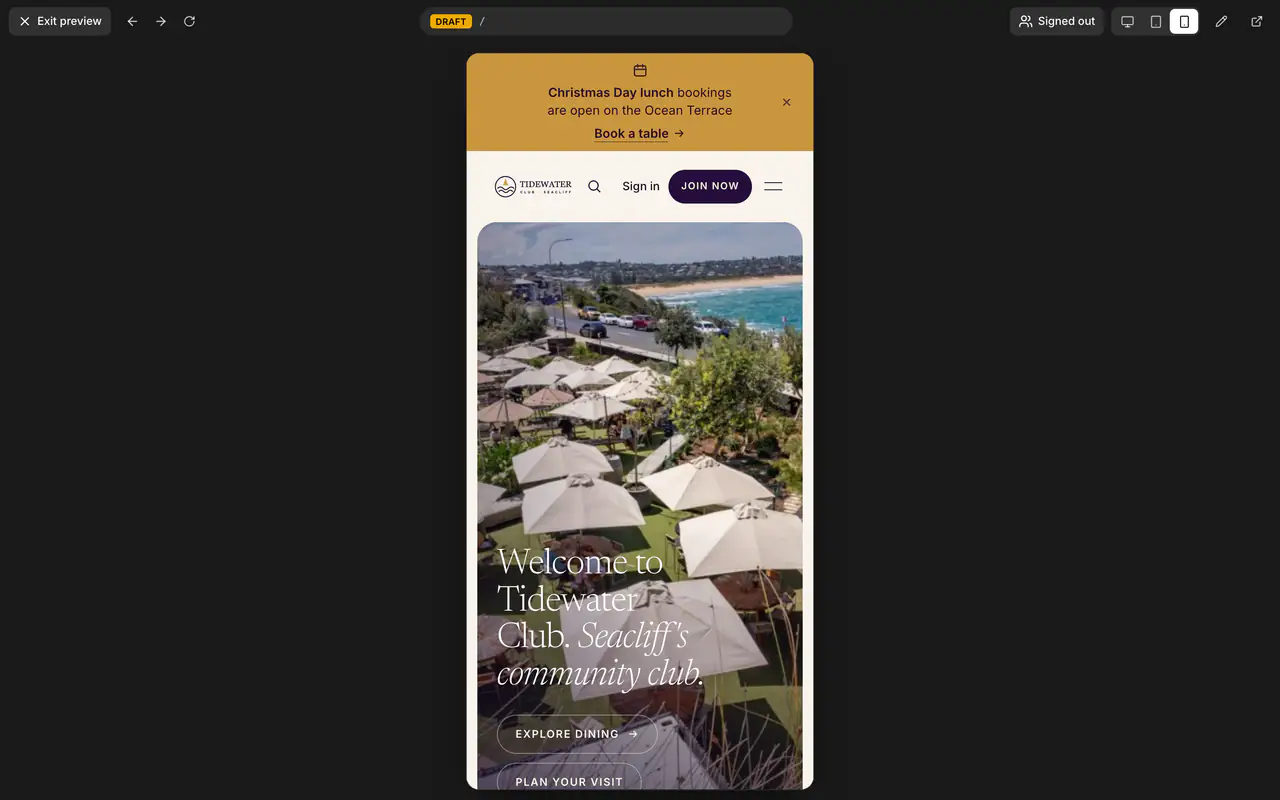
Switch the canvas between desktop, tablet and phone widths with one tap. Many visitors arrive on a phone, whether they are booking a class, finding a plumber or checking opening hours, so you can check what they will see first.

  • Desktop, tablet and phone widths
  • Preview the draft full screen
  • The editor itself works on a phone or tablet too
builder.webdirector.net/tidewater-club/edit
The Tidewater Club homepage previewed at phone width inside the desktop editor.
In the demo

Open the Tidewater Club homepage, one example site, in the editor, click the main heading and type: the change appears instantly and the status shows it has been saved.

Tidewater Club Group is a made-up organisation. Its sites use designs from Corporate Interactive’s club concepts.
Ask for a live demo
Questions

Visual editor, answered

Do I need to know any code?

No. You click on the page and type, or pick photos from your library. The design is built into your theme, so your edits always stay on brand.

Do I have to press Save?

No. Every edit is saved as a small change the moment you make it. If your connection drops, your changes are kept and sync when you are back online.

Will my edits show on the live site straight away?

No. You are working on a draft. Nothing changes for visitors until someone with permission to publish presses Publish.

Can I undo a mistake?

Yes. Undo and redo cover every edit, using the buttons or ⌘Z. Undo only reverses your own changes, never a colleague's later work.

Can I edit from my phone?

Yes. The editor works on phones, tablets and desktops, with large tap targets and bottom sheets on small screens.

See WebDirector run your websites

Book a walkthrough with the Corporate Interactive team. We will show you the editor, the features your business needs and how your sites would move across.