Book a demo
  1. Home
  2. Features
  3. Domains
Your web address

Your own domain, connected without the guesswork

Every site starts with a built-in address. When you are ready, add your own domains, several at once, and choose where each one goes.
A built-in address from day one
Type the domain you own
Every domain in the group

Real WebDirector screens. Click a step, or Replay.

Up to 20domains added at once
4 redirect codes301, 302, 307 and 308
Previewa domain for the unpublished draft
01Built-in address

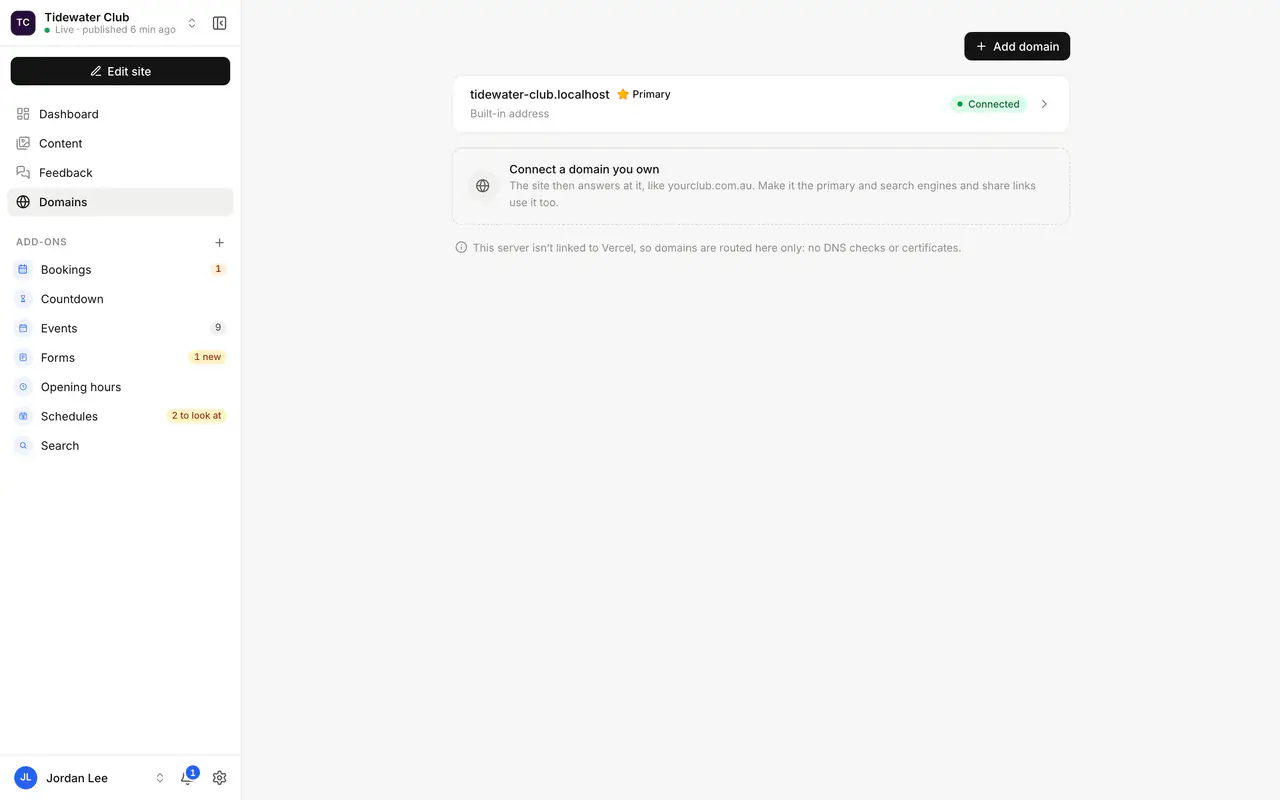
A working address from the start

Each new site gets its own built-in address straight away. It always works and can't be removed, so you can build, review and share the site before your domain is ready.

  • Made from the site's name when you create it
  • The main address until you choose one of your own
  • Keeps working after your own domain is connected
builder.webdirector.net/tidewater-club/domains
Tidewater Club's addresses, with its built-in address listed first.
02Add domains

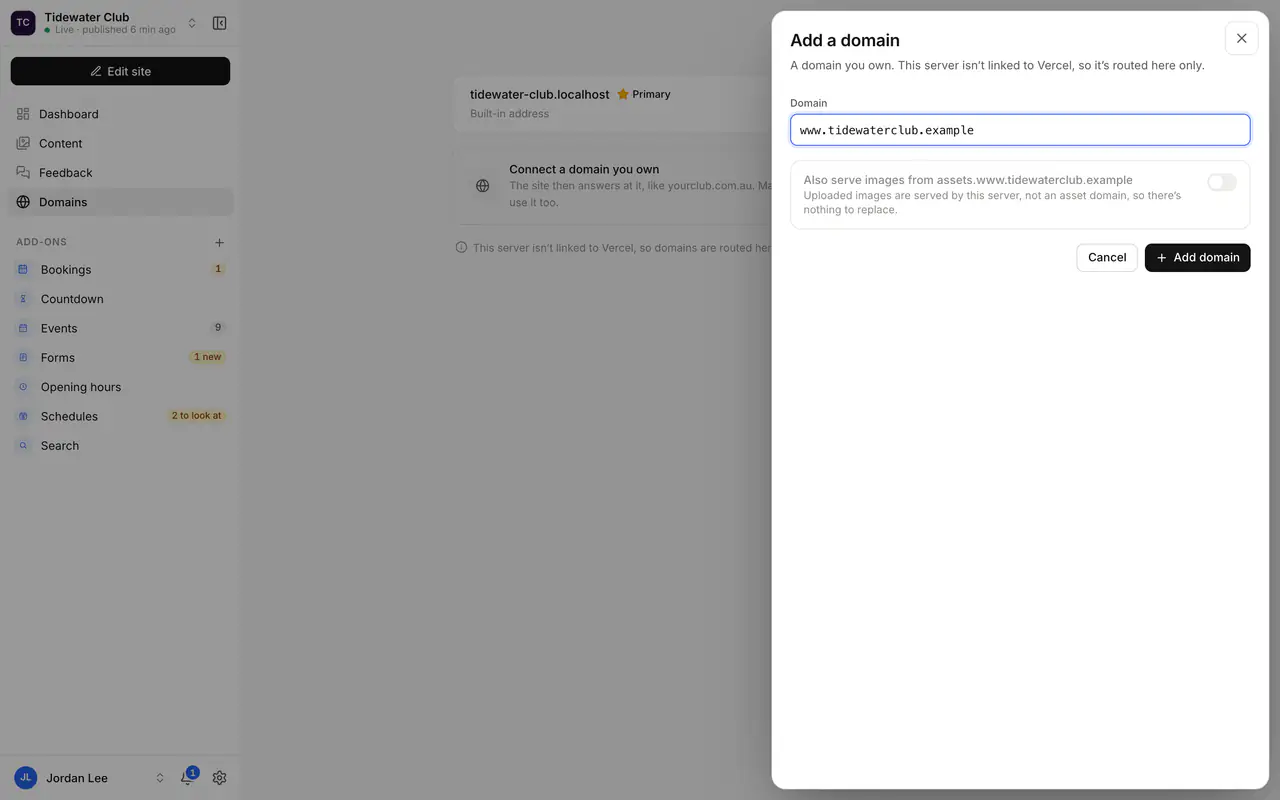
Several domains, one simple sheet

Type a domain or paste a list, one per line, and each gets its own row. Tick one box to add both the main domain and its www version. Then connect them to the live site, or send them somewhere else.

  • Apex and www added together, the apex sending visitors to www
  • Production shows the published site
  • Problems listed under the row they belong to
  • Exact DNS records to copy, with Check now
builder.webdirector.net/tidewater-club/domains
Adding a domain the club owns.
03Redirect

Redirect old names with the right code

Choose Redirect to another domain to send a name you own to the site's main address. Pick a temporary or permanent redirect, and that code is kept even when the primary changes.

  • 307 and 302 for temporary moves
  • 308 and 301 for permanent ones
  • Point at the built-in address or any connected domain
builder.webdirector.net/tidewater-club/domains
Choosing a permanent or temporary redirect for new Tidewater Club domains.
04Preview

A private address for the draft

Connect a domain to Preview and it shows the site's unpublished draft to signed-in people who may see the site, and nobody else. Visitors get a Sign in to view page, and search engines are kept out.

  • Never cached, never in search results
  • Sign in once and land back on the page
  • Can't be made the primary by mistake
builder.webdirector.net/tidewater-club/domains
Tidewater Club's domains: built-in address, www, redirects and a Preview domain.
05Organisation view

Every domain across the group

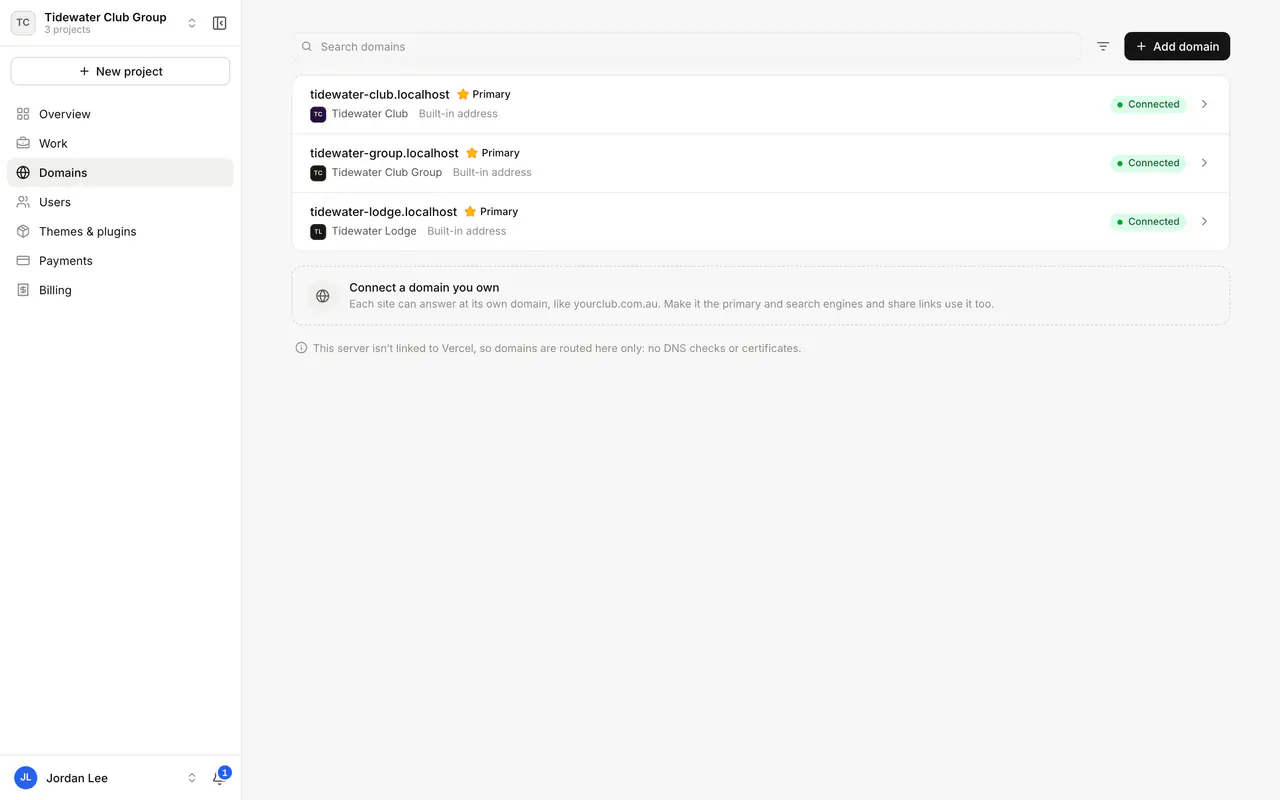
Owners and Admins see every domain across the organisation's sites in one list, with each one's status. Open any row for its records and actions.

  • Built-in and custom addresses side by side
  • One site per domain, so nothing clashes
  • Domains permission can be given to the right people only
  • The primary is where search engines and share links point
builder.webdirector.net/org/tidewater-club-group
Every domain across the Tidewater Club Group organisation in one list.
In the demo

The Tidewater Club demo, one example site, shows its built-in address, tidewaterclub.example sending visitors to www, an old name redirecting with a 301 and a Preview domain for the draft.

Tidewater Club Group is a made-up organisation. Its sites use designs from Corporate Interactive’s club concepts.
Ask for a live demo
Questions

Domains, answered

Do I need to move my domain to you?

No. Keep your domain where it is registered. You add a DNS record or two where you manage it, and WebDirector shows you exactly what to add.

How long does it take to connect?

DNS changes can take from a few minutes to a day to reach everyone. The status updates when you open the Domains page or press Check now.

What happens to visitors who type www?

Tick "Redirect apex domains to www" when you add a domain and both are added: the www version shows the site and the main domain sends visitors to it.

Why does it say Needs verification?

The domain has been used with another hosting account, so it needs proof that it's yours. Add the verification record shown, then check again.

Can the same domain point to two sites?

No. A domain belongs to one site, so a visitor always lands on the right one.

Can a domain show our draft for review?

Yes. Connect it to Preview. Only people signed in with access to the site see the draft there, and search engines are told to stay away.

Who can change domains?

Owners and Admins, plus anyone given the Domains permission on that site.

What if the domain is already used by another of our projects?

The domain says so. Our team can move it to your site with one button, after you confirm.

See WebDirector run your websites

Book a walkthrough with the Corporate Interactive team. We will show you the editor, the features your business needs and how your sites would move across.