Book a demo
  1. Home
  2. Features
  3. Plugins & extensions
Themes and add-ons

Add features to any site, safely and by version

Themes live in your organisation's library, by version, and every add-on is built in. Each site follows the organisation's updates or stays on the version it was signed off on.
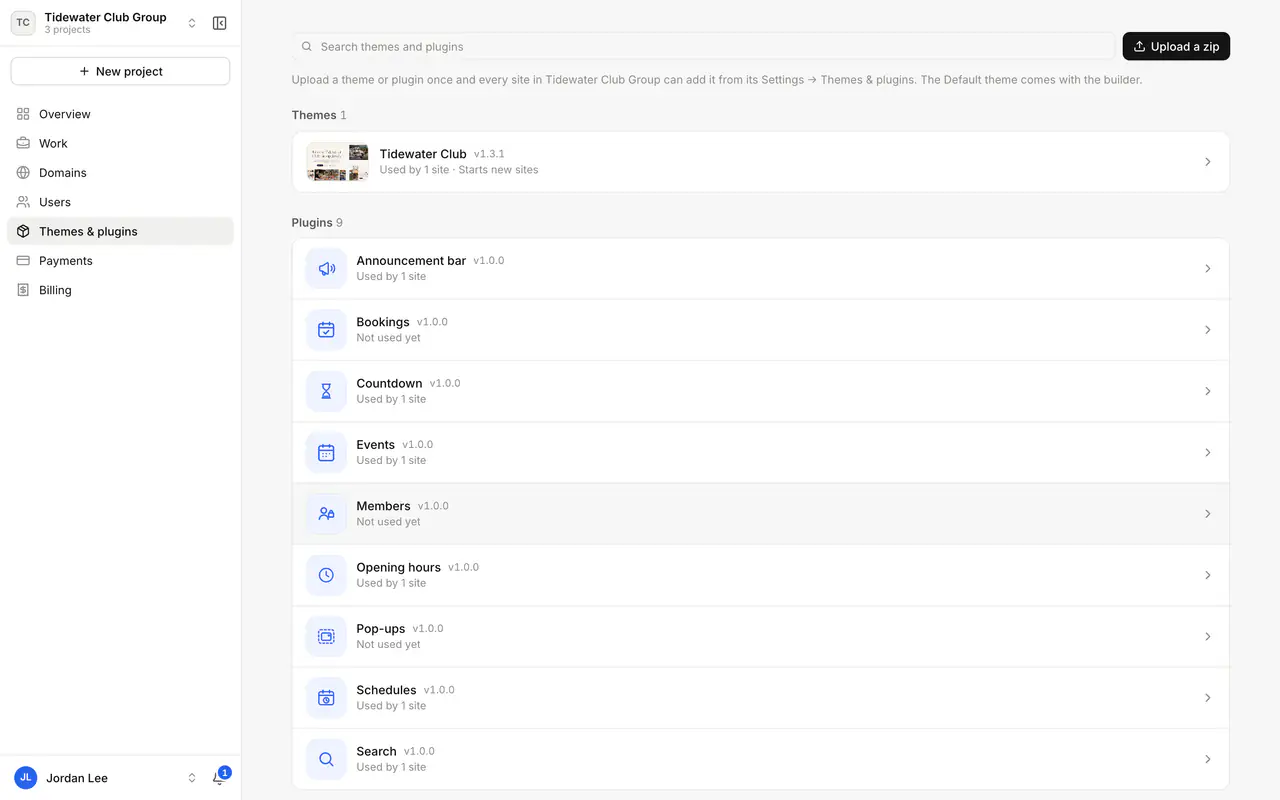
Upload a theme or add-on
One library for every site
Each add-on has a version
An add-on live on a site

Real WebDirector screens. Click a step, or Replay.

11 add-onsbuilt in for every organisation
Per sitefollow updates or stay pinned
Every sectionrendered to check an upload
01Built in

Every add-on, ready to turn on

Forms, Commerce, Events, Bookings, Members, Search, Pop-ups, Schedules, Countdown, Opening hours and the Announcement bar come with WebDirector. Any site can add one and turn it on, with no upload.

  • Fixes arrive with each WebDirector update
  • Each site turns on only what it needs
  • Custom add-ons for one client are still uploaded
builder.webdirector.net/tidewater-club/edit
The Add section library: the site’s own sections first, drawn in its fonts and colours.
02Versions

Updates, with what's new

When a newer version of a theme is released, the library shows Update available with the release notes. Update the organisation and every site that follows it moves across, with live pages redrawn.

  • The previous version is kept to go back to
  • Every upload is checked before it's installed
  • No platform release needed for a new theme
builder.webdirector.net/org/tidewater-club-group/library
The Tidewater Club theme in the library, with the site that uses it.
03Per site

Follow the organisation, or stay put

Each site using a package shows the version it runs and a Follows organisation updates switch. Turn it off to keep a signed-off site where it is, or update one site on its own first.

  • Update this site to a newer version
  • Follow the organisation again at any time
  • When only one site uses it, updating it updates the organisation too
builder.webdirector.net/org/tidewater-club-group
Billing: storage used by site and by kind, and the largest files.
04Safe installs

Checked, in the background

Installs carry on in the background, with each stage in an Installs sheet. A theme that draws add-ons the organisation doesn't have asks to add them first. Uploading the same version again says nothing changed, and an older zip offers Install as the next version or Roll back.

  • Problems listed in plain words before you install
  • A theme can bring the add-ons it needs
  • Nothing changes on a site until you say so
builder.webdirector.net/org/tidewater-club-group
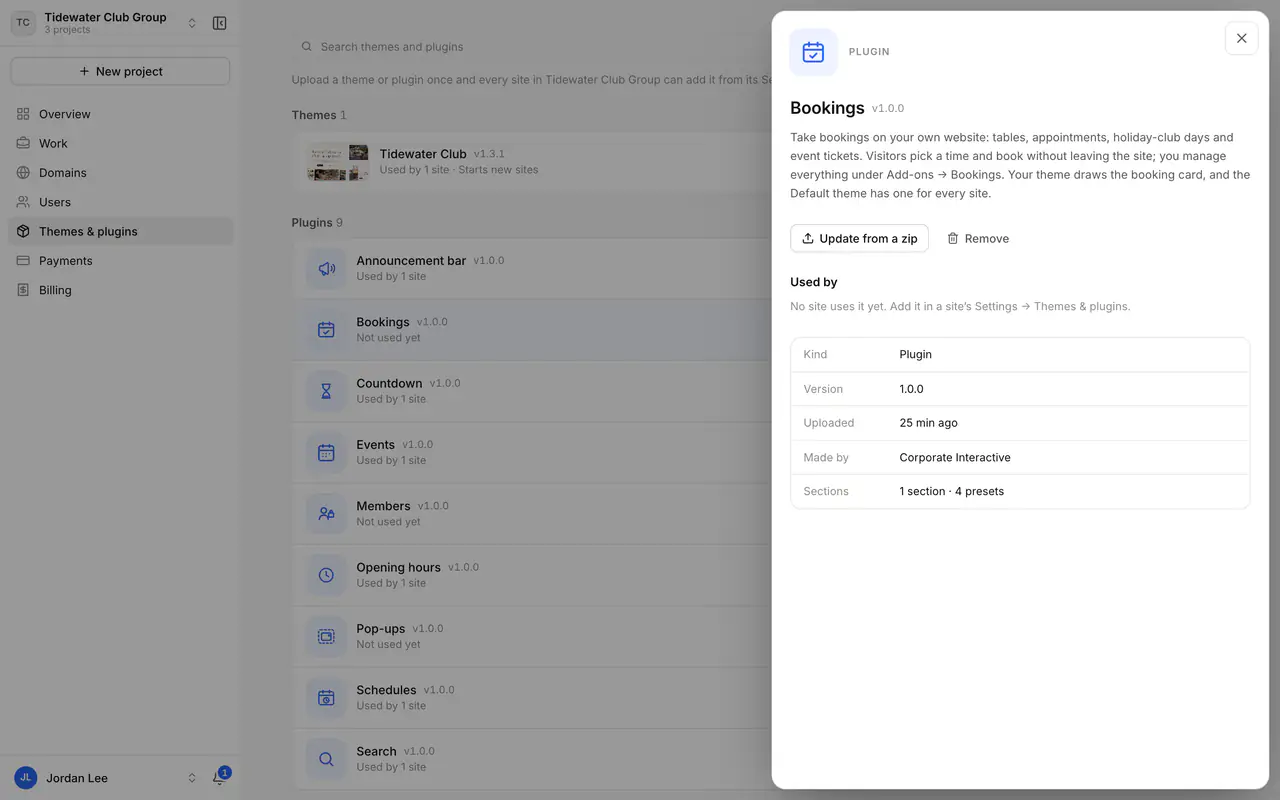
A package's details in the Tidewater Club Group library: version, what it adds and where it's used.
In the demo

The Tidewater Club demo, one example organisation, uses the Tidewater Club theme from its library, with Bookings, Events, Members and other built-in add-ons turned on.

Tidewater Club Group is a made-up organisation. Its sites use designs from Corporate Interactive’s club concepts.
Ask for a live demo
Questions

Plugins & extensions, answered

Who can upload themes and add-ons?

Only the organisation's Owners and Admins, and the Corporate Interactive team. Turning add-ons on or off for a site can be given to others.

Will an update break our live site?

Every update is checked first, including rendering each section. A site can stay on the version it runs, and the previous version is kept if you need to go back.

Can another organisation see our theme?

No. Your library is listed only for your organisation.

Can we get a custom add-on built?

Yes. Corporate Interactive can build an add-on for one site, such as a store locator or a menu board, and package it for your library.

Which themes and add-ons are always there?

The Default theme and every standard add-on: Forms, Commerce, Events, Bookings, Members, Search, Pop-ups, Schedules, Countdown, Opening hours and the Announcement bar. Website themes are added to your library.

Can one site stay on an older version?

Yes. Turn off Follows organisation updates for that site and it keeps its version, whatever the rest of the organisation does.

See WebDirector run your websites

Book a walkthrough with the Corporate Interactive team. We will show you the editor, the features your business needs and how your sites would move across.