Book a demo
  1. Home
  2. Features
  3. Sections & presets
Sections & presets

Build a page from pieces that always fit

Every page is a stack of sections cut from your design. Pick one from the library, drop it in and fill in the words. The layout looks after itself.
Sections grouped by type
Insert a ready-made section
Fill in the words
Move, copy, hide or delete
Some sections stay put

Real WebDirector screens. Click a step, or Replay.

20 sectionsIn the built-in Default theme
11 categoriesFrom heroes to FAQs
1 tapTo move, copy or hide
01Pick from a library

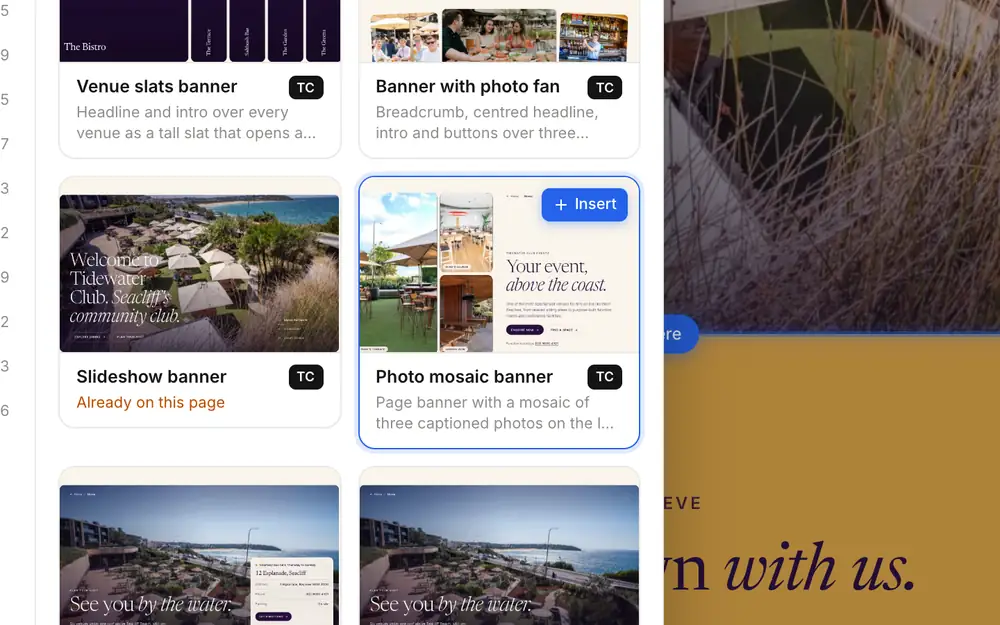
See each section before you add it

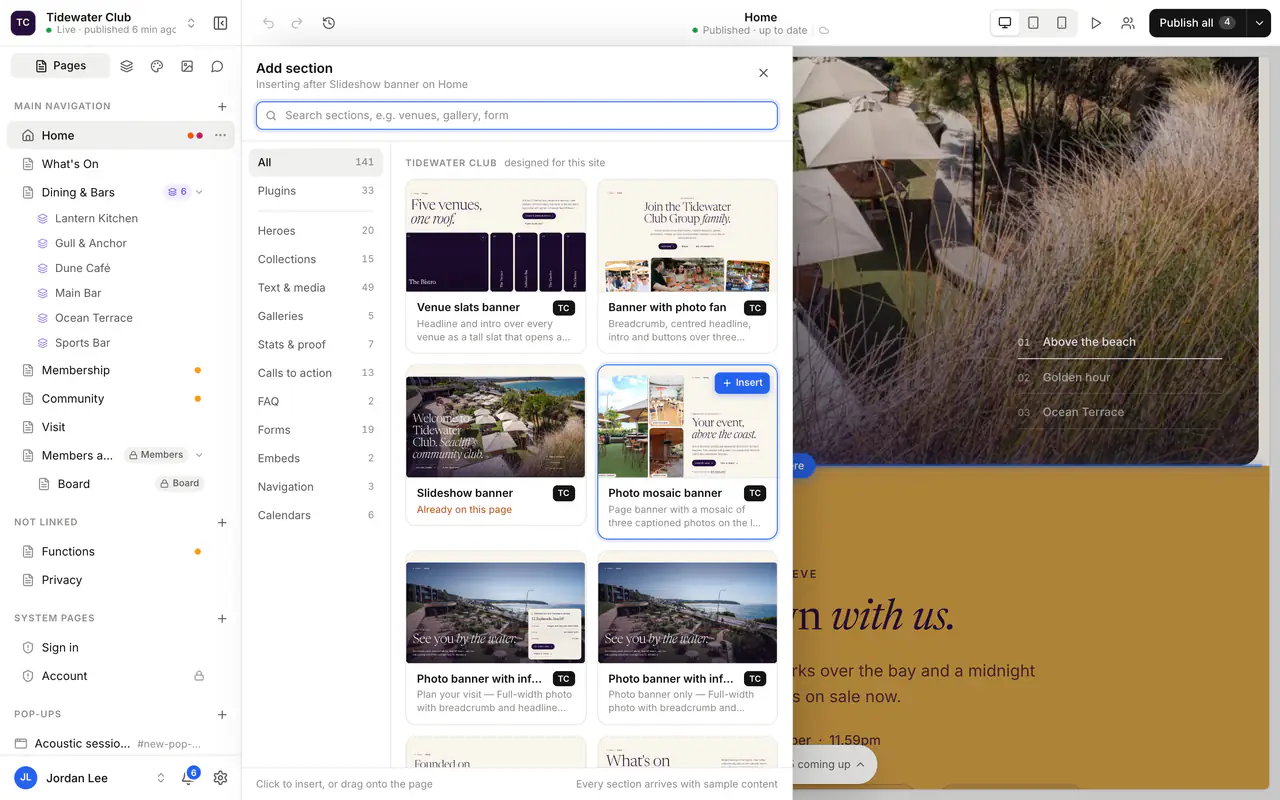
Add section opens a library of thumbnails, grouped into categories such as Heroes, Collections, Galleries and Calls to action. Search by what you need, like gallery or contact, and tap to add it where you were.

  • Thumbnails of every ready-made variation
  • Search and filter by category
  • Sections from your add-ons marked with a Plugin badge
tidewater-club.webdirector.space
A New Year’s Eve countdown section on the homepage.
02Your design first

Your sections first, extras in your colours

Sections designed for your site come first. Below them, the Default theme offers extra layouts drawn in your fonts and colours, so even a section your designer never made still looks like your brand.

  • Your theme's sections at the top
  • Default sections in your fonts and colours
  • Option to show only your theme's own designs
builder.webdirector.net/org/tidewater-club-group
Themes & plugins: the Tidewater Club theme and nine add-ons, uploaded once for every site.
03Rearrange freely

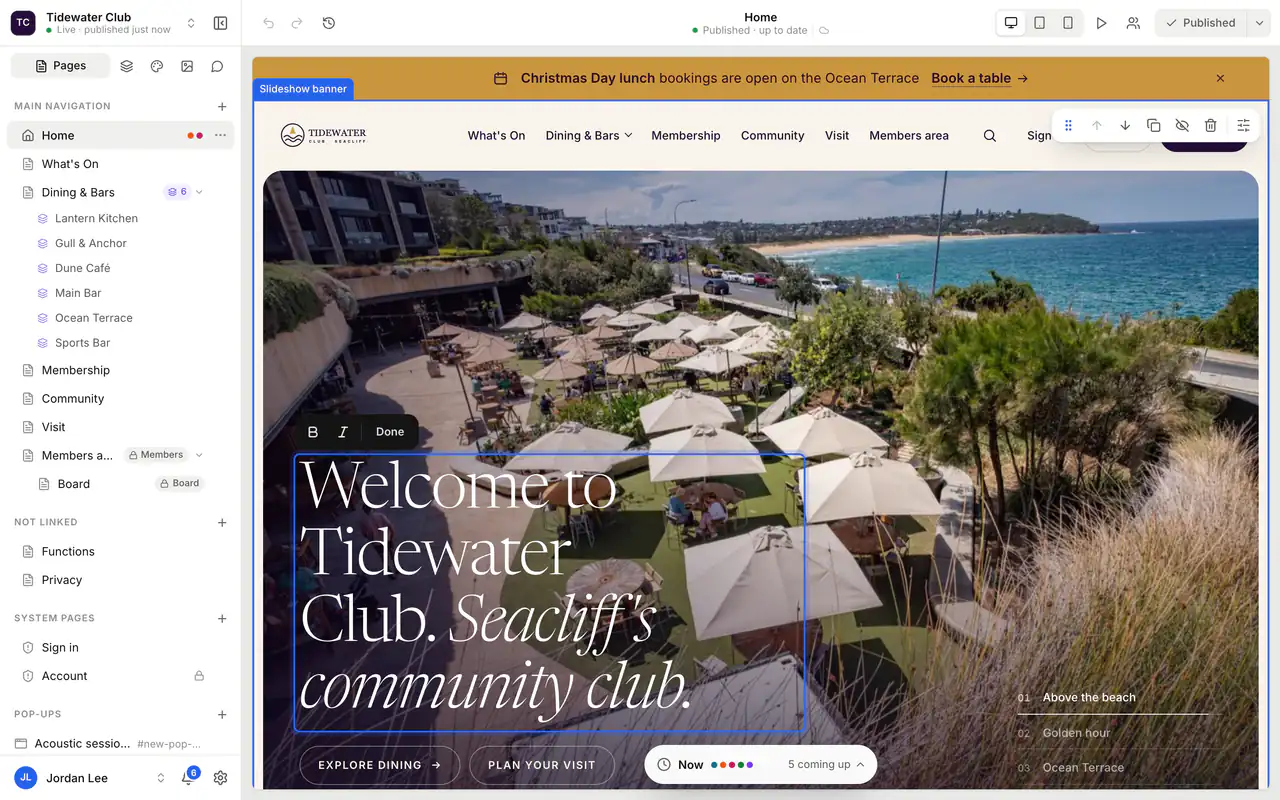
Move, copy, hide or delete in one bar

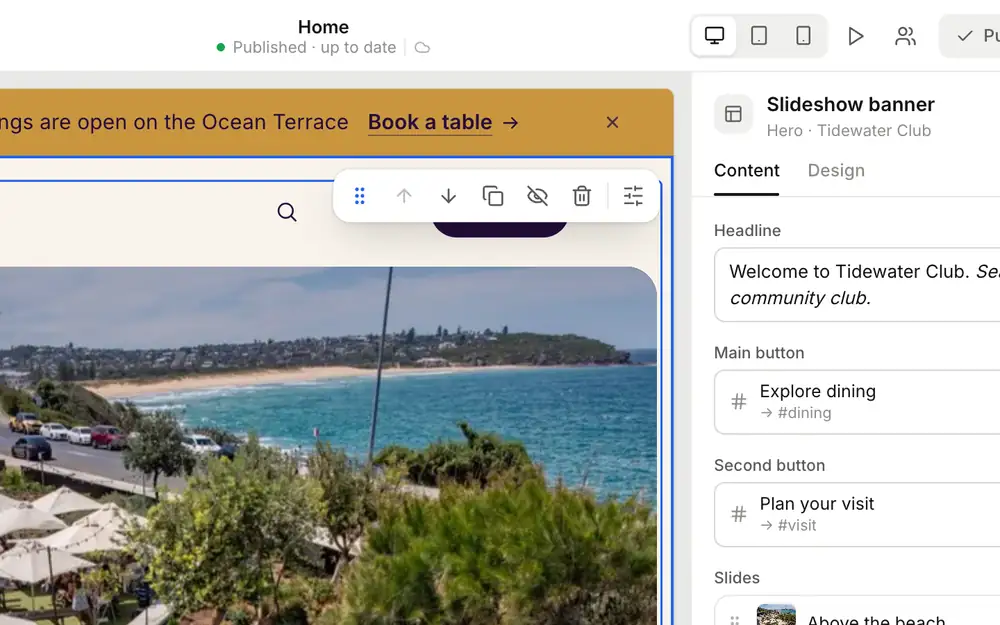
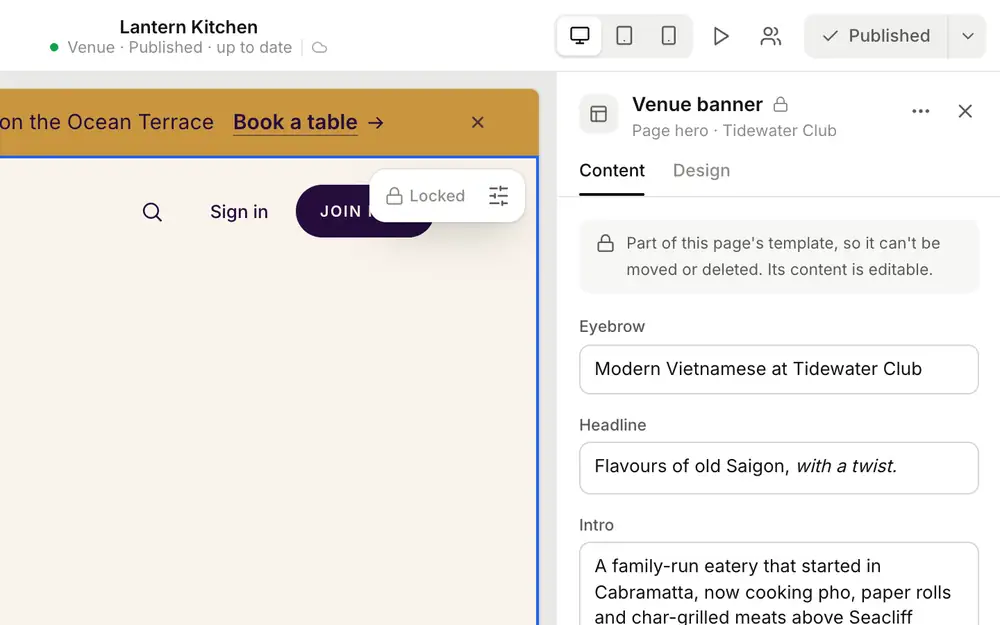
Select a section and a small bar lets you move it up or down, copy it, hide it or delete it. Hidden sections stay in the editor so you can bring them back for your next campaign.

  • Move up and down without dragging
  • Copy a section to reuse its layout
  • Hide without losing the content
builder.webdirector.net/tidewater-club/edit
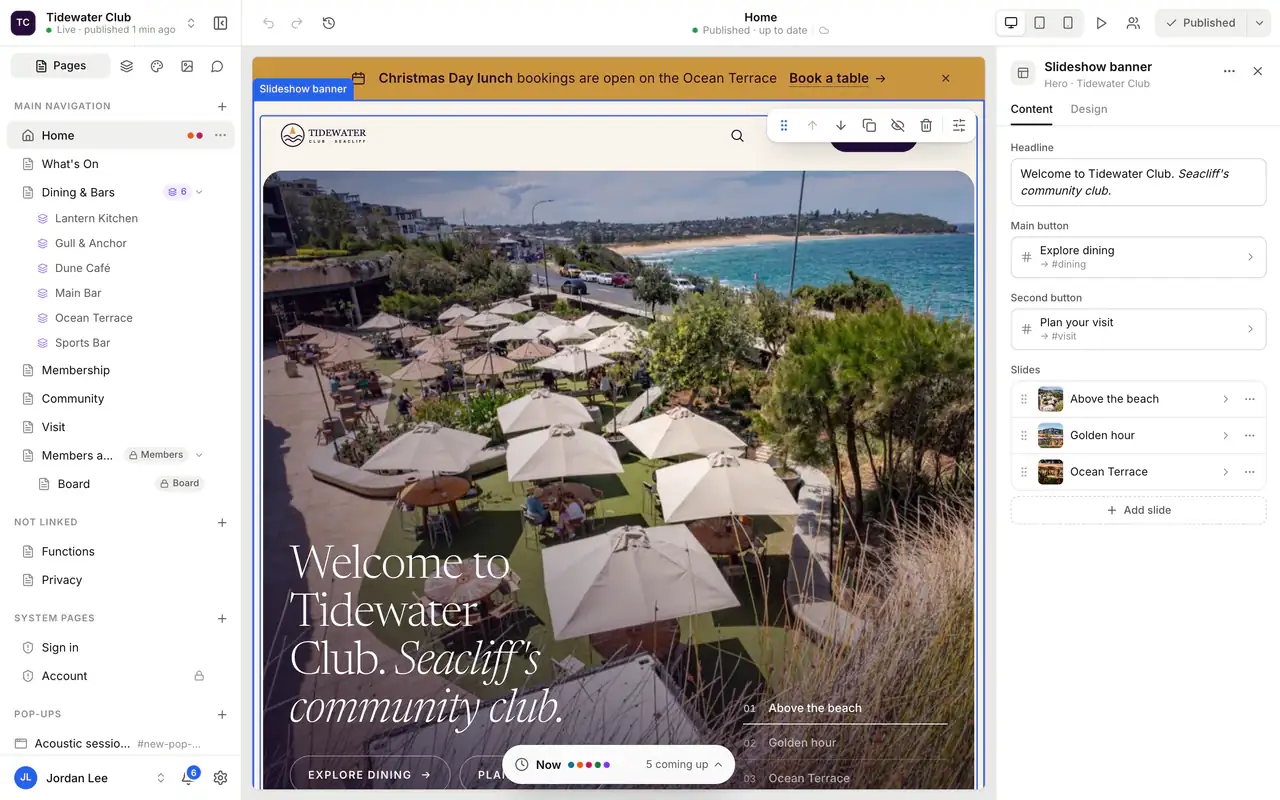
Section actions and settings for a section on the Tidewater Club homepage.
04Guard rails built in

Some things stay put, on purpose

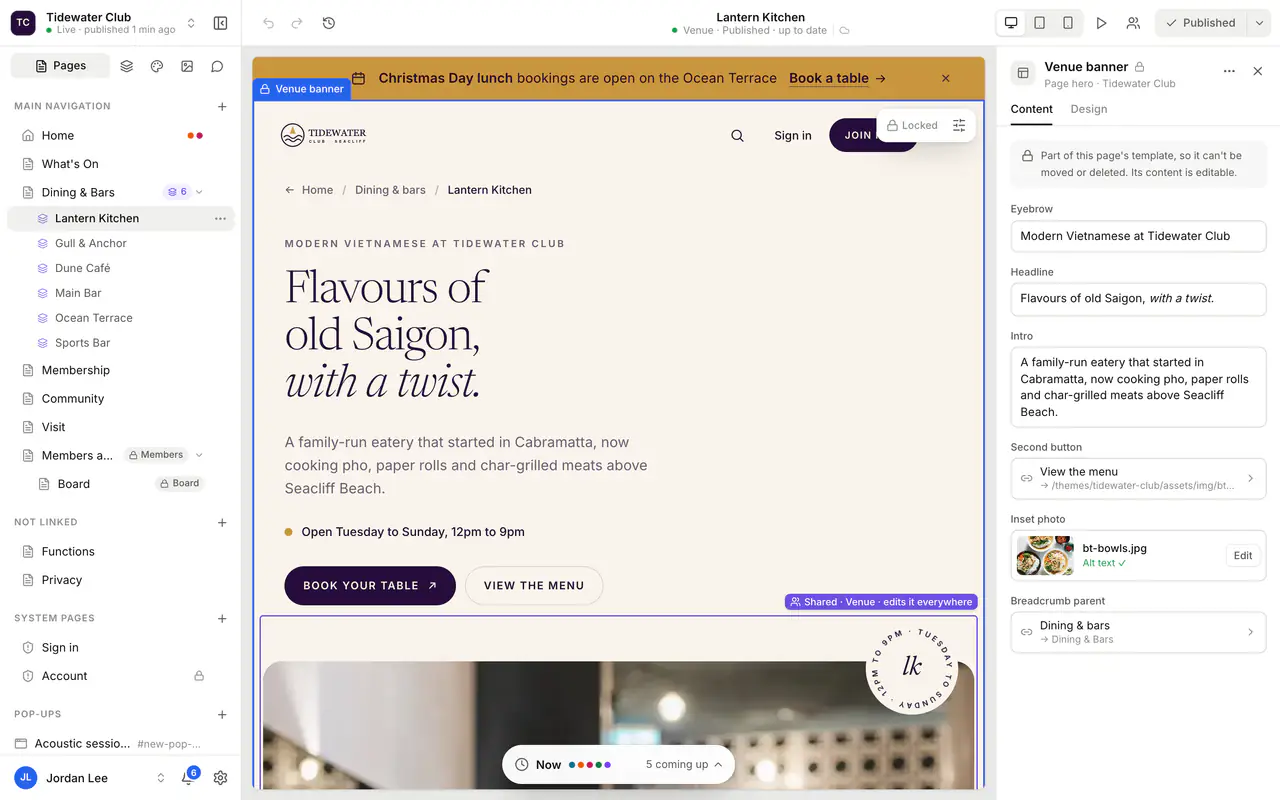
Your designer can lock key sections on a page so they cannot be moved or deleted. Sections can also have limits, such as one per page, and the library explains why one can't be added.

  • Locked sections keep their place
  • Limits such as 'Already on this page'
  • Content is kept tidy without policing staff
builder.webdirector.net/tidewater-club/edit
The Tidewater Club homepage built from a stack of sections in the editor.
In the demo

In the Tidewater Club demo, one example site, open Add section on the homepage to see the club's own sections listed first and the Default theme's extras below, drawn in Tidewater's colours.

Tidewater Club Group is a made-up organisation. Its sites use designs from Corporate Interactive’s club concepts.
Ask for a live demo
Questions

Sections & presets, answered

What is a preset?

A preset is a ready-made version of a section, set up the way it appears somewhere in your design. You add the preset and then change its words and photos.

Can I break the design by adding sections?

No. Each section is self-contained and takes its look from your theme, so sections sit together neatly in any order.

What if my theme doesn't have a section I need?

The Default theme's sections are always available and are drawn in your site's fonts and colours. Your administrator can turn this off if you want only your theme's designs.

Can I get a hidden section back?

Yes. Hiding a section takes it off the page for visitors but keeps it in the editor with its content, ready to show again.

Why can't I move some sections?

Your theme can lock important sections on a page, such as a page's opening section, so they always stay in place.

See WebDirector run your websites

Book a walkthrough with the Corporate Interactive team. We will show you the editor, the features your business needs and how your sites would move across.