Book a demo
  1. Home
  2. Hospitality & venues
  3. Members & offers
Members area

A members area your club can run itself

People join through your own form, sign in with an emailed code and see offers and pages kept for members. Committees and sub-clubs get their own pages and files.
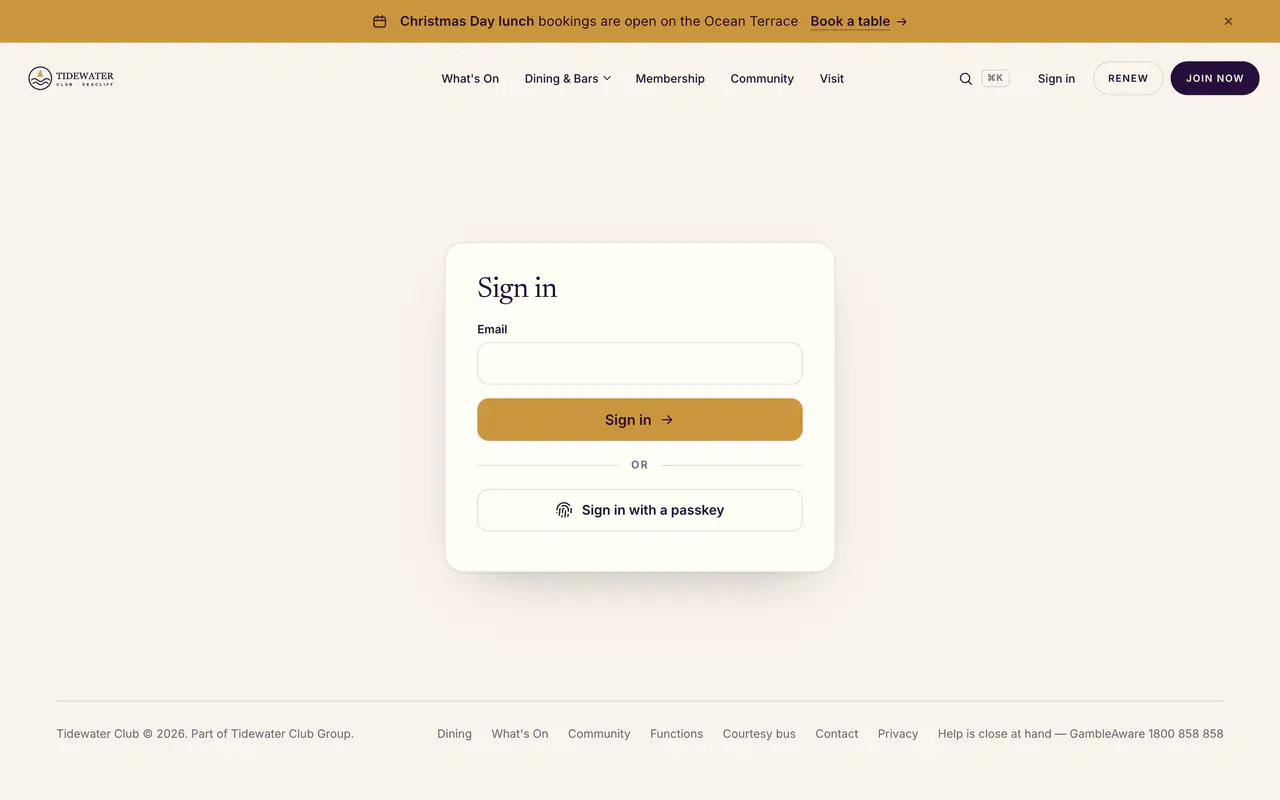
Sign in with an emailed code
Approve people who join
Choose who can open each page
Teams for committees
01Sign in

Sign-in without passwords to forget

Members sign in with an emailed code, a link or a passkey. The sign-in form can sit on a page, in a sheet or in a pop-up.

  • Email codes, links and passkeys
  • Passwords if you want them
  • Sign-in in a page, sheet or pop-up
  • Search shows each person only what they can open
builder.webdirector.net/tidewater-club/members
The members sign-in page on the Tidewater Club website.
02Member offers

Offers and pages for members only

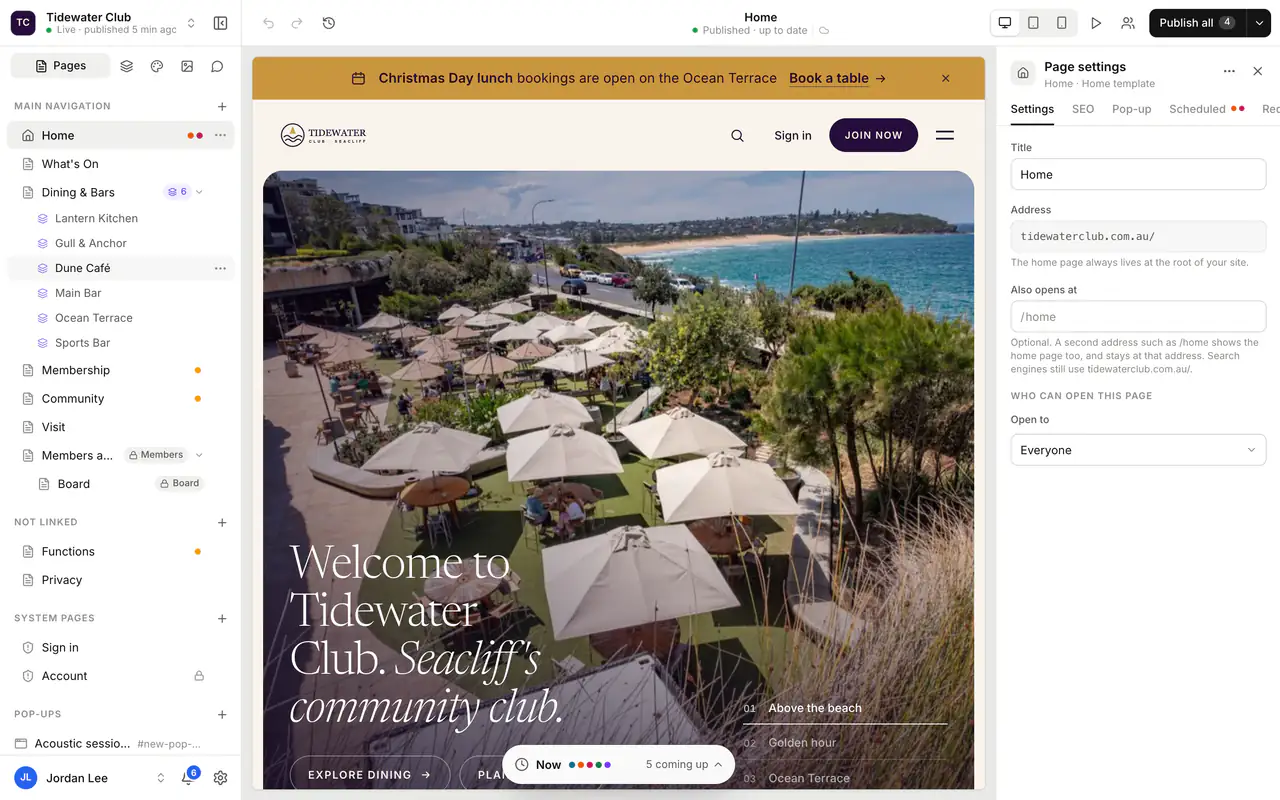
Keep a members' dinner deal, a newsletter or a whole page for signed-in people. Visitors see a prompt to join instead.

  • Gate whole pages or single sections
  • Members-only files in the media library
  • Members-only pop-ups
  • Optionally show locked pages in menus
builder.webdirector.net/tidewater-club/members
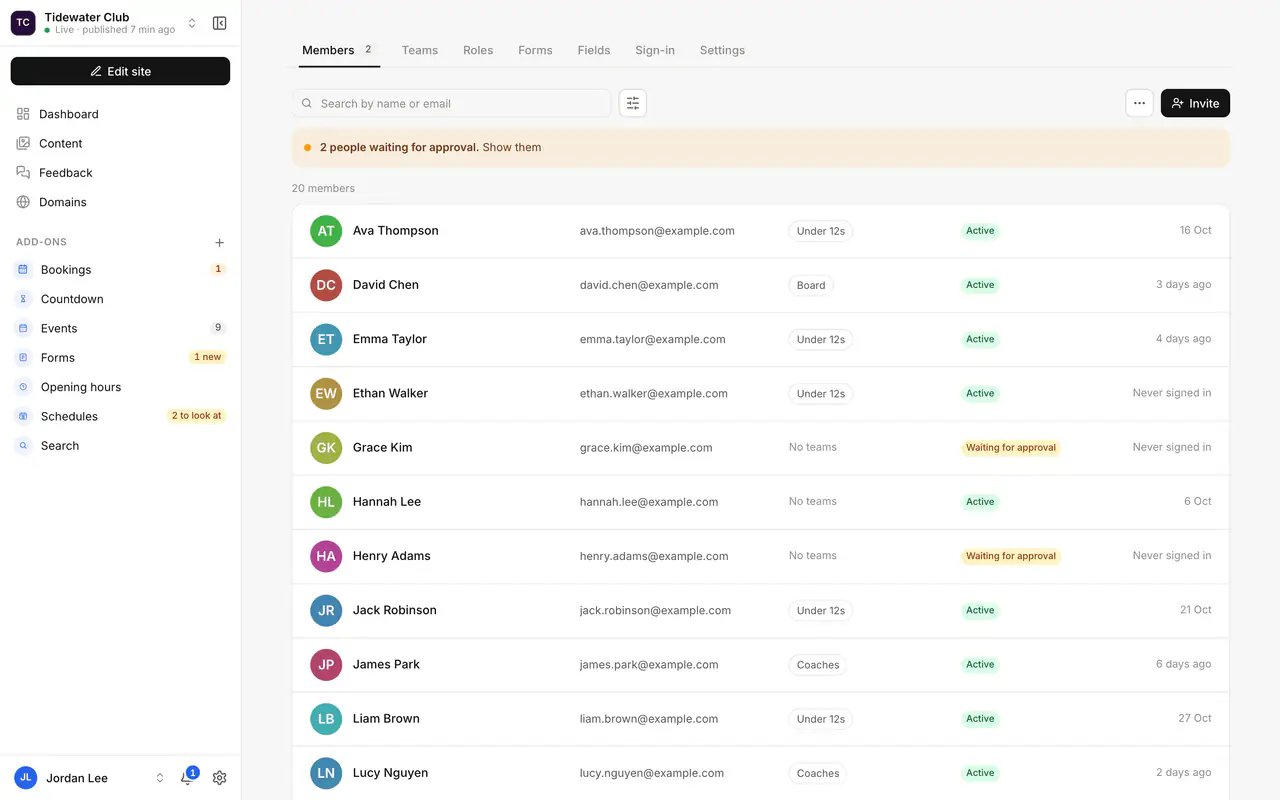
Members in the Tidewater Club admin.
03Committees

Teams for committees and sub-clubs

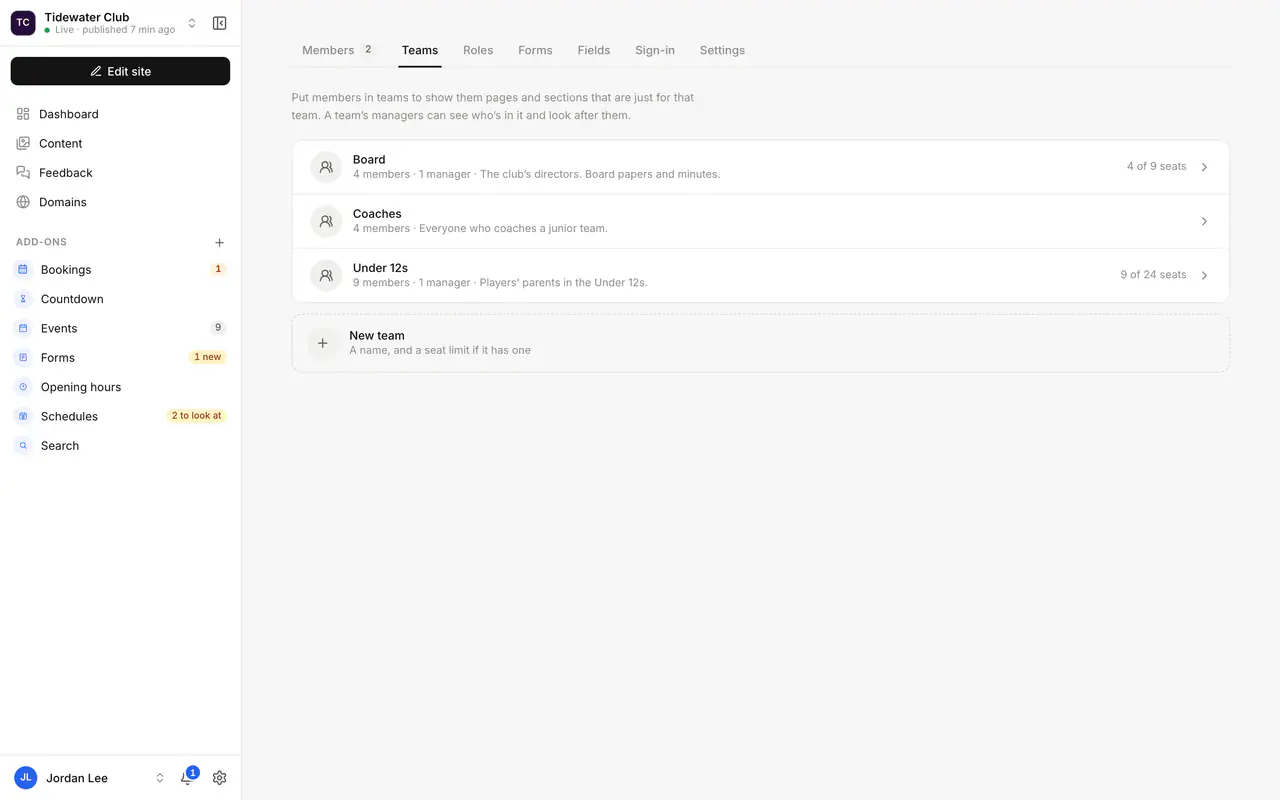
Put the bowls committee or the junior surf club in a team and give them their own pages and files. Teams and roles combine, so one person can belong to several.

  • Teams and roles that combine
  • Approval queue for new members
  • CSV import with a dry run, and export
  • Suspend access without deleting a member
builder.webdirector.net/tidewater-club/members
Member teams at Tidewater Club.
Questions

Common questions

Can it connect to our club membership system?

Not yet. Connections to club systems are planned. For now you can import members from a CSV file, with a dry run first.

Can members pay or renew online?

Paid membership levels and renewals are planned, not built. Members handles joining, sign-in and access today.

Do members need a password?

No. Codes, links and passkeys are on by default, and you can add passwords if your members prefer them.

See WebDirector run your websites

Book a walkthrough with the Corporate Interactive team. We will show you the editor, the features your business needs and how your sites would move across.