Book a demo
  1. Home
  2. Features
  3. SEO & page speed
Found and fast

Pages built to rank and load fast

WebDirector publishes every page as ready-made HTML, sized images and only the code each page needs. Sitemaps, share tags, structured data and redirects are handled as you publish.

Pages published ready to load
Sitemap, robots.txt and llms.txt
Redirects when pages move
Page speed from real visits

Real WebDirector screens. Click a step, or Replay.

LCP < 2.0 sOur target on mid-range phones
95+Lighthouse target for bundled themes
301Redirects when pages move
01Speed from the start

Pages that are ready before visitors arrive

Every page is rendered to HTML when you publish, so it reads and works even with JavaScript off. Each page loads only the scripts and styles of the sections it uses.

  • All content in the HTML, nothing drawn later
  • Images in sized WebP versions, lazy below the fold
  • Main image loaded first, layout reserved so nothing jumps
  • No frameworks on the published site
builder.webdirector.net/tidewater-club/search
Search settings: ways in, what is searched and the index size.
02Search appearance

Titles and descriptions you control

Set a title format and default description for the site, then override them per page. A preview shows how each page will look in Google results.

  • Per-page SEO title and description
  • Default share image for social posts
  • Canonical and Open Graph tags on every page
  • Turn search engine indexing off when needed
builder.webdirector.net/tidewater-club/settings
Search appearance settings for the Tidewater Club site.
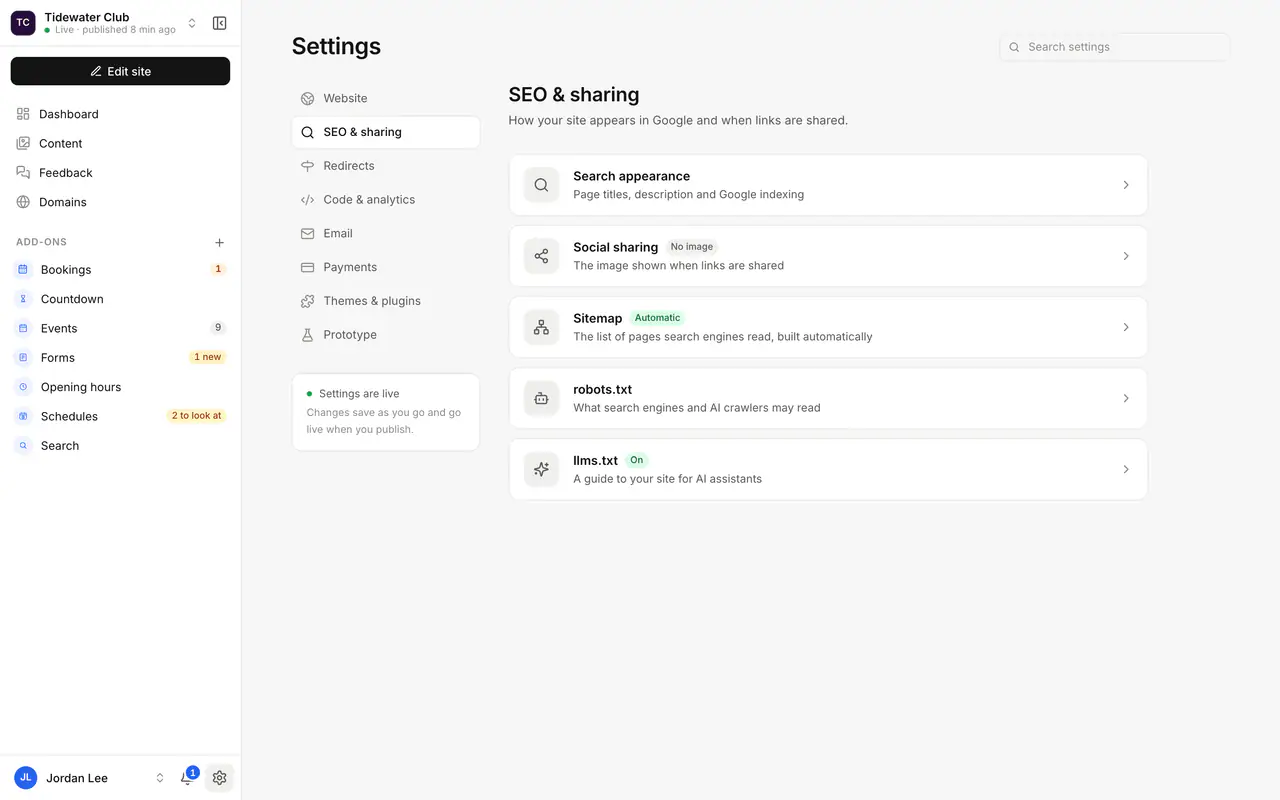
03Crawler files, written for you

Sitemap, robots.txt and llms.txt

A sitemap, robots.txt and llms.txt are generated from your published site and previewable in Settings. You choose which collections are listed and which AI assistants may read your site.

  • Sitemap updates on every publish
  • Hide any page from the sitemap
  • Allow or block AI crawlers one by one
  • llms.txt to help assistants describe your business
builder.webdirector.net/tidewater-club/edit
Page settings for a Tidewater Club page, with address and SEO.
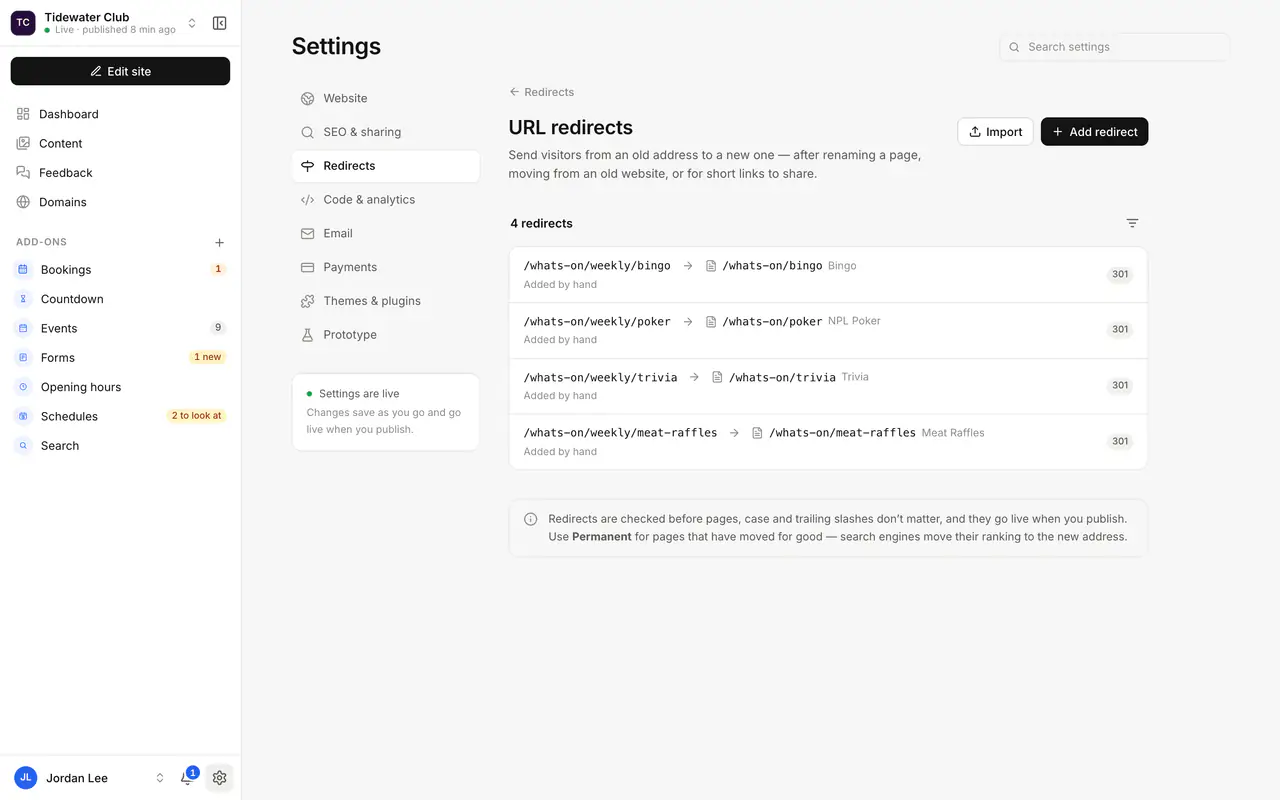
04Never lose a link

Redirects when pages move

Rename a page and WebDirector offers to redirect the old address. Delete or take one down and it asks where visitors should go. Chains are collapsed so visitors and search engines take one hop.

  • Redirect offered on every address change
  • Settings › Redirects for old site addresses
  • Redirected addresses leave the sitemap
builder.webdirector.net/tidewater-club/settings
Redirects on the Tidewater Club site, including old addresses.
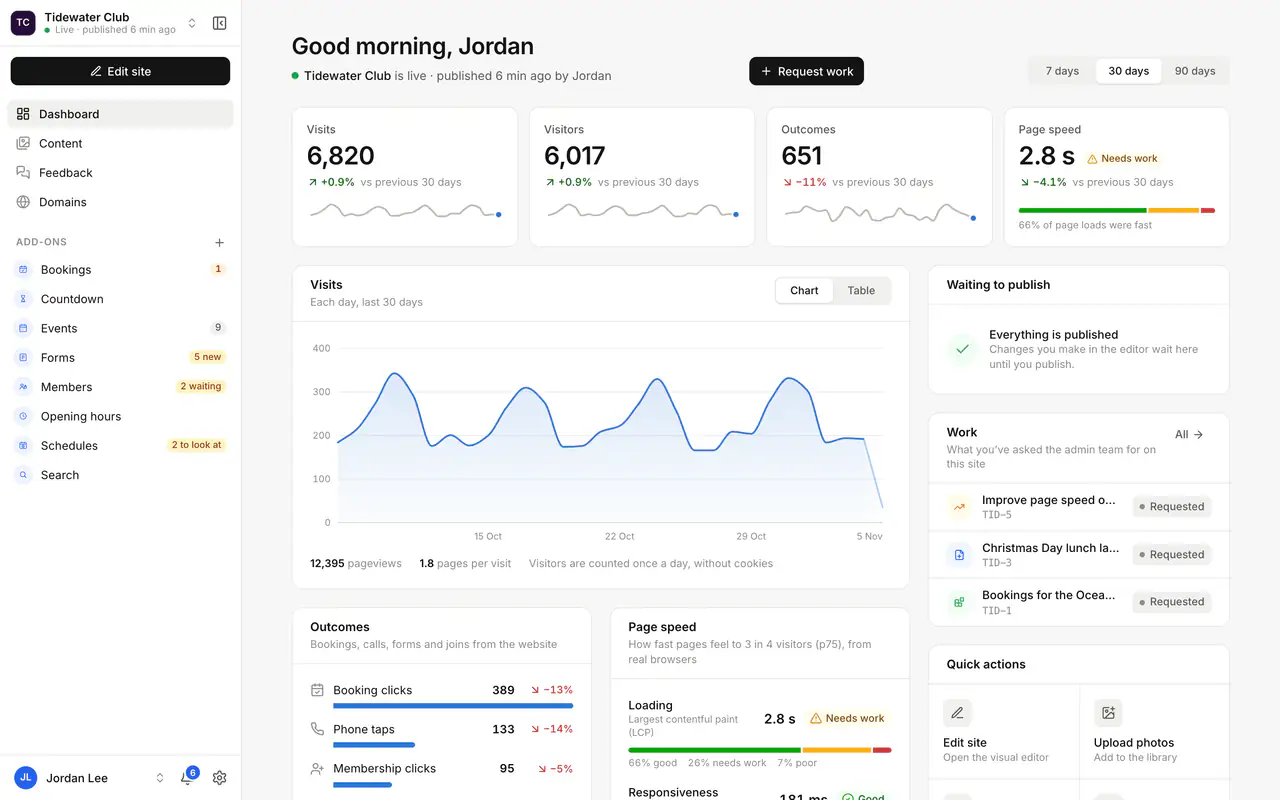
05Measured on real visits

Page speed from real visitors

The site dashboard shows how fast pages load for real visitors, using the same measures Google uses. You can see whether most visits are Good, Need work or Poor.

  • Loading, responsiveness and layout shift
  • Measured for 3 in 4 visitors (p75)
  • Structured data for events, venues and offers
builder.webdirector.net/tidewater-club
Page speed on the Tidewater Club dashboard, from real browsers.
In the demo

The published Tidewater Club demo, one example site, is pre-rendered HTML with its sitemap, robots.txt, llms.txt and event structured data generated on publish.

Tidewater Club Group is a made-up organisation. Its sites use designs from Corporate Interactive’s club concepts.
Ask for a live demo
Questions

SEO & page speed, answered

Do I need an SEO plugin?

No. Titles, descriptions, canonical tags, share tags, sitemaps, robots.txt and redirects are built in and handled as you publish.

How fast are WebDirector sites?

Our targets on a mid-range phone over 4G are a main content load under 2 seconds, layout shift under 0.05 and responses to taps under 200 milliseconds, with Lighthouse performance and SEO scores of 95 or more on our bundled themes.

What happens to old links when I rename a page?

WebDirector offers a permanent redirect from the old address, on by default, so links and search results keep working.

Can AI assistants find my site?

Yes, by default. robots.txt allows the main AI crawlers and an llms.txt file describes your site. You can block any assistant you'd rather keep out.

Does structured data come built in?

Yes, where the content has a type search engines understand, such as events, the organisation, places and offers.

Can I add Google Analytics or Tag Manager?

Yes. Add your Google Analytics 4, Tag Manager or Meta Pixel ID in Settings and the code is added to every published page.

See WebDirector run your websites

Book a walkthrough with the Corporate Interactive team. We will show you the editor, the features your business needs and how your sites would move across.