
From walkthrough request to signed agreement
When a request comes in, QuoteCloud drafts the cleaning proposal from your template with the client's sites and frequencies already in it. Your estimator checks it after the walkthrough and sends it for signing.
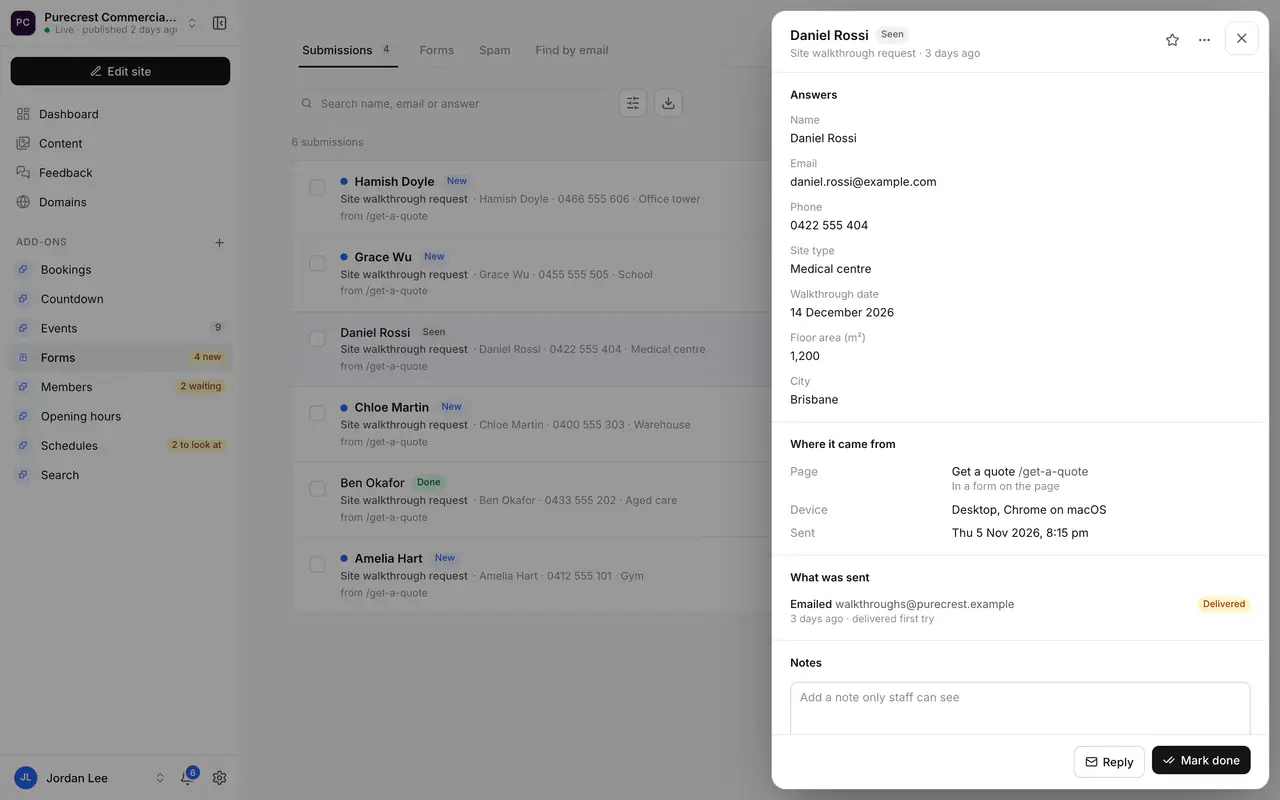 builder.webdirector.net/purecrest/formsThe walkthrough request arrivesbuilder.webdirector.net/purecrest/formsIts answers fill the proposal
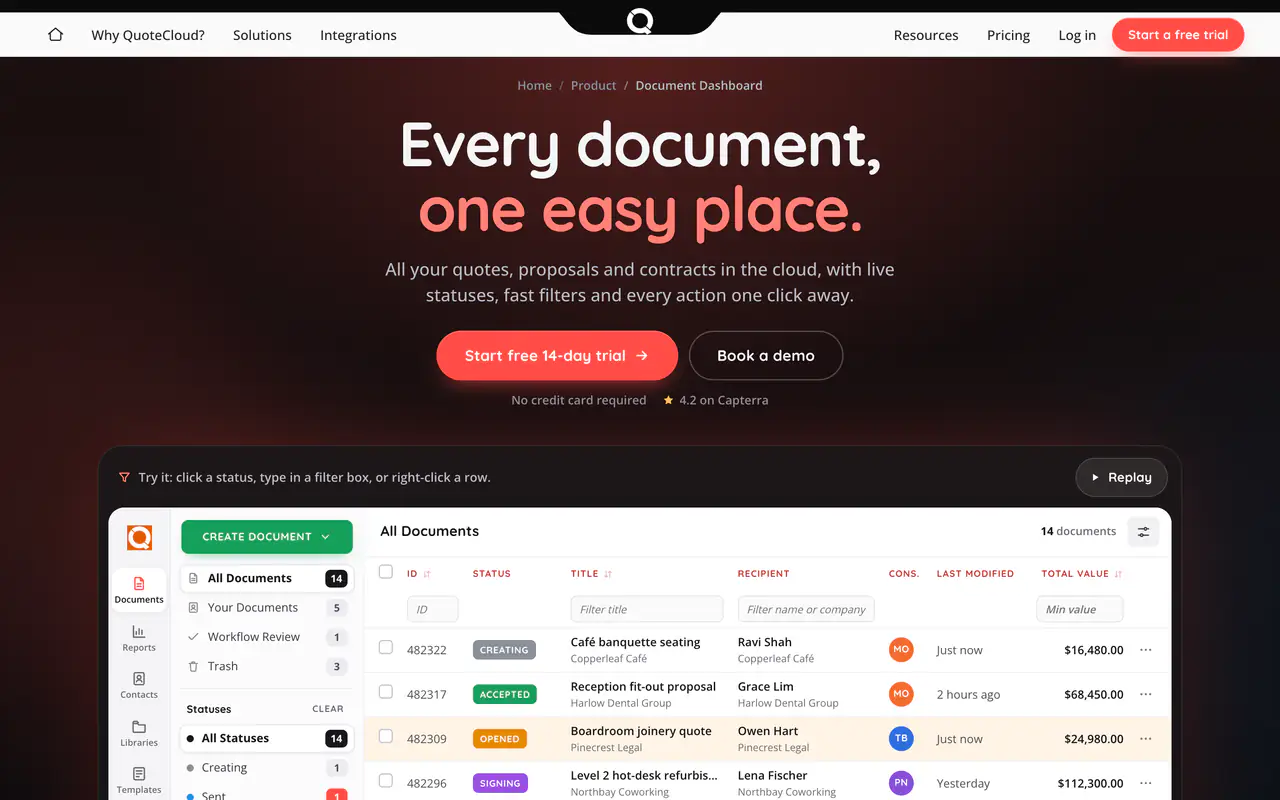 quotecloud.webdirector.spaceQuoteCloud sends it to sign
Cleaning request in, signed agreement out
Connect your WebDirector forms and bookings to QuoteCloud, Corporate Interactive’s quoting, proposal and e-signing platform. A natively connected website, or Zapier, Make or the QuoteCloud API, creates the document from your template the moment someone submits, filled with their details and the lines they chose.
- 1
A facilities manager requests a cleaning quote or walkthrough on your website
- 2
QuoteCloud creates the proposal from your cleaning template, with each site and frequency as a price row
- 3
They review, e-sign and accept online, and you schedule the first clean
How the connection works
The same answers pass from the website to the proposal, so nobody types them twice.
- 1The client submits
Your WebDirector quote request form collects the sector, sites, floor areas, frequency and extras.
- 2The connection picks it up
A native WebDirector connection, or Zapier, Make or the QuoteCloud API, receives the submission as it arrives.
- 3QuoteCloud creates the proposal
It starts from the template for that sector, fills data items such as the client name and site addresses, and adds a price row for each site and service.
- 4Your estimator checks it
After the walkthrough, adjust hours and quantities, add site notes and send it.
- 5They sign
The client reads the proposal on any device and e-signs it. Pay-on-acceptance is there for one-off cleans.
“The draft proposal is waiting by the time I get back from the walkthrough. I fix the hours, add the access notes and send it before the client has left the building.”
Common questions
Does the automation write the proposal?
No. It fills your template with the client's answers and price rows. The wording, scope and terms come from your template.
Which QuoteCloud plan do we need?
Zapier, the API, custom data items and QuoteCloud Payments are on the Essentials plan and above. E-signing is on every plan.
Can we quote several sites in one proposal?
Yes. Each site or service from the form can become its own price row in the same document.
Can a signed agreement reach our rostering or accounts system?
Through Zapier or Make. A signed-document trigger in QuoteCloud can pass the details to the tools you already use.
See WebDirector run your websites
Book a walkthrough with the Corporate Interactive team. We will show you the editor, the features your business needs and how your sites would move across.