
Checkout for shoppers, proper quotes for trade
Shoppers check out. Trade and bulk buyers ask for a price, and QuoteCloud prepares a quote with their products and quantities for your team to check, discount and send.
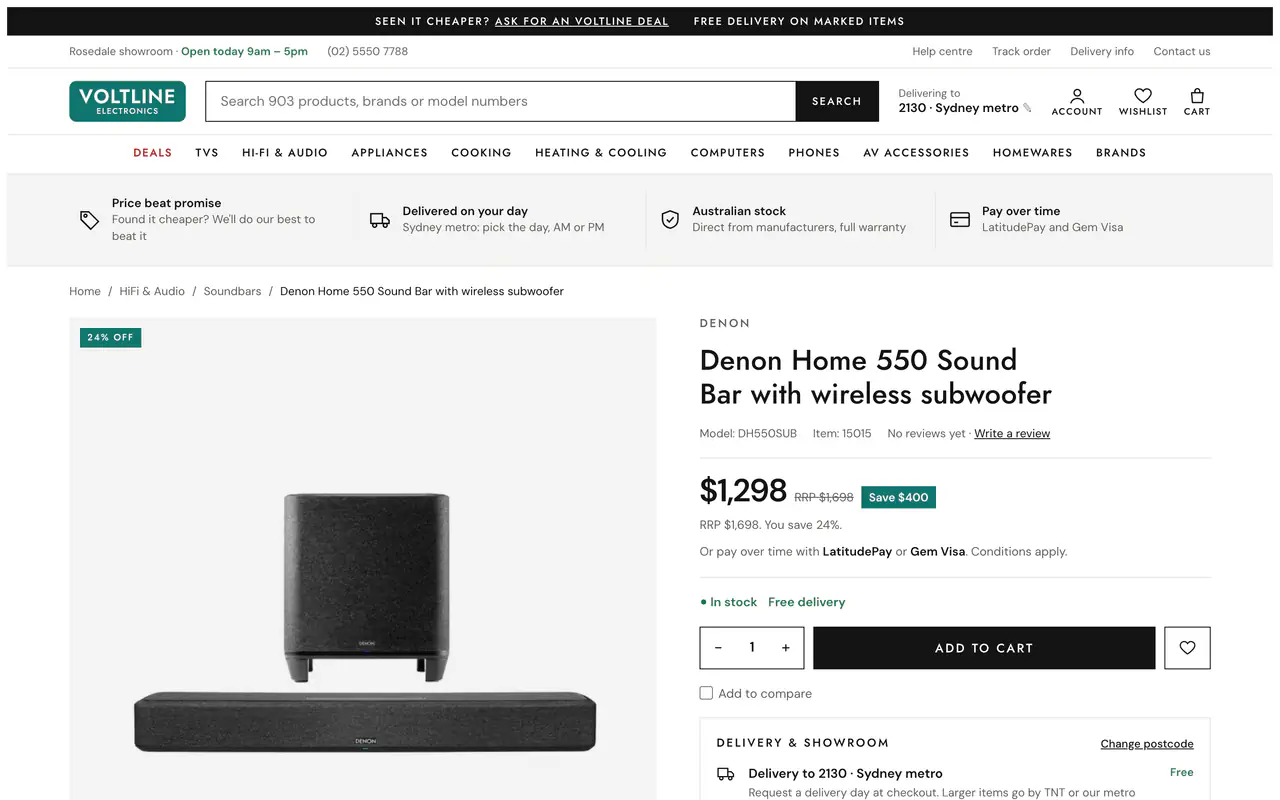 voltline.webdirector.space/hifi-audio/denon-home-550Trade buyers find the product
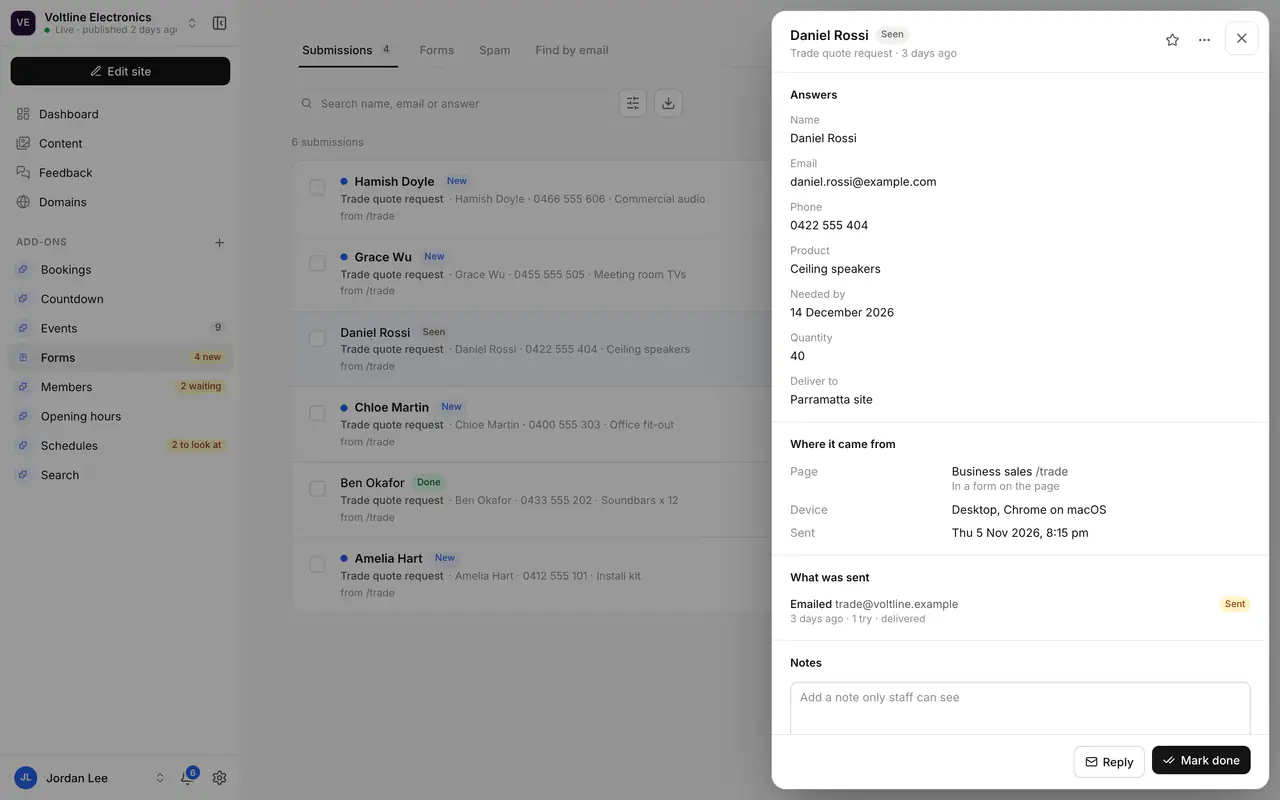 builder.webdirector.net/voltline/formsTrade quote requests arrivebuilder.webdirector.net/voltline/formsProduct, quantity and delivery
 quotecloud.webdirector.spaceQuoteCloud sends the trade quote
How a trade request becomes a quote
This works today with WebDirector Forms. With WebDirector Commerce, the request can also start from the cart, sent as a quote.
- 1The buyer asks for a price
A Request a trade quote form lists the products, quantities, delivery postcode and their business details.
- 2The connection picks it up
A native WebDirector connection, or Zapier, Make or the QuoteCloud API, receives the request straight away.
- 3QuoteCloud creates the quote
It starts from your trade template and adds a price row for each product and quantity, with their details as data items.
- 4Your team checks and sends
Apply the trade discount, confirm stock and delivery, then send.
- 5They accept and pay
The buyer accepts, e-signs and pays online, and you fulfil the order.
Trade request to paid order
Connect your WebDirector forms and bookings to QuoteCloud, Corporate Interactive’s quoting, proposal and e-signing platform. A natively connected website, or Zapier, Make or the QuoteCloud API, creates the document from your template the moment someone submits, filled with their details and the lines they chose.
- 1
A trade or bulk buyer asks for a price from the product page
- 2
QuoteCloud builds a quote with the products and quantities they asked for
- 3
They accept online and pay, and you fulfil the order
Common questions
Can this work without WebDirector Commerce?
Yes. The trade quote form uses WebDirector Forms, which is available today.
Where do trade prices come from?
Price rows are set by the connection, for example from your price list, and your team applies trade discounts in QuoteCloud before sending.
Which QuoteCloud plan do we need?
Zapier, the API, custom data items, the product library and QuoteCloud Payments are on the Essentials plan and above.
Can a wishlist become a quote?
Yes. With WebDirector Commerce a wishlist can be turned into a cart or sent as a quote.
See WebDirector run your websites
Book a walkthrough with the Corporate Interactive team. We will show you the editor, the features your business needs and how your sites would move across.