Book a demo
  1. Home
  2. Retail & ecommerce
  3. Wishlists, compare & orders
WebDirector Commerce

Help them decide, then bring them back

Bigger purchases take more than one visit. With WebDirector Commerce, customers keep wishlists, compare products side by side and check on their own orders.
Compare up to three
Saved for later
An order reference by email
Customers track their own order
01Compare

Up to three products, side by side

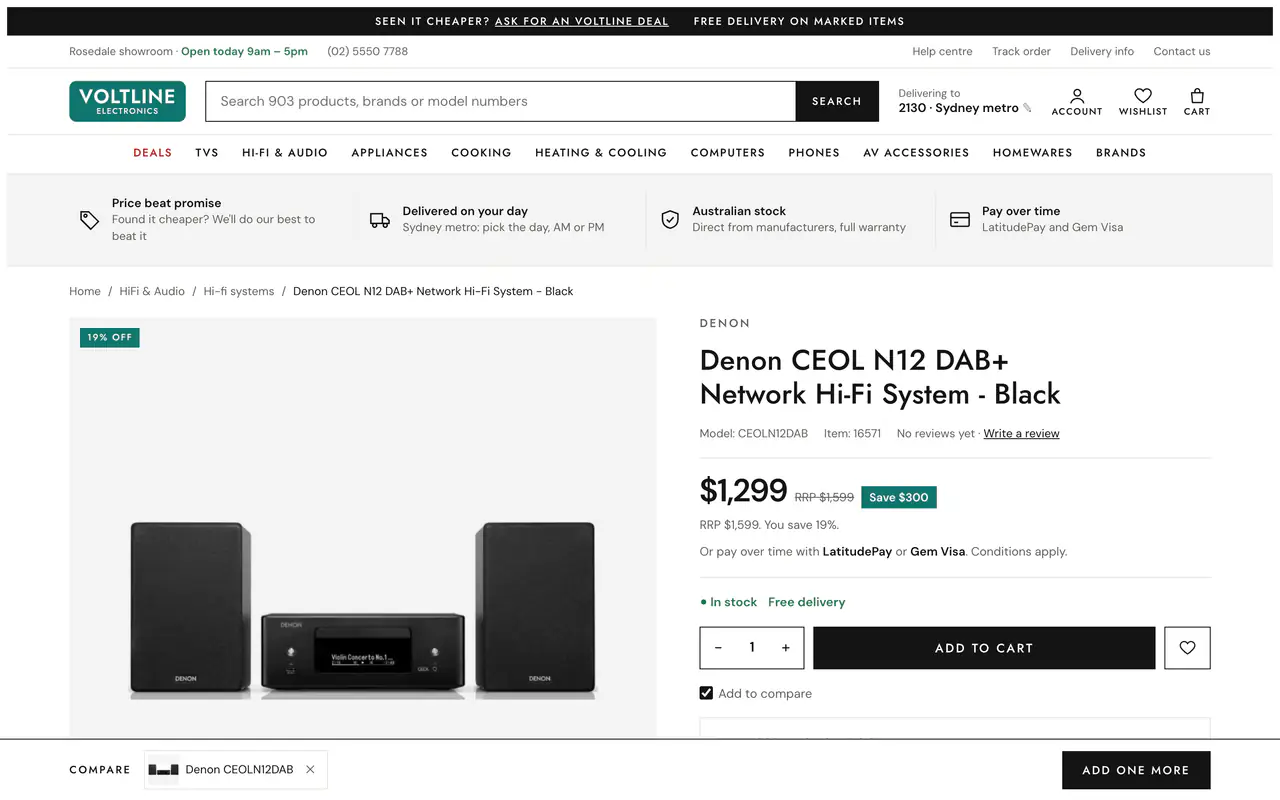
Customers pick products to compare as they browse. Price, saving, stock and every specification line up row by row, with differences highlighted.

  • Compare from shop and product pages
  • Specifications lined up row by row
  • Differences highlighted
  • Add to cart from the table
voltline.webdirector.space/hifi-audio/denon-home-550
Comparing three products on the Voltline demo store.
02Wishlist

A shortlist that's there tomorrow

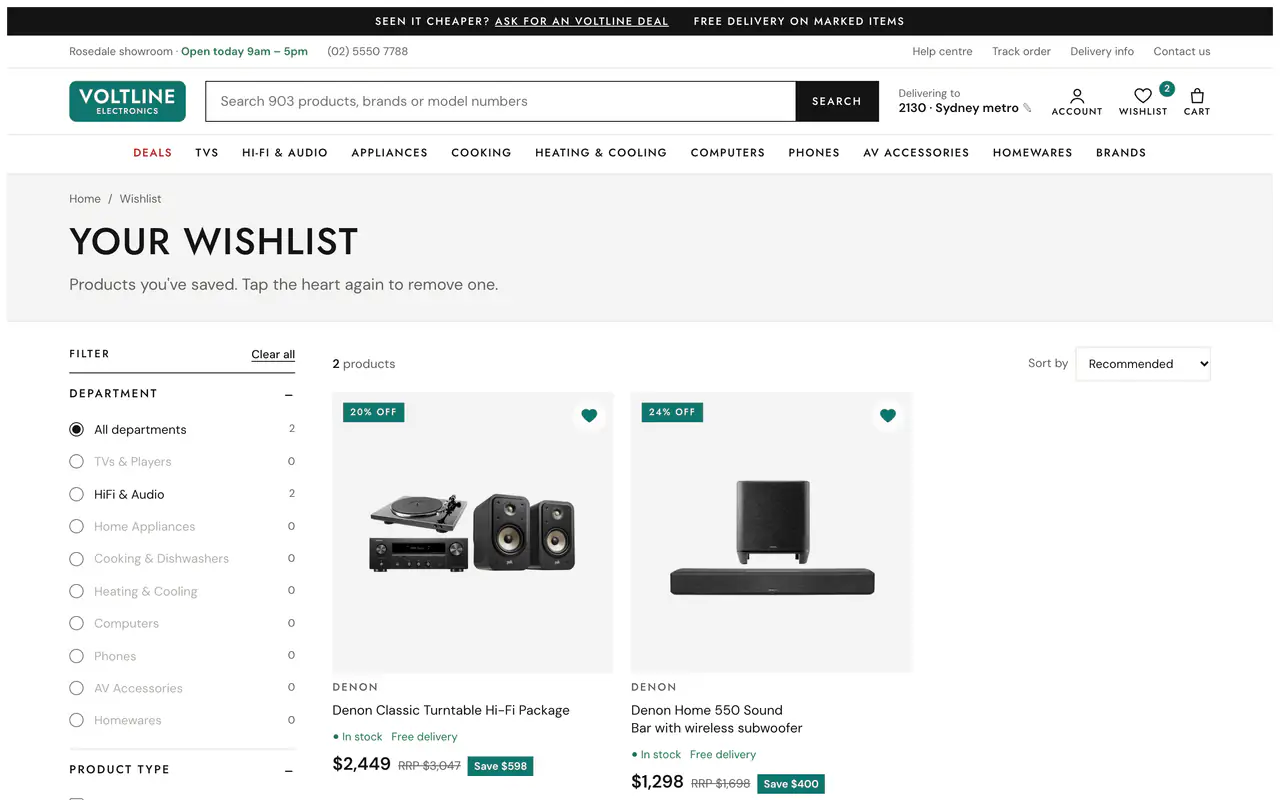
Save from any product card and come back later. Items moved out of the cart wait on the wishlist instead of disappearing.

  • Save from any product card
  • Wishlist count in the header
  • Save for later from the cart
  • Sort and filter saved products
voltline.webdirector.space/wishlist
The wishlist on the Voltline demo store.
03Orders

Customers check their own order

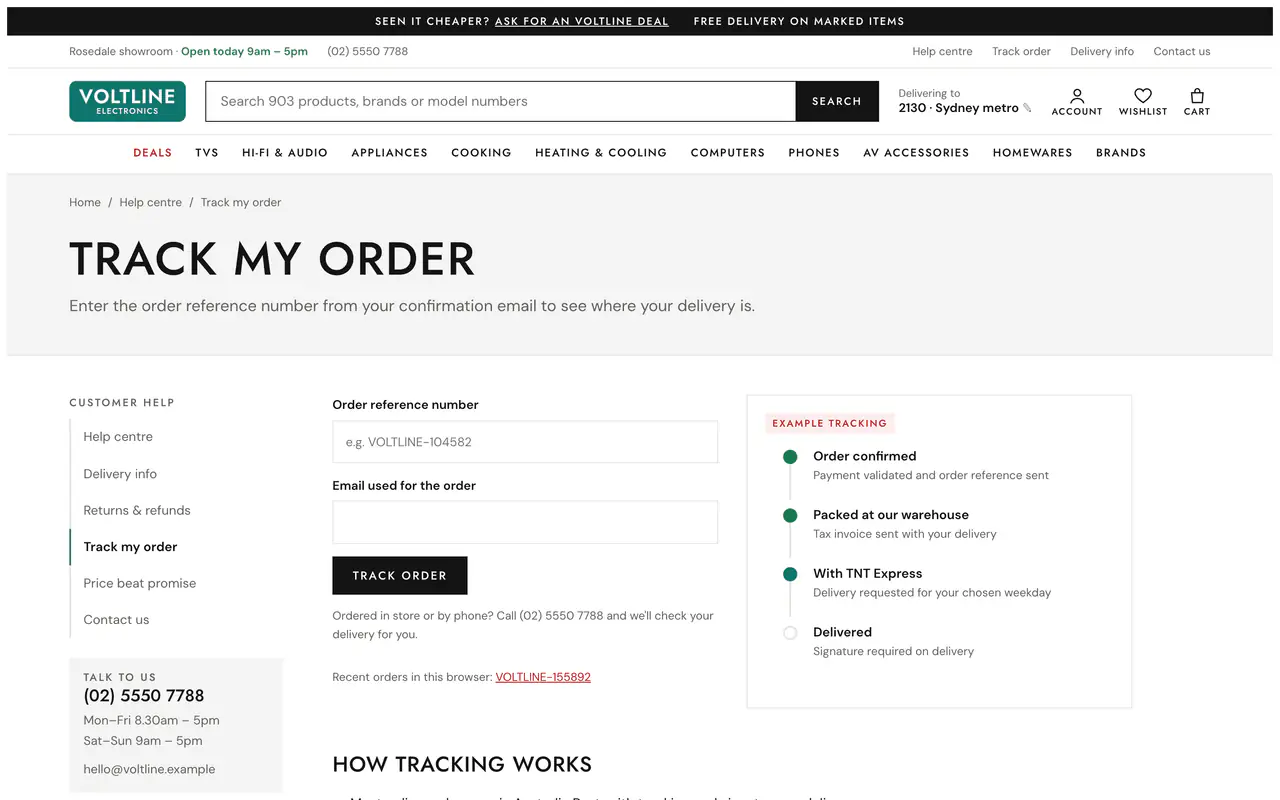
An order reference and email find the order and its progress. Fewer where's my order calls reach your team.

  • Look up by order reference and email
  • Timeline of each stage
  • Items and delivery address on one page
  • Price-match requests customers can send
voltline.webdirector.space/track-order
Order tracking on the Voltline demo store.
Questions

Common questions

Does the wishlist follow customers to another device?

In the store concept the wishlist is kept in the browser. Saving it to a customer account is being confirmed for the build.

Can we handle price-match requests?

Yes. The concept includes a price-match request with the product, competitor and price, and your own conditions on the page.

Will customers get order emails?

Yes. WebDirector Commerce emails a tax invoice with each order, and the order page shows what happens next.

See WebDirector run your websites

Book a walkthrough with the Corporate Interactive team. We will show you the editor, the features your business needs and how your sites would move across.