Book a demo
  1. Home
  2. Not-for-profit & associations
  3. Volunteers & events
Volunteers and events

Volunteers signed up and events listed, from any phone

Volunteers sign up through a ready-made form, events live in one calendar, and the volunteers who look after the website can fix a page from their phone after hours.
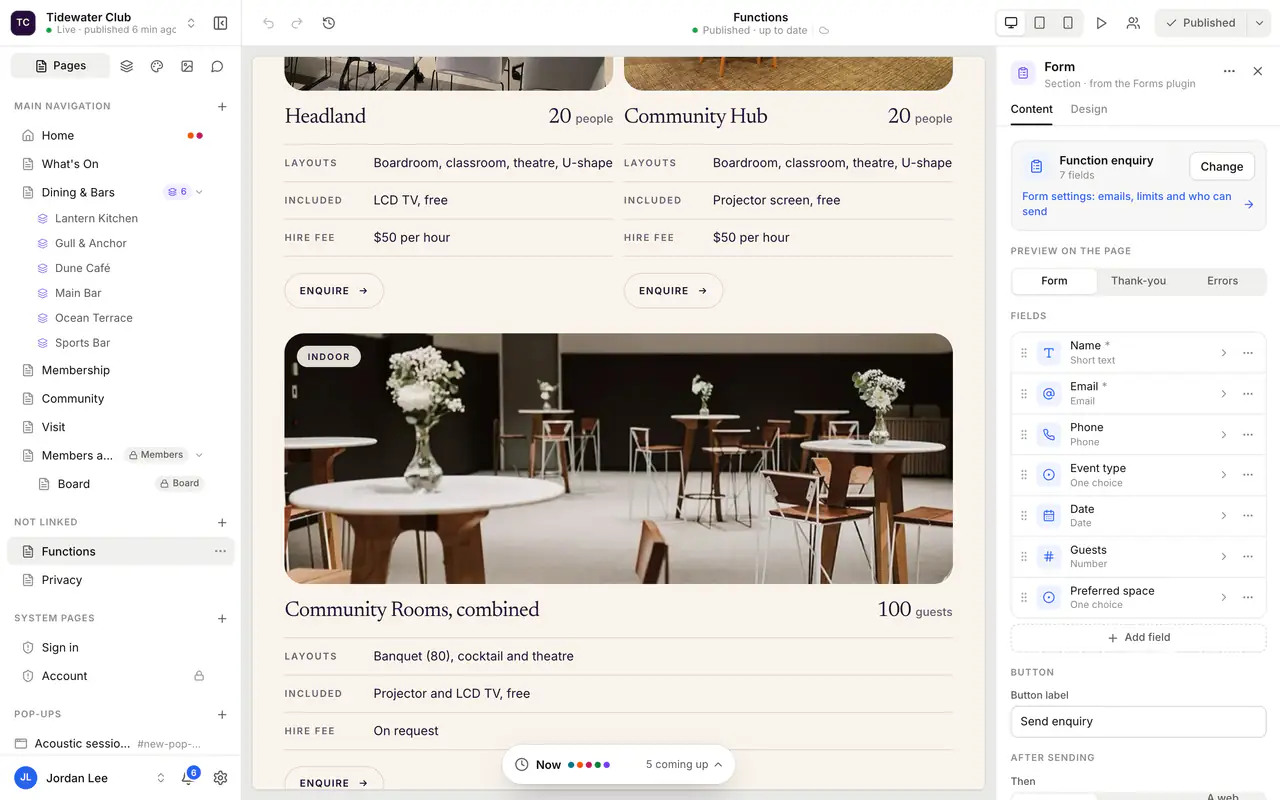
Add the questions you need
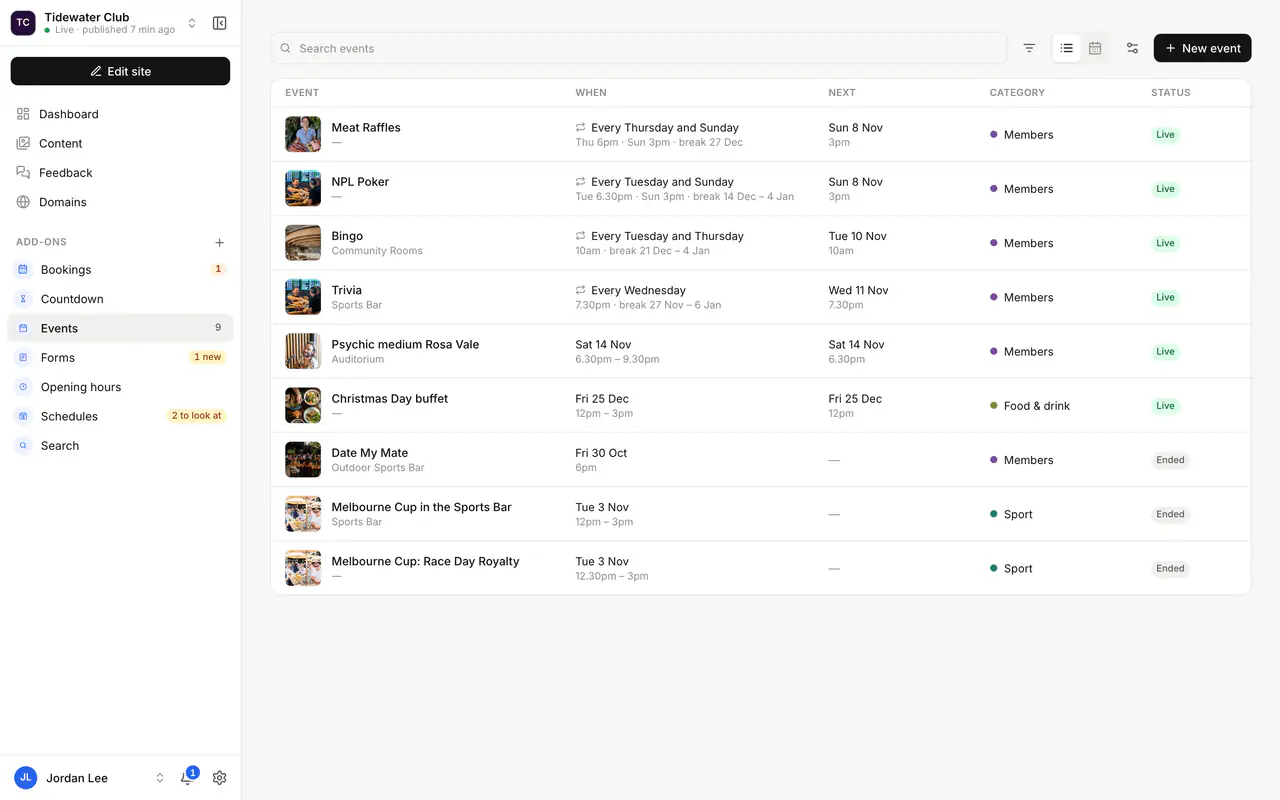
Every event in one list
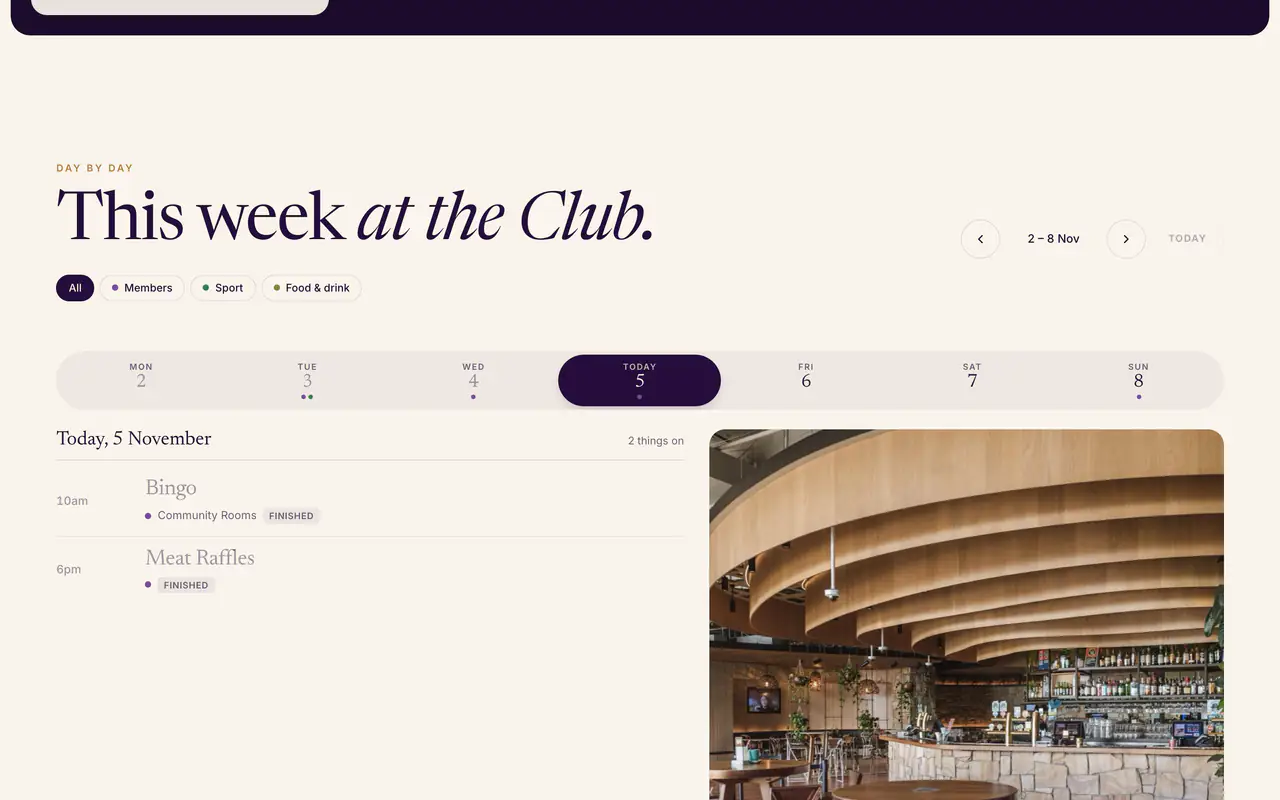
The same dates on the site
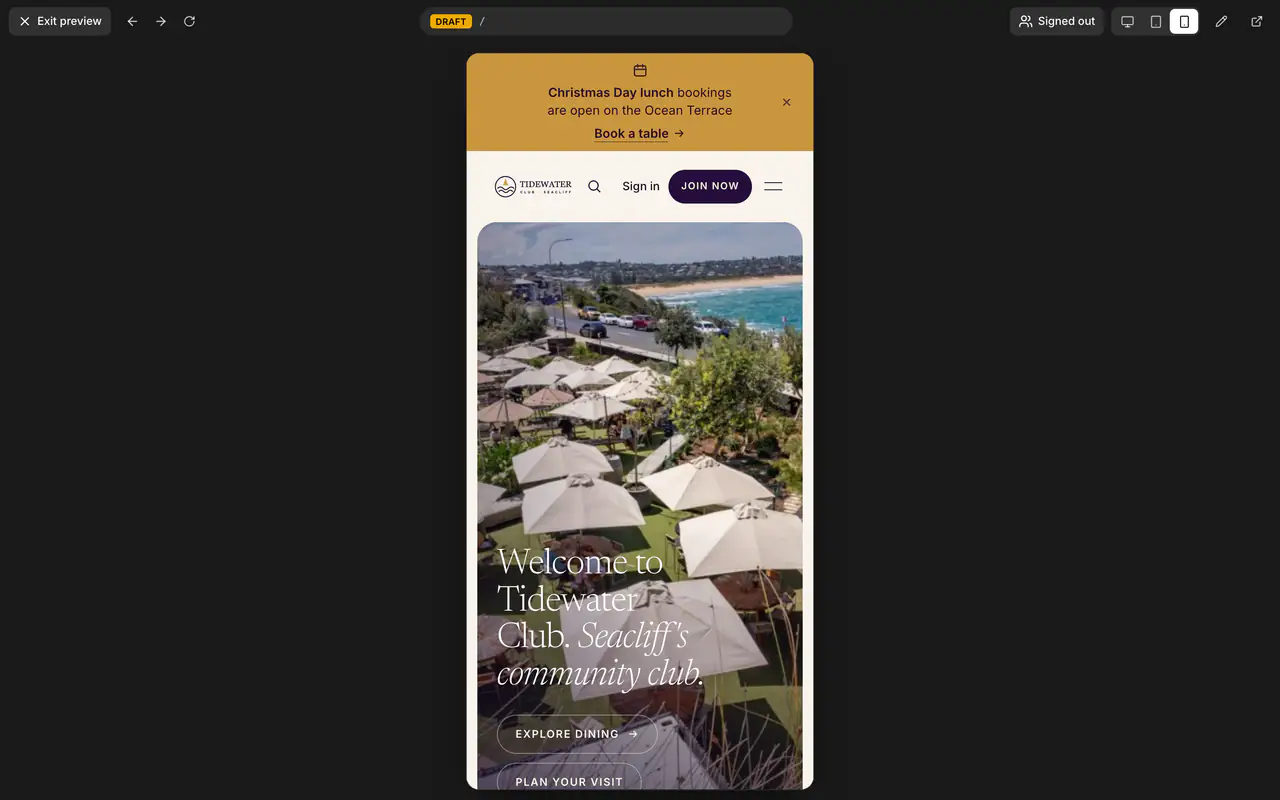
Check the change on a phone
01Volunteer sign-up

A volunteer form ready to use

Start from the Volunteer sign-up template and add the questions you need, such as availability and working with children checks. Route each sign-up to the right coordinator by program.

  • Volunteer sign-up template
  • Questions that show only when they apply
  • Route by answer to each coordinator
  • Spam filed on its own tab
builder.webdirector.net/tidewater-club/edit
The WebDirector form builder, starting from a ready-made template.
02One calendar

Every working bee and fundraiser listed

Events live in one list with categories, so the homepage, program pages and calendar all show the same dates. RSVPs come in through the Event RSVP form, and ticketed events can be booked with the Bookings add-on.

  • Weekly and one-off events
  • Category colours and filters
  • Event RSVP form template
  • Calendar files for every event
builder.webdirector.net/tidewater-club/events
A calendar section on a live WebDirector site, filtered by category.
03Edit from anywhere

Website updates that fit a volunteer's evening

The full editor works in a phone browser. A volunteer can tap a heading, change a date and publish, or draft the change for a staff member to approve.

  • Tap any text or image to edit
  • No app to install
  • Contributor role drafts, others publish
  • Version history if something goes wrong
builder.webdirector.net/tidewater-club/edit
Phone preview inside the WebDirector editor.
Questions

Common questions

Can volunteers book shifts?

Shifts can run as sessions in WebDirector Bookings, with a set number of places and reminder emails. Rostering beyond that stays in your current tool.

Can we check volunteers before they start?

The form collects the details you need and sends them to the coordinator. Checks such as working with children clearances are done by your team.

Do volunteers need their own login to edit?

Yes. Each volunteer gets their own login with only the permissions you choose, so you can see who changed what.

See WebDirector run your websites

Book a walkthrough with the Corporate Interactive team. We will show you the editor, the features your business needs and how your sites would move across.