Book a demo
  1. Home
  2. Multi-brand groups & franchises
  3. Shared themes & brand styles
Themes & brand

Head office owns the theme, brands keep their look

Build one theme for the group, give each brand its own colours, fonts and logo, and lock the sections that must not move. Theme updates are uploaded once, checked and rolled out by version.
Upload once, use everywhere
Your brand colours
Insert a ready-made section
Versioned add-ons
01The library

One library for every site

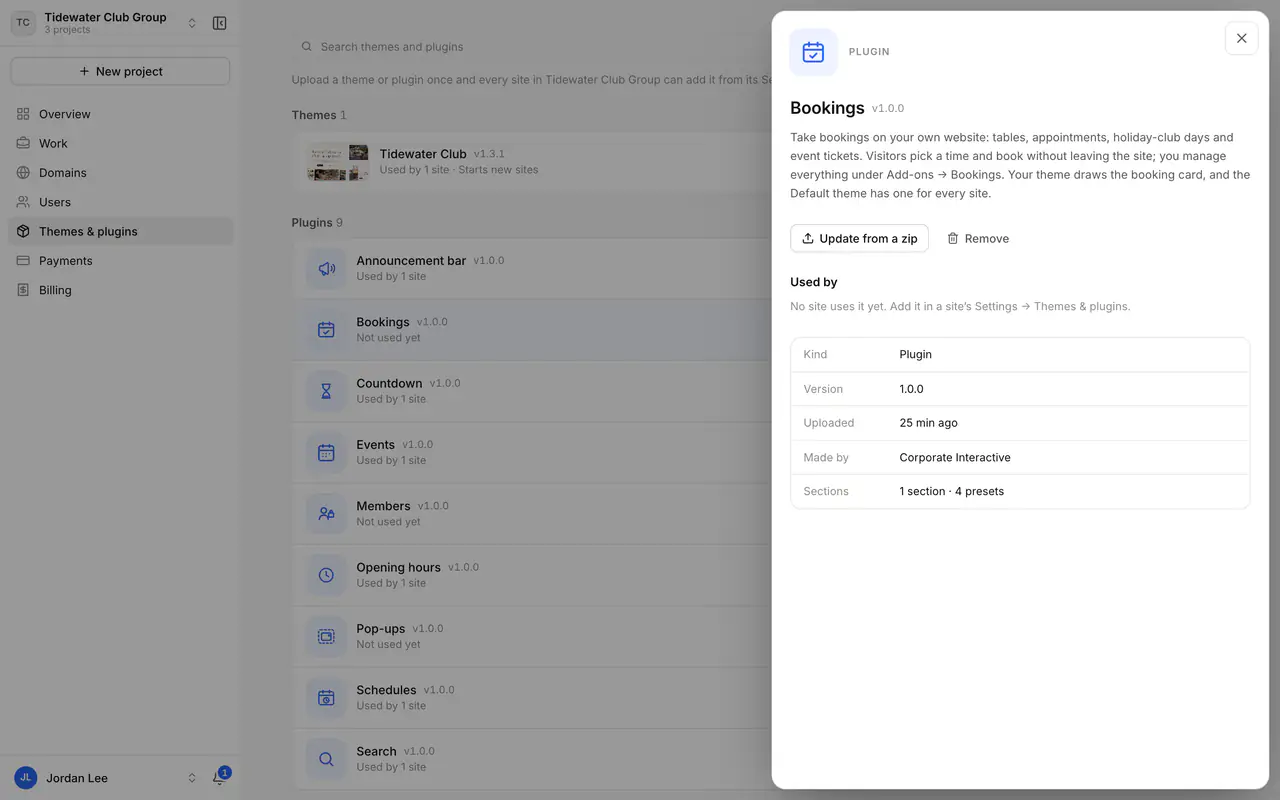
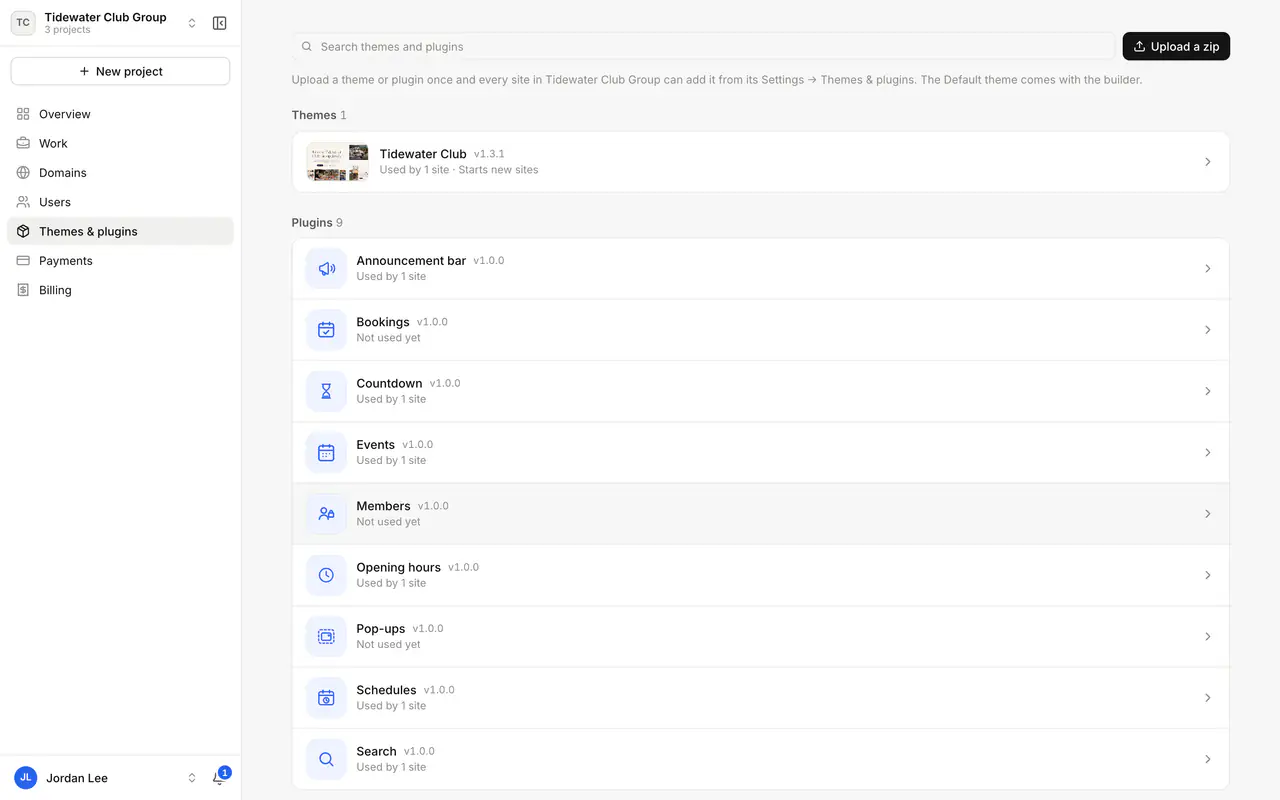
Themes and add-ons live in your organisation's library. Upload once and every site in the group can use them, and you can see which sites use each package.

  • Themes start new sites with real content
  • Add-ons arrive switched off on each site
  • Shows which sites use each package
  • Missing add-ons a theme needs are flagged
builder.webdirector.net/org/tidewater-club-group
The organisation's library of themes and add-ons.
02Brand styles

Each brand in its own colours

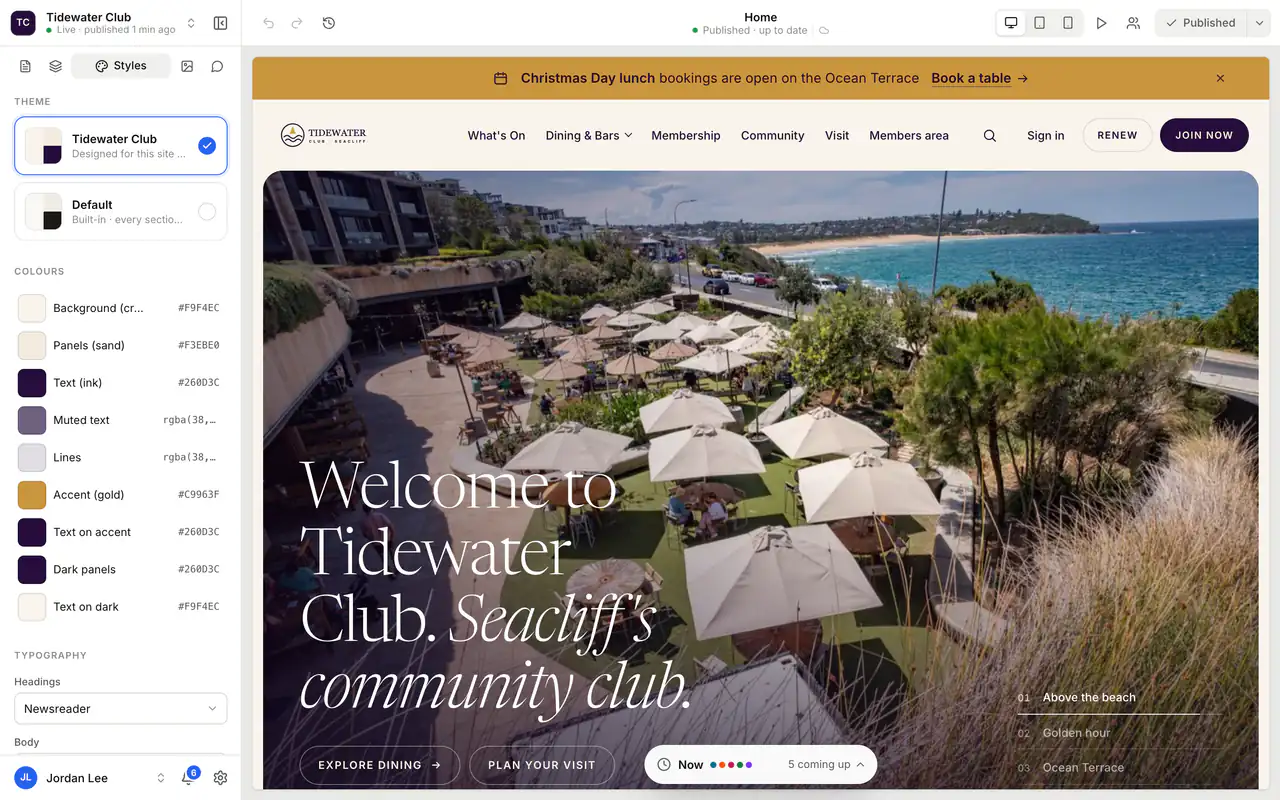
The Styles panel holds a site's colours, fonts and spacing. TerraClear and TankCube can share the group theme and still look like themselves.

  • Colours with hex codes
  • Heading and body fonts
  • Logo and favicon per site
  • Reset to the theme defaults in one click
builder.webdirector.net/tidewater-club/edit
The Styles panel, with colours and fonts for one site.
03Guard rails

Sections that stay where they belong

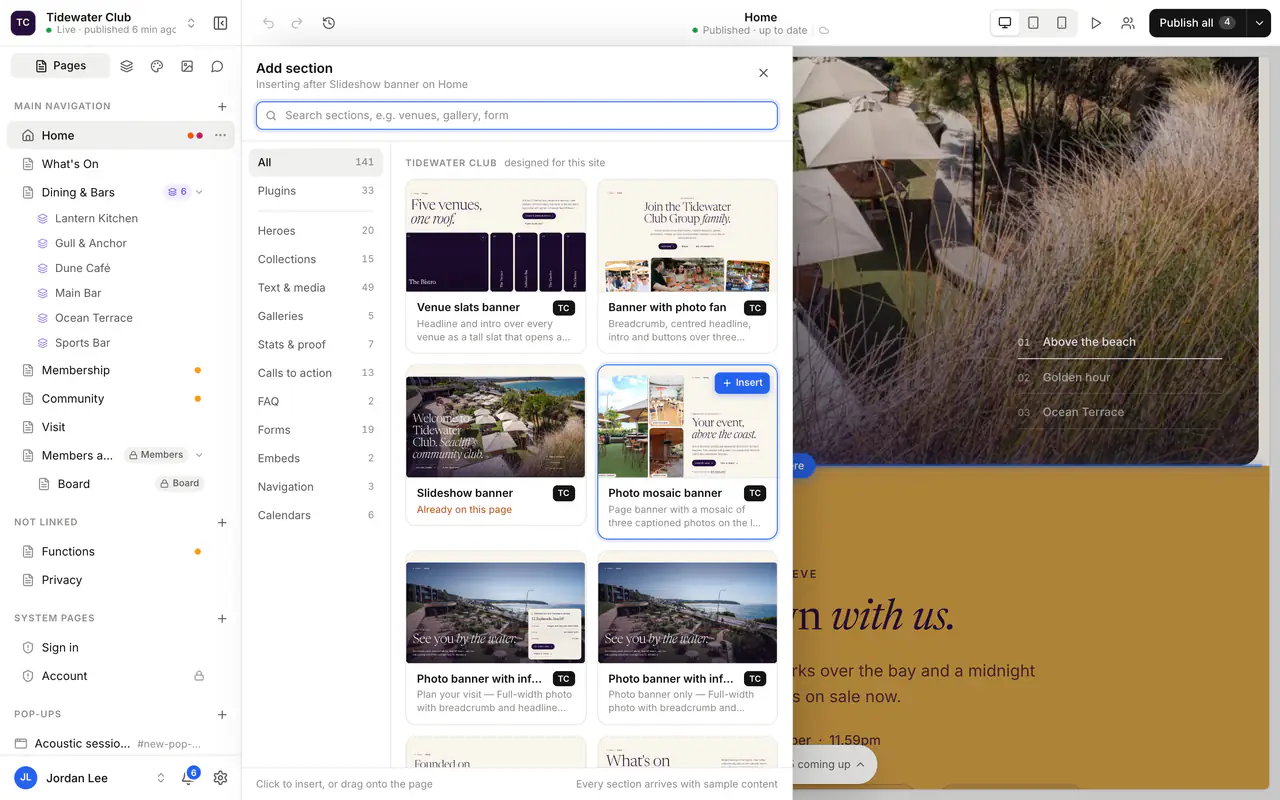
Your theme decides which sections local teams can add and which stay locked, such as the brand header or compliance footer. Local staff fill in the words without breaking the layout.

  • Your theme's sections listed first
  • Locked sections keep their place
  • Limits such as one per page
  • Option to show only your own designs
builder.webdirector.net/tidewater-club/edit
Adding a section from the library, with thumbnails of each design.
04Updates

Theme updates by version, with rollback

A new theme version is checked on upload, and a version that would break pages is refused. If something isn't right, roll back to the previous version.

  • Every upload checked before it installs
  • No platform release needed
  • A package in use can't be removed by mistake
  • Roll back with one click
builder.webdirector.net/org/tidewater-club-group
A theme package's versions in the library.
Questions

Common questions

Who builds the theme?

Corporate Interactive designs it with you and turns it into a theme package for your library.

Does an update change every site at once?

A library theme update applies to every site using it, so test it first. You can roll back if needed.

Can a location change the layout?

Only within what the theme allows. Locked sections stay put, and you decide which sections are on offer.

See WebDirector run your websites

Book a walkthrough with the Corporate Interactive team. We will show you the editor, the features your business needs and how your sites would move across.