Book a demo
  1. Home
  2. Hospitality & venues
  3. What's on
Events & calendar

A what's on page that updates itself

Add an event once and it appears in the homepage list, the venue page and the monthly calendar. Weekly trivia is set up once, and changing one week leaves the rest alone.
Every event in one list
Set weekly events once
The site's calendar updates
01One list

Every event in one place

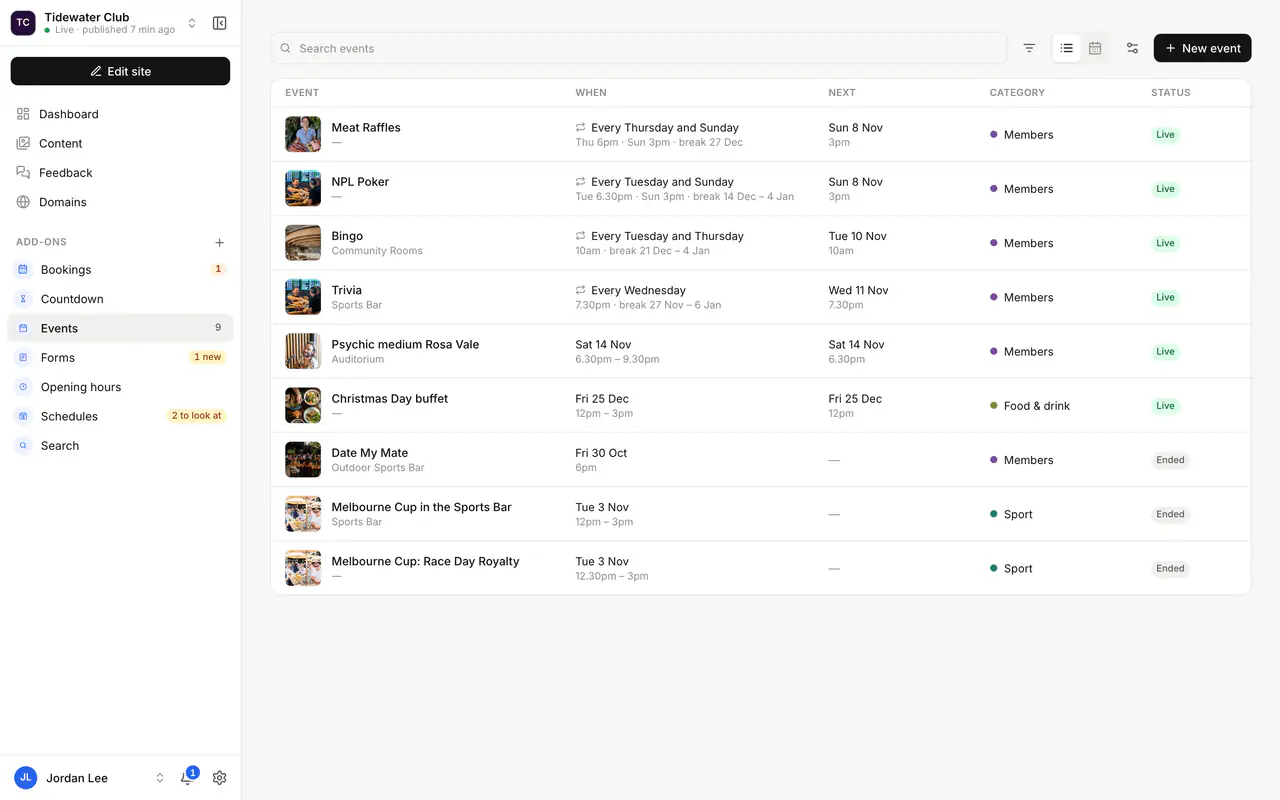
Live music in the Main Bar, trivia at Gull & Anchor and the footy in the Sports Bar all live in one events list. Filter it by category, venue or date.

  • List and month views in the admin
  • Categories with colours
  • Mark events as featured, few left or full
  • Each event can have its own page
builder.webdirector.net/tidewater-club/events
The events list in the Tidewater Club admin.
02Weekly events

Set weekly events once

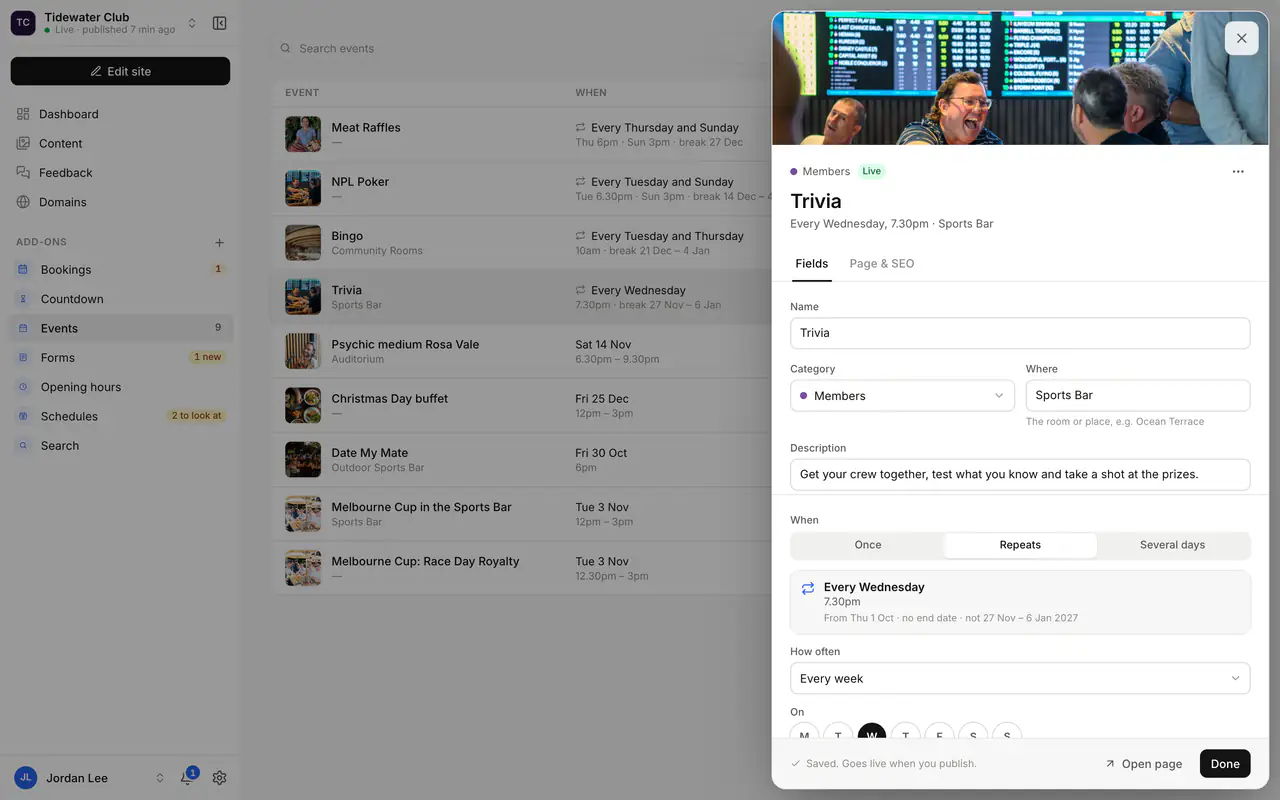
Trivia every Wednesday or music every Friday is one event with a schedule. Move or cancel a single week from the page without touching the others.

  • Weekly and dated schedules
  • Change a single date from the page
  • Times follow your site's time zone
  • Clock times or no set time
builder.webdirector.net/tidewater-club/events
Editing a repeating event's schedule.
03On the website

A calendar that suits each page

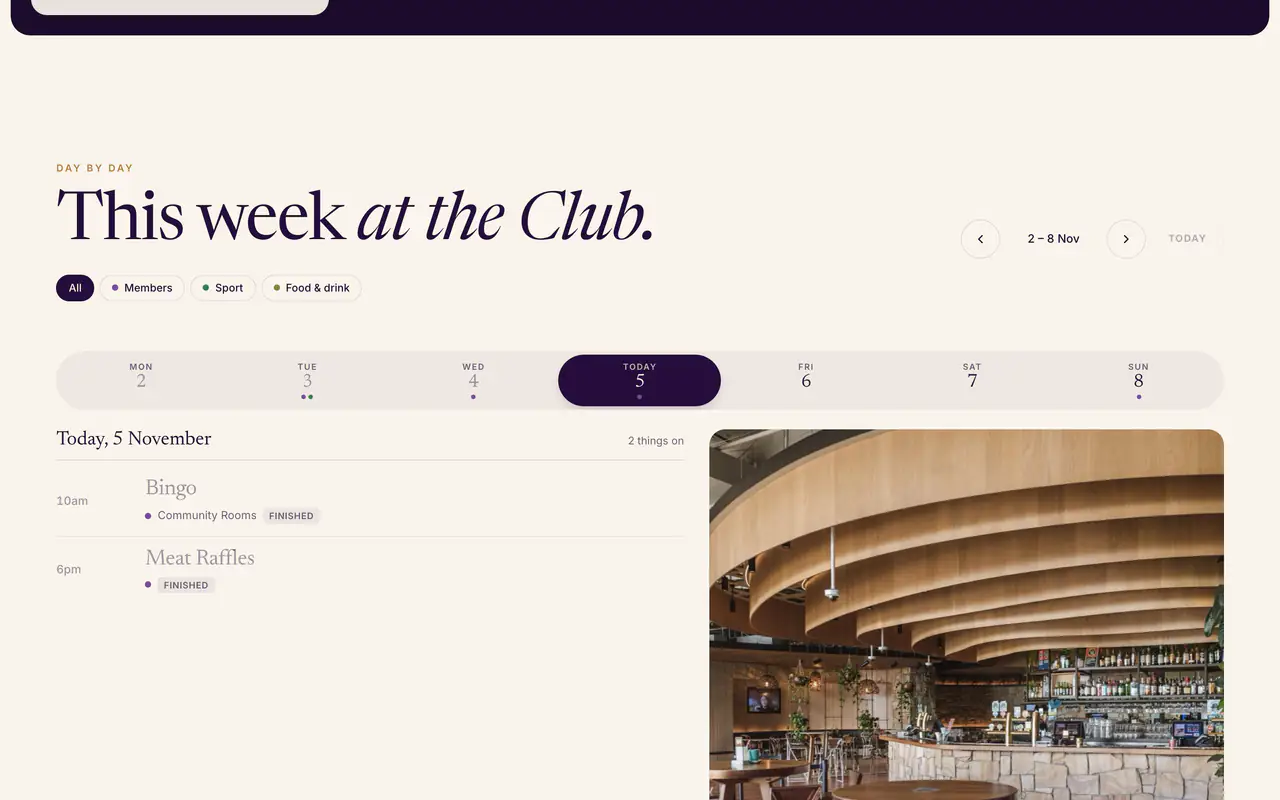
Show a what's on list on the homepage, a week view on a venue page and a month calendar on the events page. Each one updates when an event changes.

  • Six layouts, from list to month
  • Filter chips by category
  • Add to calendar for every visitor
  • Event details search engines understand
builder.webdirector.net/tidewater-club/events
This week's events on the Tidewater Club website.
Questions

Common questions

Can we sell tickets?

Bookings includes an event tickets preset, or each event can link to the ticketing site you use now.

Can guests subscribe to our calendar?

Each event has an add to calendar file. Subscribing to a whole calendar, and importing from other calendars, is not built yet.

Do old events disappear?

Yes. Calendar sections show what's coming, so past events drop off without anyone tidying up.

See WebDirector run your websites

Book a walkthrough with the Corporate Interactive team. We will show you the editor, the features your business needs and how your sites would move across.