Book a demo
  1. Home
  2. Education & training
  3. Timetables & term dates
Timetables

A class timetable that keeps itself up to date

Weekly classes, holiday programs and open days live in one events list. Timetable and calendar sections read from it, so a change shows on every page at once.
Classes and terms in one list
Open days show on the website
Term dates go live on time
The timetable on your website
01Set it once

Weekly classes entered once a term

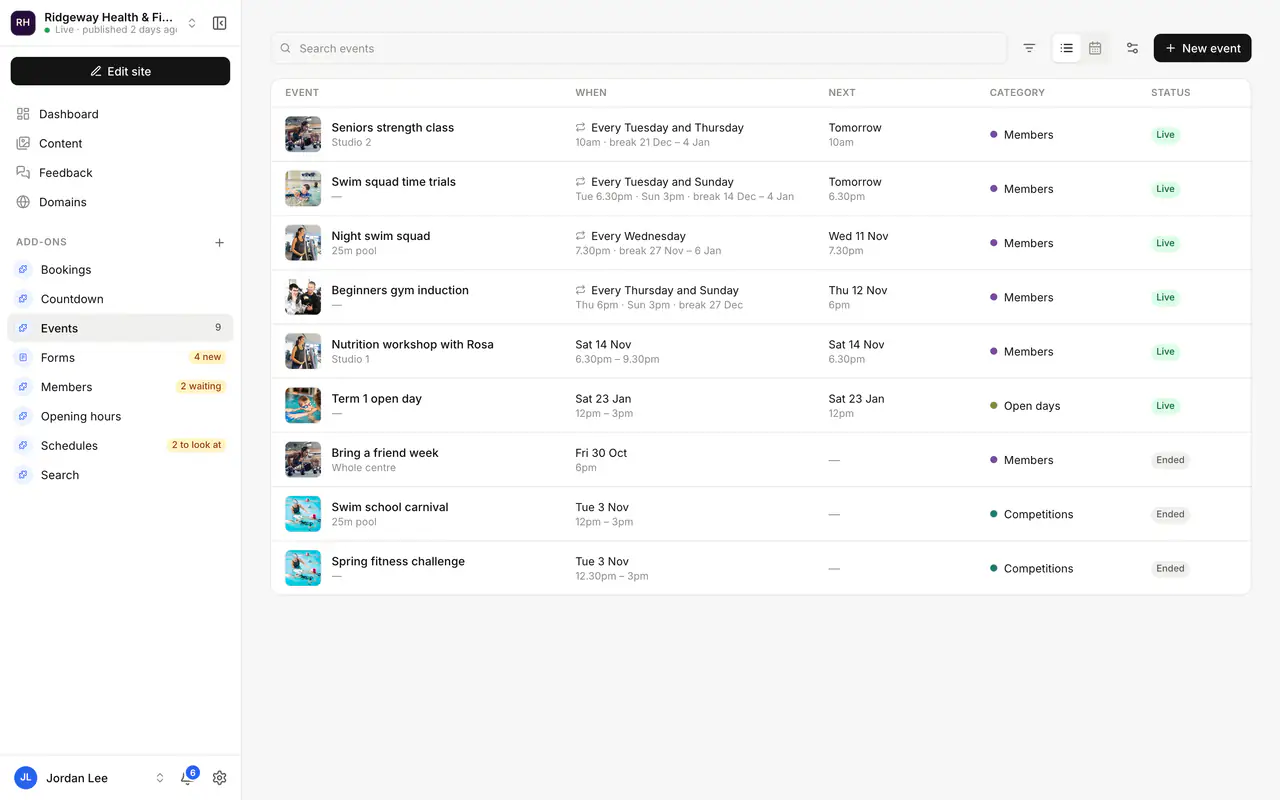
Enter a weekly class once with its day, time and dates. When the pool is closed for a public holiday, cancel that one date and the rest of the series stays as it is.

  • Weekly and dated schedules
  • Change or cancel a single date
  • Times in your site's time zone
  • Featured, few left or full labels
builder.webdirector.net/ridgeway/events
Ridgeway’s classes in the events list, with the weekly repeats and term breaks set once.
02Show it your way

Timetable, week or month view

Calendar sections show all classes or chosen categories, such as swim school or coaching, with colours and filter chips. Each class can open a card or its own page with a booking link.

  • Timetable, list, week and month views
  • Category colours and filters
  • Calendar files for Apple, Google and Outlook
  • Event pages search engines understand
builder.webdirector.net/ridgeway/schedules
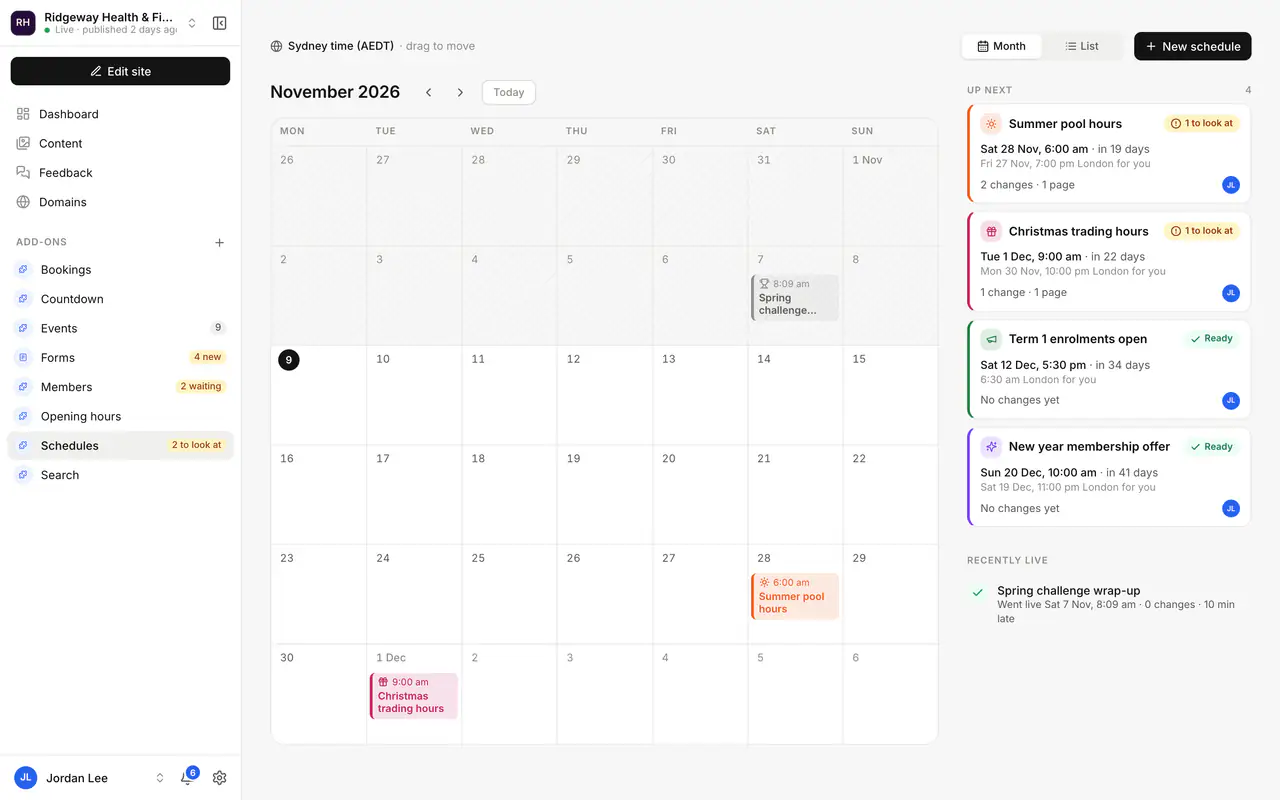
Ridgeway’s schedules calendar, with summer pool hours and term 1 enrolments lined up.
03Next term, on time

Roll over to next term overnight

Prepare Term 2's timetable, fees and enrolment banner in a schedule, then set it to go live at a chosen minute. Your team keeps editing the current term until then.

  • Group term changes into one schedule
  • Preview the site on the go-live date
  • Put the old banner back automatically
  • Schedules is an add-on per site
builder.webdirector.net/ridgeway/schedules
Each Ridgeway schedule lists the changes it will publish and when it goes live.
Questions

Common questions

Can we import our timetable from another system?

Not automatically. Calendar imports are not part of Events today, so Corporate Interactive moves your current timetable in when we set up the site.

Can parents subscribe to the whole calendar?

Each class and event has a calendar file parents can add. Subscribing to a whole calendar is not offered.

Do we update the timetable on every page?

No. Every calendar section reads from the one events list.

See WebDirector run your websites

Book a walkthrough with the Corporate Interactive team. We will show you the editor, the features your business needs and how your sites would move across.